Menu error on iPhone 12 Pro Max mobile device
-
I have an error on my iPhone 12 Pro Max mobile device where the icons are displayed incorrectly, even though they display correctly on other Android mobile dev.
Attachments:
You must be
logged in to view attached files.
Hi there,
To resolve this issue, you’ll need to open your SVG icons file in an editor and add height and width attributes to your <svg> tag, as demonstrated in the screenshot provided: https://gyazo.com/83fd36b0bb9628bb1aed2bd3d5d063c5
Once you’ve made these changes, you’ll need to reupload your icons in the WordPress Dashboard.
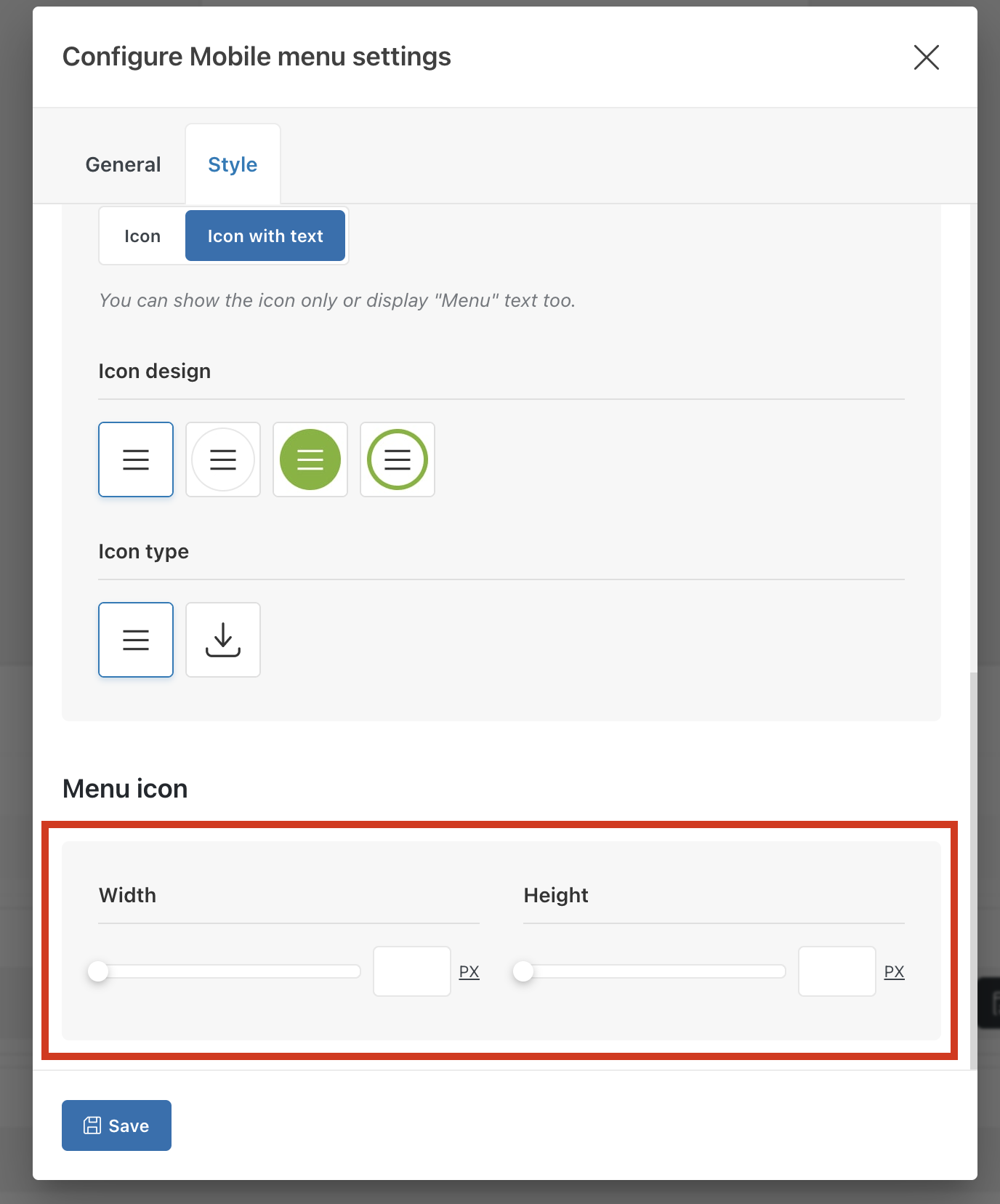
Alternatively, you can configure the mobile menu element in the header and specify the icons’ width and height as shown on the screenshot:
Best regards,
I can’t find that setting. Could you tell me the path or where I can make those changes?
Here is a video that should help you to find this option in mobile menu element https://gyazo.com/a944712267e3e3f6b07e4ea2e483f42f

 .
.
