
Home / Forums / WoodMart support forum / Single product page – not showing single image when trying to use dynamic tag
Home › Forums › WoodMart support forum › Single product page – not showing single image when trying to use dynamic tag
Single product page – not showing single image when trying to use dynamic tag
- This topic has 11 replies, 3 voices, and was last updated 5 months, 1 week ago by
 Artem Temos.
-
AuthorPosts
-
March 18, 2026 at 6:28 pm #713255
dogg.dogParticipantI’ve been trying to create a new single-page layout. I need to use Elementor single image and connect with the dynamic tag that will show the product image (I’ve also tried the featured image), and it’s not working.
Can you please tell me how I can achieve it?Attachments:
You must be logged in to view attached files.March 19, 2026 at 12:25 pm #713327Hello,
Elementor often doesn’t know which product image to show while you’re in the editor. Have you checked it on the frontend on the product page?
Otherwise, please share your Site WP-ADMIN Login details in the Private Content field so that we can check this concern on your Site and help you out accordingly.
Best Regards
March 22, 2026 at 2:16 pm #713632
dogg.dogParticipantI’ve submitted the information for you. Looking forward to your help.
March 23, 2026 at 10:56 am #713709Hello,
Sorry, but the password you provided seems to be wrong, and we can’t enter the dashboard.
Kind Regards
March 23, 2026 at 11:04 am #713712
dogg.dogParticipantTry this please –
March 23, 2026 at 11:18 am #713714As I can see, the image is currently displayed correctly https://gyazo.com/1d7fcf10867717f6fc8a0824275d4478
Please check from your end on the website (not the layout editing screen).March 23, 2026 at 12:03 pm #713723
dogg.dogParticipantI selected this image manually, try to change it to displayed by using dynamic tag and point it to the product image – it will not work.
March 23, 2026 at 1:44 pm #713739As I can see, the dynamic tag is used there and it still works correctly. Here is a screenshot https://gyazo.com/72659ba19cee344250557fd2e566edb5
March 24, 2026 at 10:41 am #713847
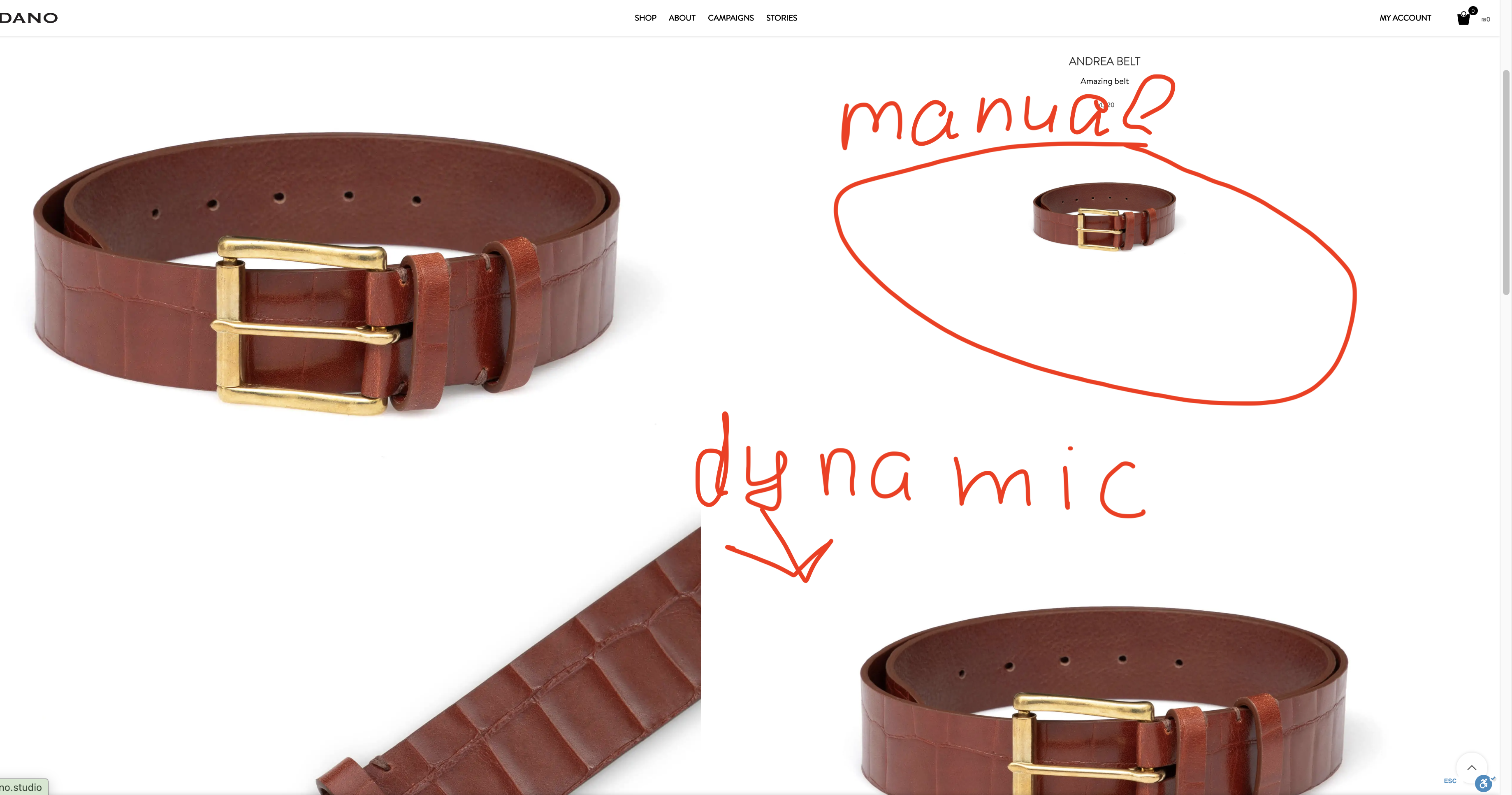
dogg.dogParticipantYour screenshot is not correct. Please check my screenshot again; I’ve marked the issue properly for you.
Attachments:
You must be logged in to view attached files.March 24, 2026 at 11:46 am #713879Hello,
Yes, we see that there are two images. And both are displayed correctly on the product page
Kind Regards
March 24, 2026 at 12:02 pm #713888
dogg.dogParticipantI only see 1 image when I’m loading the preview page. How do you see the second image?
Attachments:
You must be logged in to view attached files.March 24, 2026 at 12:32 pm #713893It won’t be visible on the preview page because it’s not a product page. The product thumbnail image can only be viewed on the single product page. So, it might be inconvenient for editing, but it works as expected for visitors.
-
AuthorPosts


- You must be logged in to create new topics. Login / Register