Home Forums WoodMart support forum iPhone icon problem

iPhone icon problem

Viewing 2 posts - 1 through 2 (of 2 total)
  • Author
    Posts
  • #715270

    tegards
    Participant

    Hello Woodmart team,

    I have a problem with product category icons on new iPhones. The icons are displayed much too wide (see the two screenshots). I tested it on multiple current iPhones (eg iPhone 16 and 17 Pro) and an every one the problem existed. On Windows / Android / iPads the problem doesn’t exist.

    What could be the problem?

    Best regards
    Bernhard

    Attachments:
    You must be logged in to view attached files.
    #715303

    Artem Temos
    Keymaster
    Xtemos team

    Hi there,

    To resolve this issue, you’ll need to open your SVG icons file in an editor and add height and width attributes to your <svg> tag, as demonstrated in the screenshot provided: https://gyazo.com/83fd36b0bb9628bb1aed2bd3d5d063c5

    Once you’ve made these changes, you’ll need to reupload your icons in the WordPress Dashboard.

    Alternatively, you can configure the mobile menu element in the header and specify the icons’ width and height as shown on the screenshot:
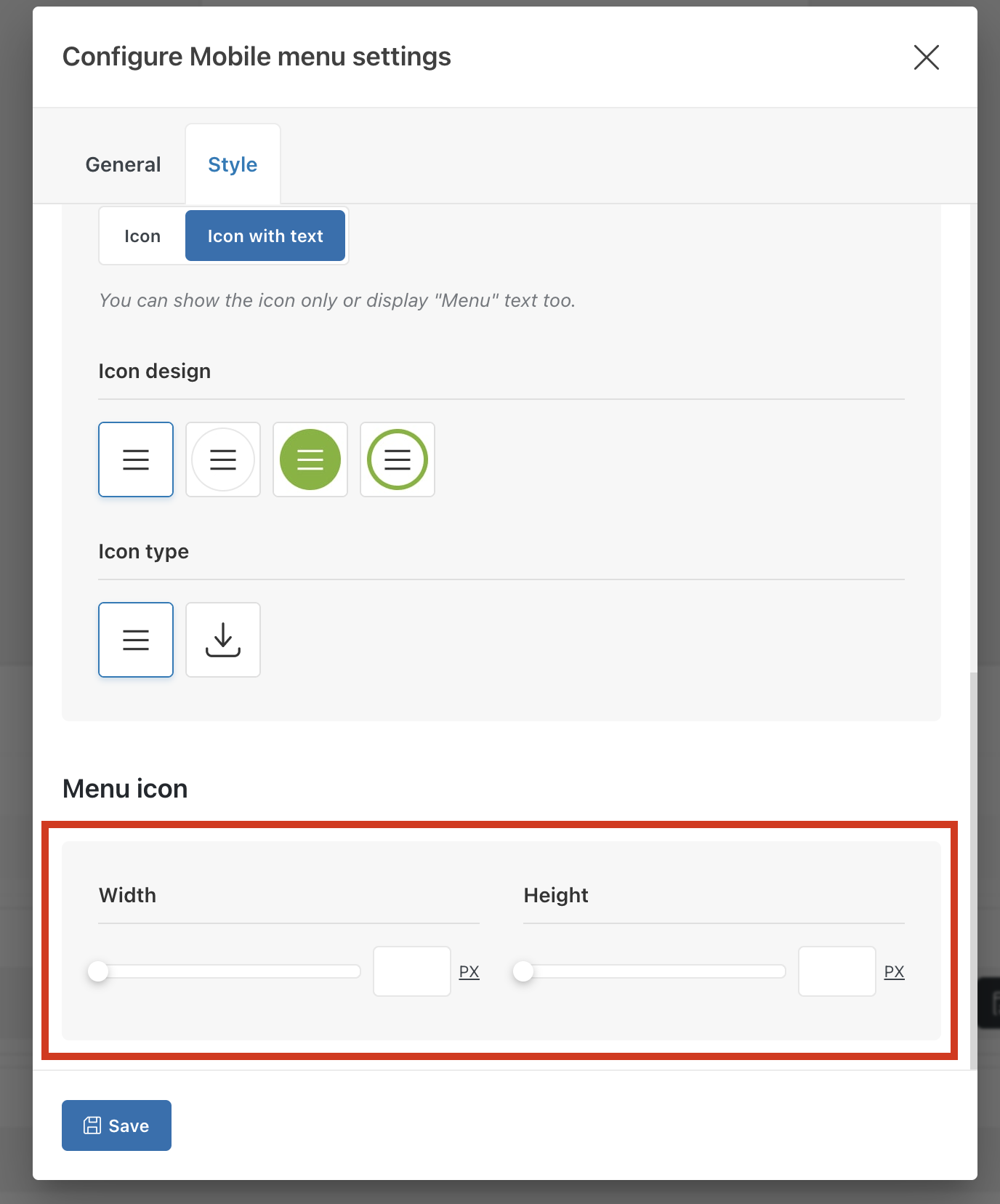
    Best regards,

Viewing 2 posts - 1 through 2 (of 2 total)