Home Forums Basel support forum data source for products

data source for products

Viewing 4 posts - 1 through 4 (of 4 total)
  • Author
    Posts
  • #7466

    taotao
    Participant

    In products grid or carousel there is a dropdown named Data source with options (featured products, bestsellers, sale products). How they work? How do they filter products? How can i make a product to belong or not, for example featured products?

    #7470

    Artem Temos
    Keymaster
    Xtemos team

    Hello,

    Thank you for your question.

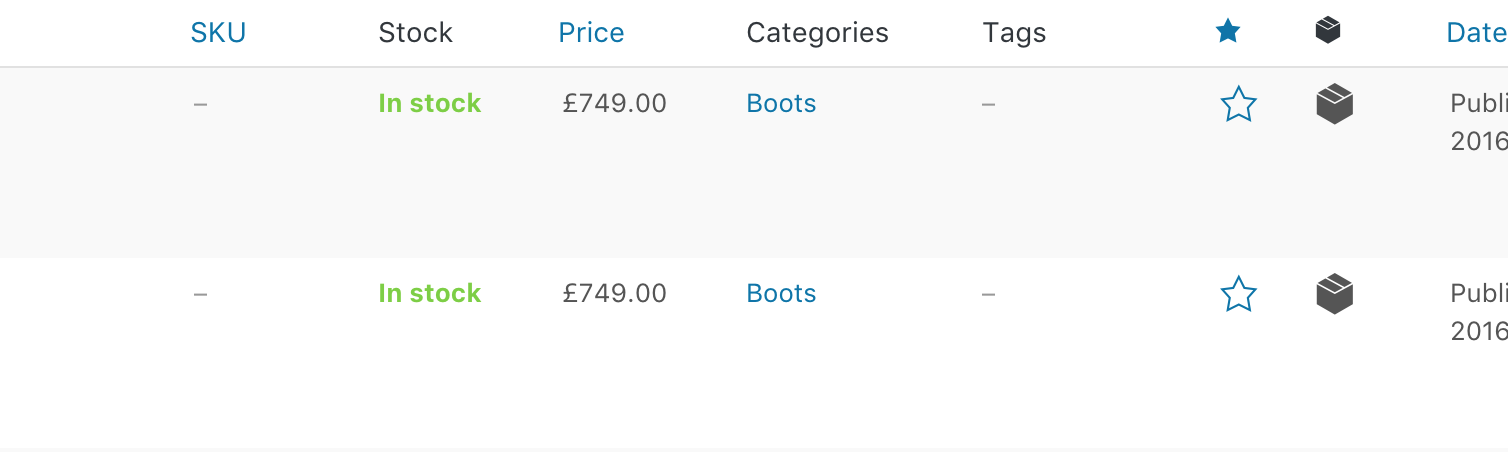
    You can mark products as featured via admin panel -> Products. Simply click on a “Star button” as shown on the screenshot. Bestsellers are products that have the biggest number of orders and sale products are products with sale price.

    Kind Regards
    XTemos Studio

    #20379

    keizershaquil
    Participant

    Is it possible to add new data sources? Is so, where is it? This is because on the WoodMart demo, you have the “New” tab, and I want to add “New” products there as datas source. Thanks

    Attachments:
    You must be logged in to view attached files.
    #20384

    Artem Temos
    Keymaster
    Xtemos team

    Hello,

    Thank you for contacting us.

    We will introduce “New products” data source for our products element in our next theme update.

    Kind Regards

Viewing 4 posts - 1 through 4 (of 4 total)