abiout the promotion grid.
-
The two promotion images on the right side of the first row are too cramped vertically, and the spacing between the first and second rows is too large.
Attachments:
You must be
logged in to view attached files.
Hello,
Thank you so much for purchasing our theme and contacting our support center.
Please send us your admin access so we can check the configuration and help you.
Kind Regards
XTemos Studio
As I can see, you have already added a spacing between two banners in the right column. If you want to reduce the space between two rows with banners, you can edit the row and reduce the margin bottom as shown on the screenshot
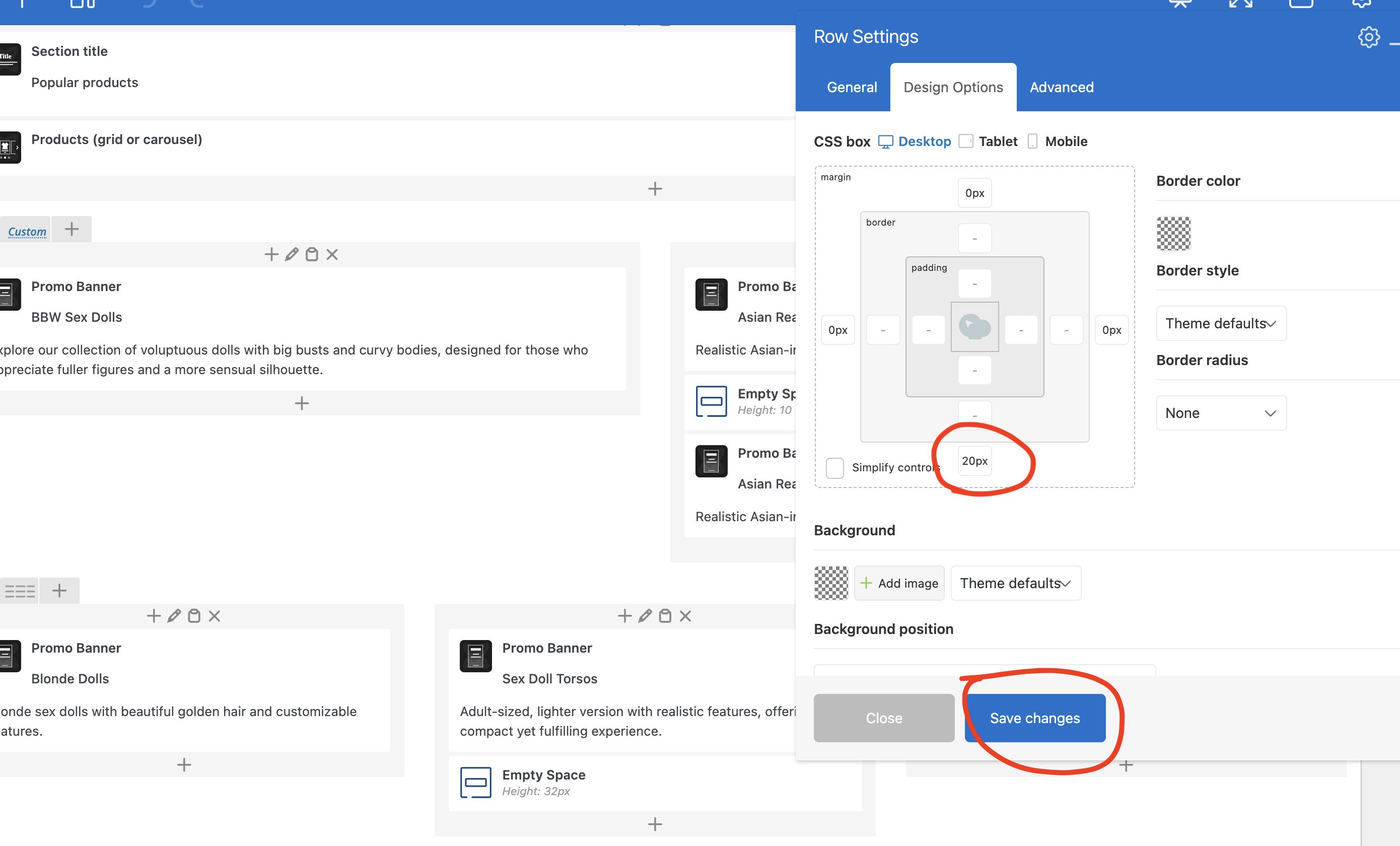
“As I can see, you have already added a spacing between two banners in the right column. If you want to reduce the space between two rows with banners, you can edit the row and reduce the margin bottom as shown on the screenshot”
-I have remove the 20px to 0, but row’s space is still big.
check this
Attachments:
You must be
logged in to view attached files.
You can reduce the padding for all the columns containing banners in the last row, as shown in the screenshot
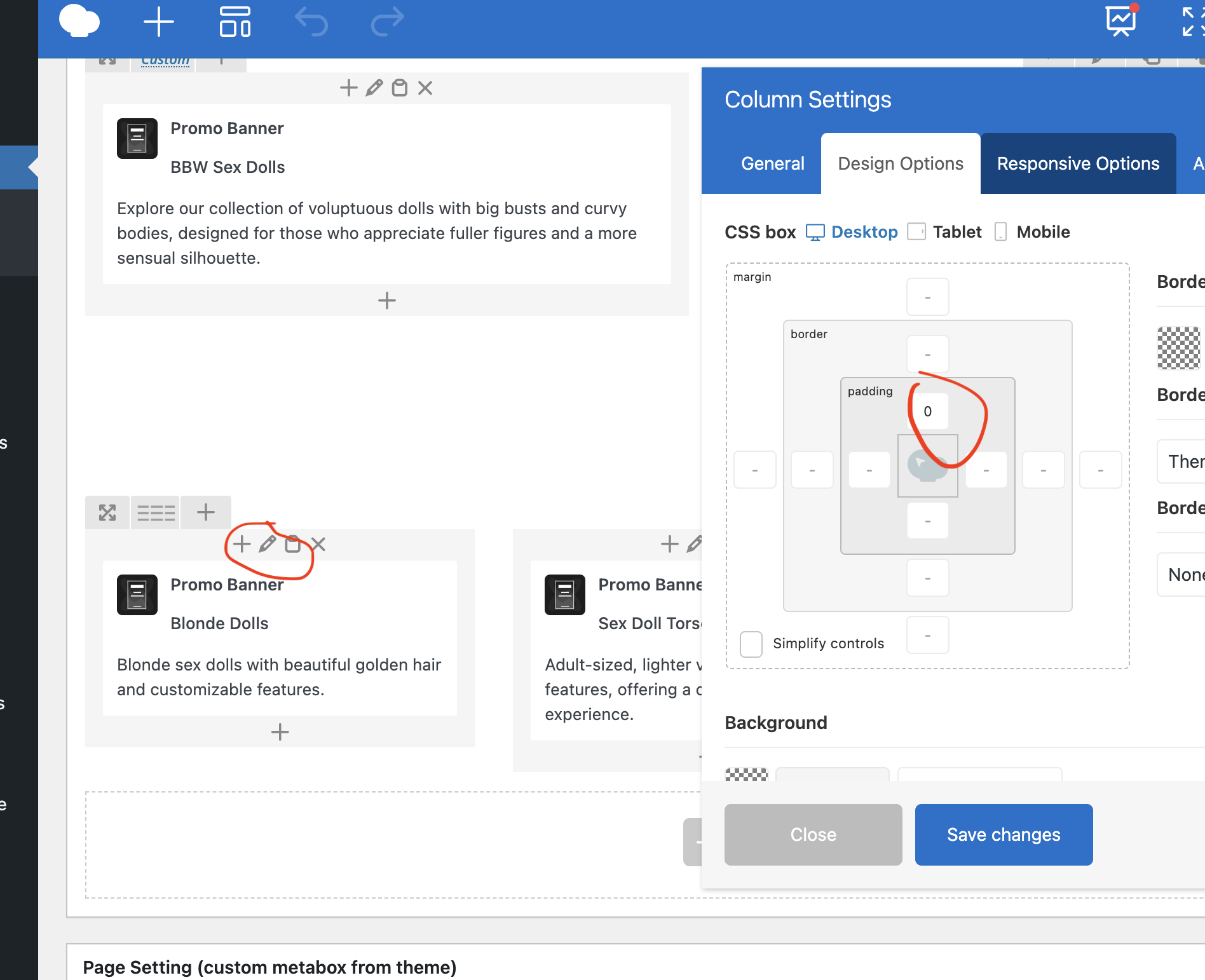

 .
.
