Home Forums WoodMart support forum age attribute

age attribute

Viewing 4 posts - 1 through 4 (of 4 total)
  • Author
    Posts
  • #501696

    Pindorama
    Participant

    Is it possible to insert a link to the “age” attribute in the site’s navigation menu? Today it is a category, but I need it to be an attribute there. Is there any way to make this possible? Thanks

    Attachments:
    You must be logged in to view attached files.
    #501851

    Aizaz Imtiaz Awan
    Keymaster
    Xtemos team

    Hello,

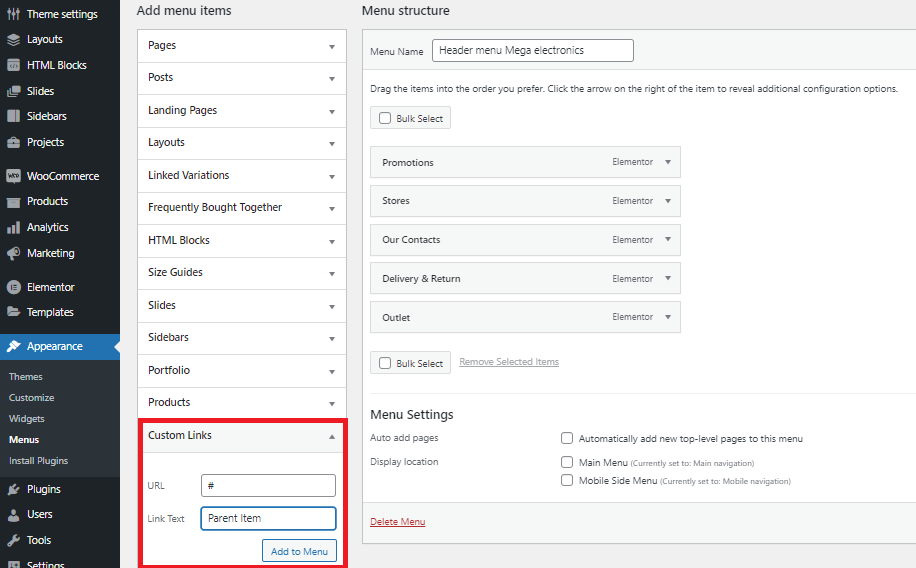
    Try to use Custom Link Menu Item in place of that > and in the Custom Link add # (hash) as URL > and the respective Menu Item will not be linked. Like it is shown here in the following Image: https://snipboard.io/bUH4Is.jpg

    Best Regards.

    #502029

    Pindorama
    Participant

    Hello,
    Thank you for your feedback, but I didn’t understand your explanation.
    I need to list the “age” attribute in the top menu. Inserting a personalized #age link does not work.
    Which way can I use to enter the age there?
    Thanks

    #502162

    Aizaz Imtiaz Awan
    Keymaster
    Xtemos team

    Hello,

    Sorry to say there are no options in theme settings to achieve this, It requires customization and beyond our support policy.
    Please check this:
    https://wpsocket.com/plugin/woocommerce-attributes-menu-manager/

    Hope this helps!

    Best Regards.

Viewing 4 posts - 1 through 4 (of 4 total)