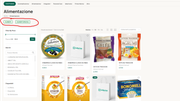
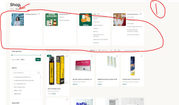
However, when I go to Woodmart > Products Archive > Category Style, there’s no option to customize it that way.
So I added some custom CSS in the Elementor Custom CSS section.
yes. I would like to know:
exist a way to not use custom css but use tools of woodmart?
Because i feel my custom css is not mobile friendly or after some updating can break.
However, in this case, the Woodmart theme doesn’t include a built-in option to create that exact button style for category headers through the theme settings.
If you want to avoid using custom CSS, you can create similar custom buttons directly in Elementor — for example, by adding a Button widget and linking it to the desired category URL. This way, you’ll have full control over the design.

 .
.