
Home / Forums / WoodMart support forum / Footer layout issues
Home › Forums › WoodMart support forum › Footer layout issues
Footer layout issues
- This topic has 14 replies, 2 voices, and was last updated 3 months, 3 weeks ago by
 Serg Sokhatskyi.
-
AuthorPosts
-
June 15, 2026 at 10:14 am #721531
raeelioParticipantHow can I change this footer to the position indicated by my arrow?
Attachments:
You must be logged in to view attached files.June 15, 2026 at 2:52 pm #721570Hi there,
Thanks for reaching out.
To change the footer layout, edit the HTML Block that is used for your footer and move the elements to the desired positions. Go to Dashboard > HTML Blocks, open the footer HTML Block assigned to your site, rearrange the elements/columns as needed, then save and check the result on the frontend.
Kind regards,
XTemos StudioJune 16, 2026 at 4:06 am #721656
raeelioParticipantI can’t move past
June 16, 2026 at 4:08 am #721657
raeelioParticipantI can’t see that column, I need your help.
Attachments:
You must be logged in to view attached files.June 16, 2026 at 9:16 am #721669Could you please send us your admin access so we can check what is wrong?
June 16, 2026 at 9:33 am #721671
raeelioParticipantok
June 16, 2026 at 10:39 am #721688You can add one more column to the footer layout and move your content as shown in the video https://gyazo.com/b8148cf5044c867d42900020a63ce909
June 16, 2026 at 11:05 am #721692
raeelioParticipantThe layout is in place, but the actual webpage isn’t there yet.
Attachments:
You must be logged in to view attached files.June 16, 2026 at 2:53 pm #721737The first column is set to be too wide on desktop devices https://gyazo.com/54fb9e15997c389b7a0623060fbdca85
It should be 1/5 instead of 1/3. Please apply these changes and check how it works.June 17, 2026 at 4:40 am #721773
raeelioParticipantIt’s already set up, but why are there spaces above the font on my computer desktop? Could you make the font parallel to the font on the left, and also on the same line on mobile devices?
Attachments:
You must be logged in to view attached files.June 17, 2026 at 9:00 am #721786Hello,
1. WPBakery columns have padding top set by default so if you want to compensate that padding you need to edit that column and set padding top to
0as shown on the screenshot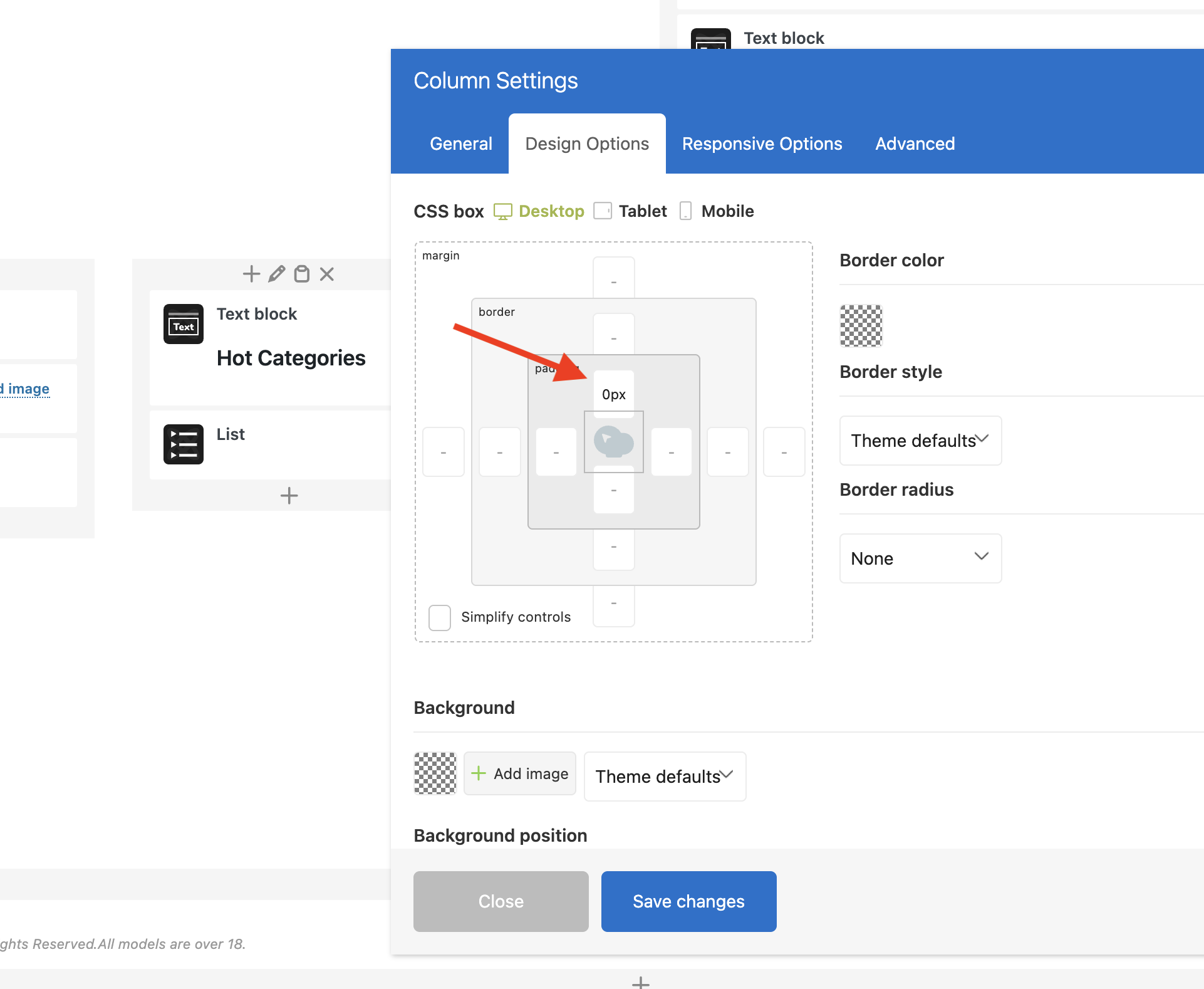
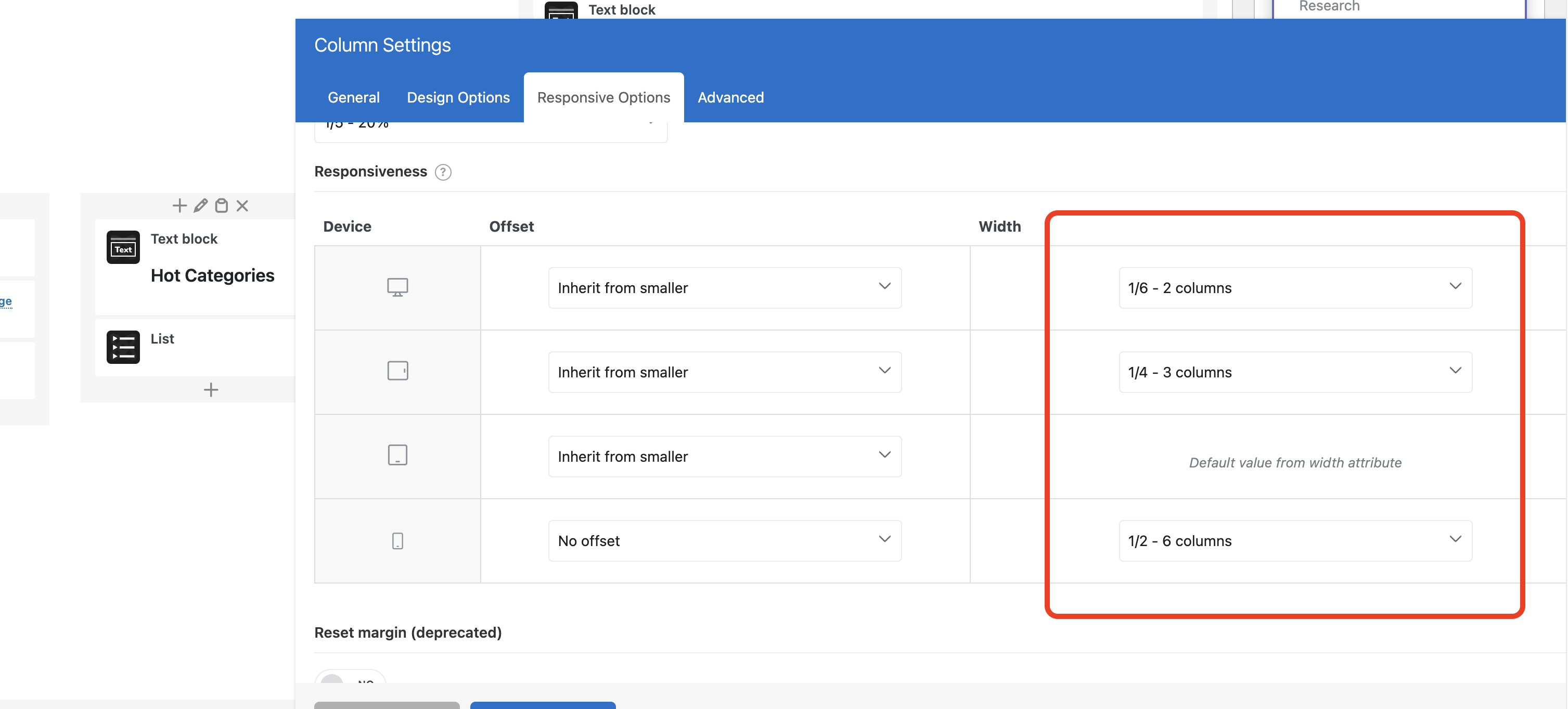
2. Columns are also set to full width on mobile devices by default. So you need to edit the newly added column and configure it the same way as other columns to make them inline
Kind Regards
June 17, 2026 at 2:15 pm #721825
raeelioParticipantI set the inner margin to 0, but nothing changed. Could you please set it for me and click OK?
June 17, 2026 at 2:18 pm #721826
raeelioParticipantI don’t need your help anymore, I’ve already solved it, thank you.
June 17, 2026 at 2:47 pm #721833
raeelioParticipantCan I customize these icons?
Attachments:
You must be logged in to view attached files.June 18, 2026 at 8:21 am #721883Hello,
Yes, you can choose which share buttons to show in Theme Settings -> Social profiles -> Share buttons.
Kind Regards
-
AuthorPosts


Tagged: Footer layout issues
- You must be logged in to create new topics. Login / Register