Home Forums WoodMart support forum How can I translate this fields in left canvas menu?

How can I translate this fields in left canvas menu?

Viewing 4 posts - 1 through 4 (of 4 total)
  • Author
    Posts
  • #696566

    encajapublicidad
    Participant

    To translate these fields that don’t appear in WPML, how do I do it correctly? I don’t want to ask you again. I don’t want to mess things up.

    Or can it be translated somewhere else in the Woodmart settings?

    Attachments:
    You must be logged in to view attached files.
    #696745

    Hello,

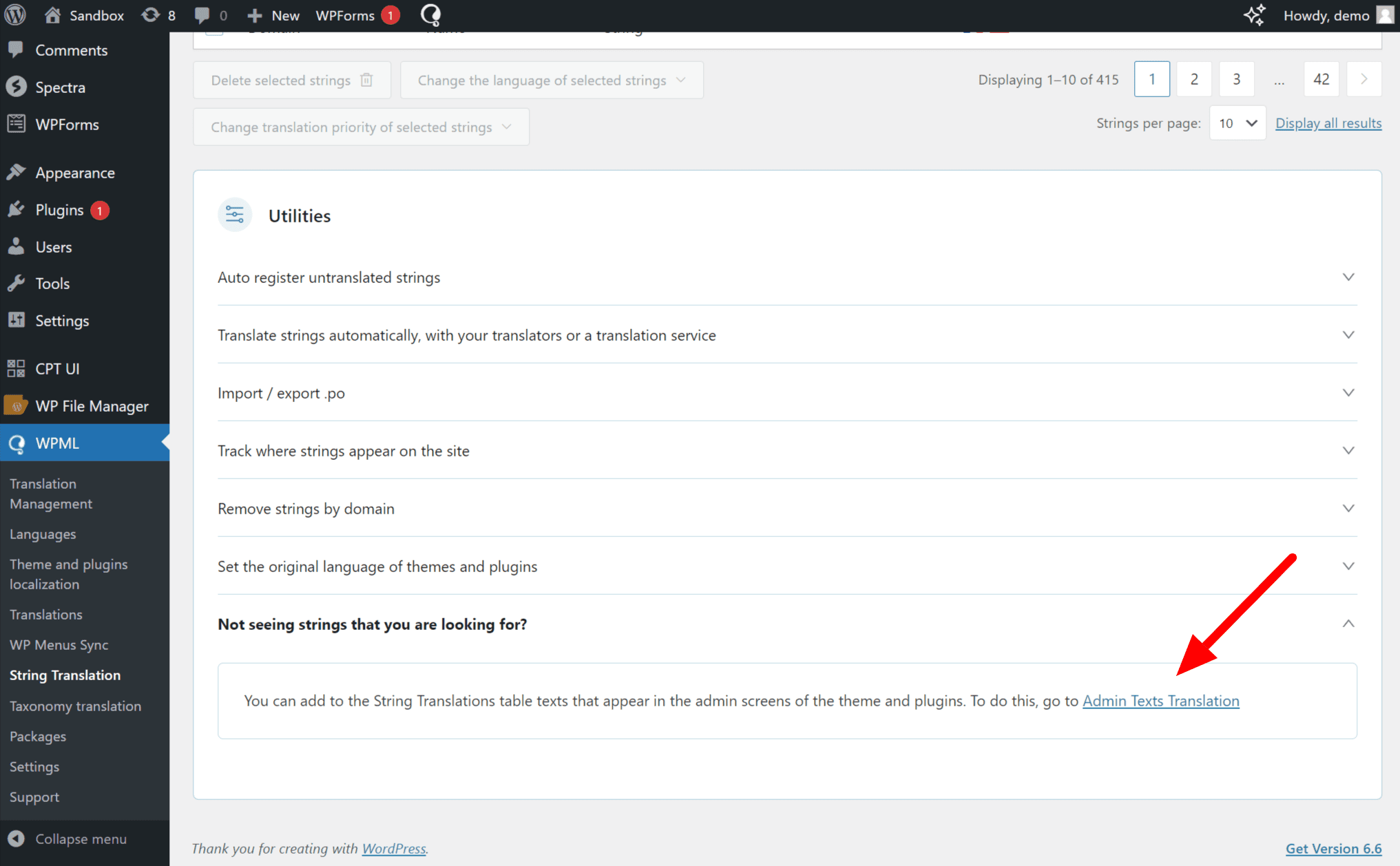
    Please go to WPML >> String Translation >> Scroll to Utilities, expand the Not seeing strings you are looking for? section, and click on the Admin Texts Translation link. https://cdn.wpml.org/wp-content/uploads/2024/07/Admin-text-translations-in-string-translation.png

    This will take you to a searchable list of admin strings. Find the Words that you want to translate and then select those words and add them to the string Translation then you will go to the WPML >> String Translation >> then find and translate them into other languages.

    Best Regards

    #696916

    encajapublicidad
    Participant

    Thank you so much, I solved it thanks to your help, you guys are awesome!

    #696956

    Hello,

    You’re Most Welcome!

    Feel free to write back anytime. If you need further assistance, we are always here to help you.

    If you have a minute, we’d truly appreciate your feedback — it helps us improve the product and shape future updates more effectively. We’d love your feedback on our theme: https://tally.so/r/w4l54k

    Thanks for contacting us.
    Have a great day.

    Topic Closed.
    Best Regards.

Viewing 4 posts - 1 through 4 (of 4 total)

The topic ‘How can I translate this fields in left canvas menu?’ is closed to new replies.