Home Forums WoodMart support forum Mobile menu SVG icons render incorrectly on iOS Safari (off-canvas menu issue) D

Mobile menu SVG icons render incorrectly on iOS Safari (off-canvas menu issue) D

Viewing 3 posts - 1 through 3 (of 3 total)
  • Author
    Posts
  • #701813

    mpetro
    Participant

    On iPhone (iOS Safari) the mobile off-canvas menu renders incorrectly.

    When opening Categories / Menu:

    the menu panel opens normally,

    SVG category icons are visible,

    but SVG elements overflow their container and parts of SVG appear on the right side of the screen,

    text looks partially visible, but in fact it’s SVG paths rendered outside of the menu panel.

    This issue occurs only on iOS Safari.
    Desktop browsers and Android render the menu correctly.

    Environment

    Theme: Woodmart

    Device: iPhone

    Browser: iOS Safari

    URL: https://naturalka.com.ua/

    #701814

    mpetro
    Participant
    #701916

    Artem Temos
    Keymaster

    Hi there,

    To resolve this issue, you’ll need to open your SVG icons file in an editor and add height and width attributes to your <svg> tag, as demonstrated in the screenshot provided: https://gyazo.com/83fd36b0bb9628bb1aed2bd3d5d063c5

    Once you’ve made these changes, you’ll need to reupload your icons in the WordPress Dashboard.

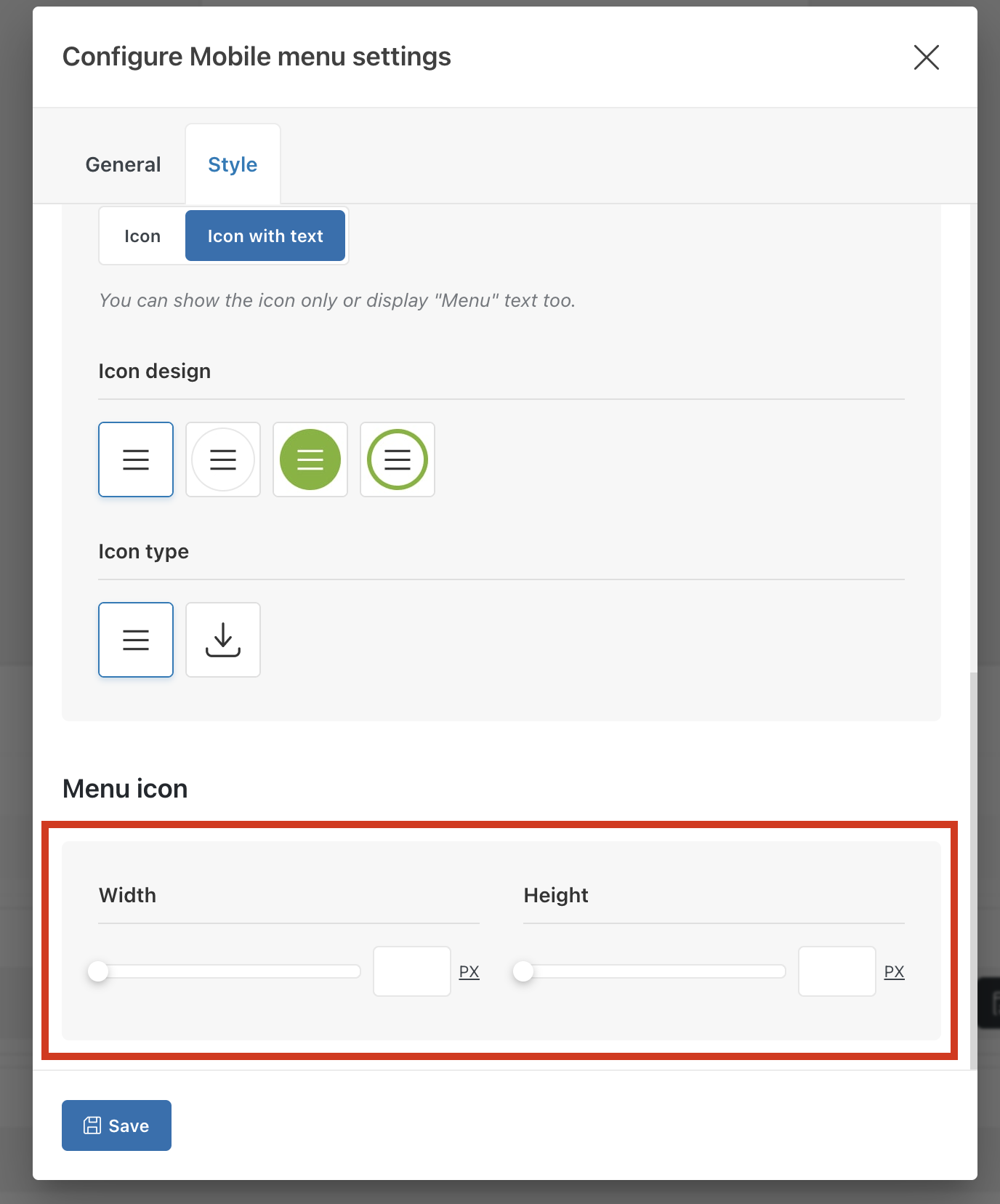
    Alternatively, you can configure the mobile menu element in the header and specify the icons’ width and height as shown on the screenshot:

    Best regards,

Viewing 3 posts - 1 through 3 (of 3 total)