
Home / Forums / WoodMart support forum / Products are not displayed in AJAX mode after any refresh
Home › Forums › WoodMart support forum › Products are not displayed in AJAX mode after any refresh
Products are not displayed in AJAX mode after any refresh
- This topic has 7 replies, 2 voices, and was last updated 3 months, 4 weeks ago by
 Aizaz Imtiaz Awan.
-
AuthorPosts
-
May 24, 2026 at 4:59 pm #719182
dennis.semionovParticipantHello, I have quite recently set up woodmart theme, almost everything went quite smooth, but noticed one issue that I cannot get rid of:
After I perform any action in the product archive products disappear. They actually present in the DOM, but they are not visible. I have disabled LiteSpeed cache plugin completely as I thought it might be a caching issue, but that did not help.
I thought it might be related to this issue – https://xtemos.com/forums/topic/problem-with-product-display-on-the-shop-page/, but disabling RankMath did not help as well. I don’t have many plugins, only essential ones (shipping provider, payment provider, RankMath, Elementor, Woodmart), so I think it’s not a problem on my side.
I tried:
1. Turning off AJAX mode for product archive – problem fixed, but now shop is not smooth
2. Keeping AJAX, but adding custom CSS – problem fix, but I’m afraid it might break after some update
`
.products .wd-product .wd-product-thumb,
.products .wd-product .wd-product-thumb img,
.products .wd-product .wd-product-img-link,
.products .wd-product .product-element-bottom {
opacity: 1 !important;
visibility: visible !important;
transform: none !important;
}.products .wd-product .wd-product-thumb::before,
.products .wd-product .wd-product-thumb::after,
.products .wd-product .wd-product-img-link::before,
.products .wd-product .wd-product-img-link::after {
display: none !important;
}.product-element-bottom {
opacity: 1 !important;
visibility: visible !important;
display: block !important;
transform: none !important;
}
`You can test it in https://wavel.lt/shop
Steps to reproduce:
1. Open https://wavel.lt/shop
2. Wait until products load and display successfully
3. Perform any action – sorting, pagination, page size change, category filter on the side
4. Product archive will reload but elements are not visible anymore, only the heart icons are visible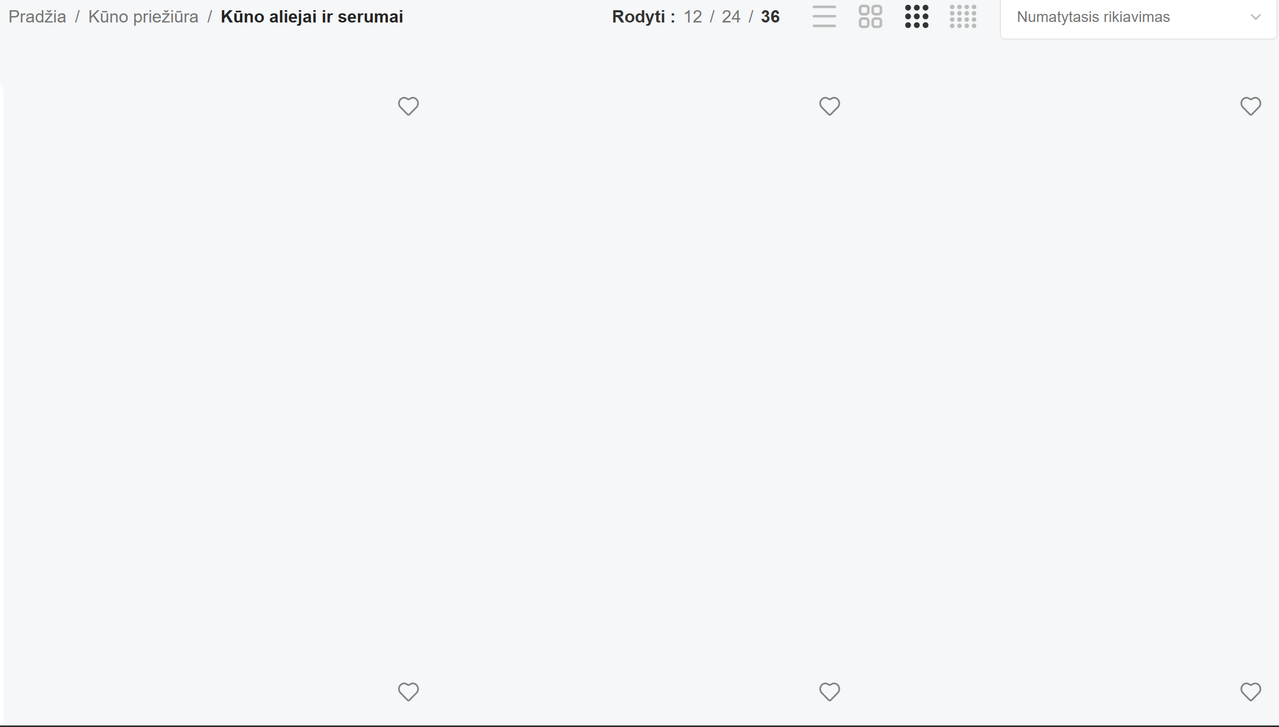
-
This topic was modified 4 months ago by
dennis.semionov.
May 25, 2026 at 11:52 am #719240Hello,
Please deactivate all the 3rd party plugins and activate only theme-required plugins on the site and then check the issue. I am sure your issue will be solved. Then, activate the 3rd party plugins one by one and check which plugin is creating the issue for you.
Otherwise, if the issue still exists then keep the 3rd party plugins deactivated and share the WP admin login details of your site so I will check and give you a possible solution.
Best Regards
May 25, 2026 at 12:44 pm #719261
dennis.semionovParticipantI have left only 4 active plugins:
– Woocommerce
– WooCommerce.com Update Manager
– Woodmart core
– Elementor.Disabled everything else, removed cache on the server, in the browser. Issue still remains.
I cannot share WP admin login details as it will be a huge GDPR violation. We have private user data (addresses and etc.) and order data on the website.
Please, try to replicate without getting admin access.
One possible solution I have – to use that custom CSS, but this solution feels fragile and hacky.
May 25, 2026 at 12:55 pm #719266
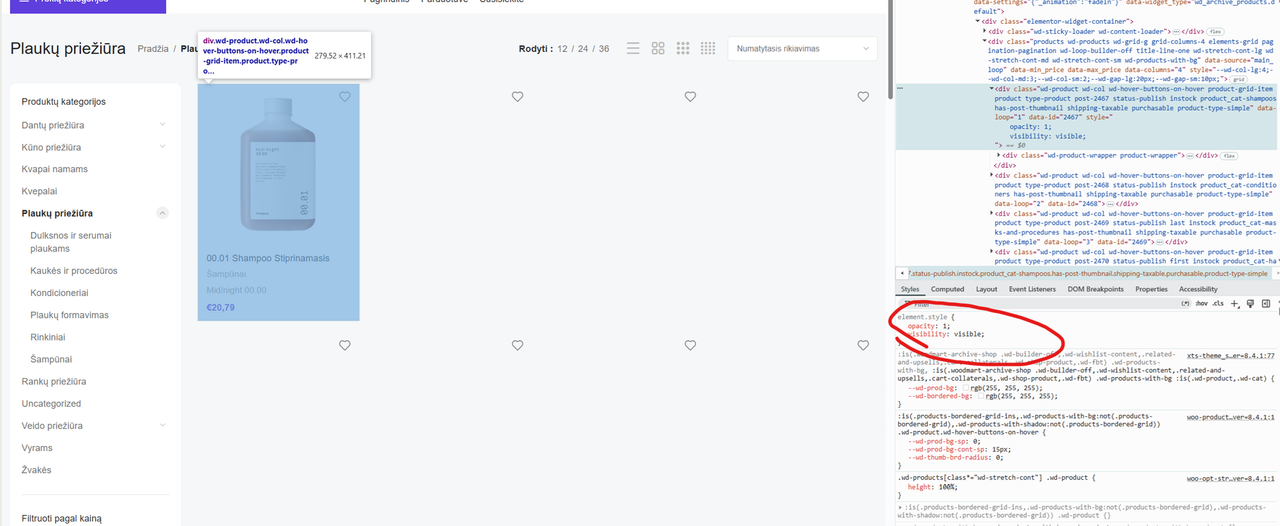
dennis.semionovParticipantUpdate: this CSS solution does not work reliably. But it’s something wrong with the theme timing of applying CSS. Because products are here, elements are rendered, texts are present, images are present, but they are hidden with CSS.
Added such styles in devtools and product card is visible:
-
This reply was modified 4 months ago by
May 25, 2026 at 1:39 pm #719274
dennis.semionovParticipantThis custom css seems to be working:
.wd-products .wd-product,
.wd-loop-footer.products-footer
{
	visibility: visible !important;
}
But it’s not a real fix, paginator and product elements still have
.elementor-invisibleclassname set.May 25, 2026 at 2:17 pm #719294Hello,
Now I have checked your site and the ajax shop is disabled on your site. To further investigate the issue, Please share your Site WP-ADMIN Login details in the Private Content field under the message so that we can check this concern on your Site and help you out accordingly.
We have a private area (below the message area): which is visible to moderators only so you can leave the details there.
Best Regards
May 25, 2026 at 7:15 pm #719381
dennis.semionovParticipantIt is not disabled, here, I recorded a video with DevTools opened, ajax works. After my added css workaround (3 liners mentioned above) it started working. But it is not an issue with any plugin.
As I mentioned, I cannot share credentials as there are private API keys in the system, user data and etc.
Here’s the screen recording:
https://drive.google.com/file/d/1ccEoTUWPJF8JPTk6jwjrIl_aUJQa2piA/view?usp=sharingMay 26, 2026 at 8:44 am #719411Hello,
Thank you for the video and detailed explanation.
I checked the issue, and it appears related to Elementor animation/visibility classes (elementor-invisible) not being properly reinitialized after the AJAX shop reload, which keeps the products hidden even though they are present in the DOM.
Also, make sure Elementor > Settings > Features > Optimized DOM Output > Disabled (for testing).
At the moment, without backend access, this is difficult to debug further. To further investigate the issue, please share your Site WP-ADMIN Login details in the Private Content field under the message so that we can check this concern on your Site and help you out accordingly.
Best Regards
-
This topic was modified 4 months ago by
-
AuthorPosts


Tagged: archive, issue, product, product archive, rendering
- You must be logged in to create new topics. Login / Register