Translating Woodmart Single product layout with WPML
-
Hi
Ive read the doc but i didnt find how to translate single product layout with WPML ?
same for archive product layout etc…
Thanks for your help
ok, i found the solution by checking the box “translate layout in wpml settings
now i dont know how to translate widgets
how do i translate widgets titles (like “Price” and “Filter”) with WPML ?
thanks for your help
Hello,
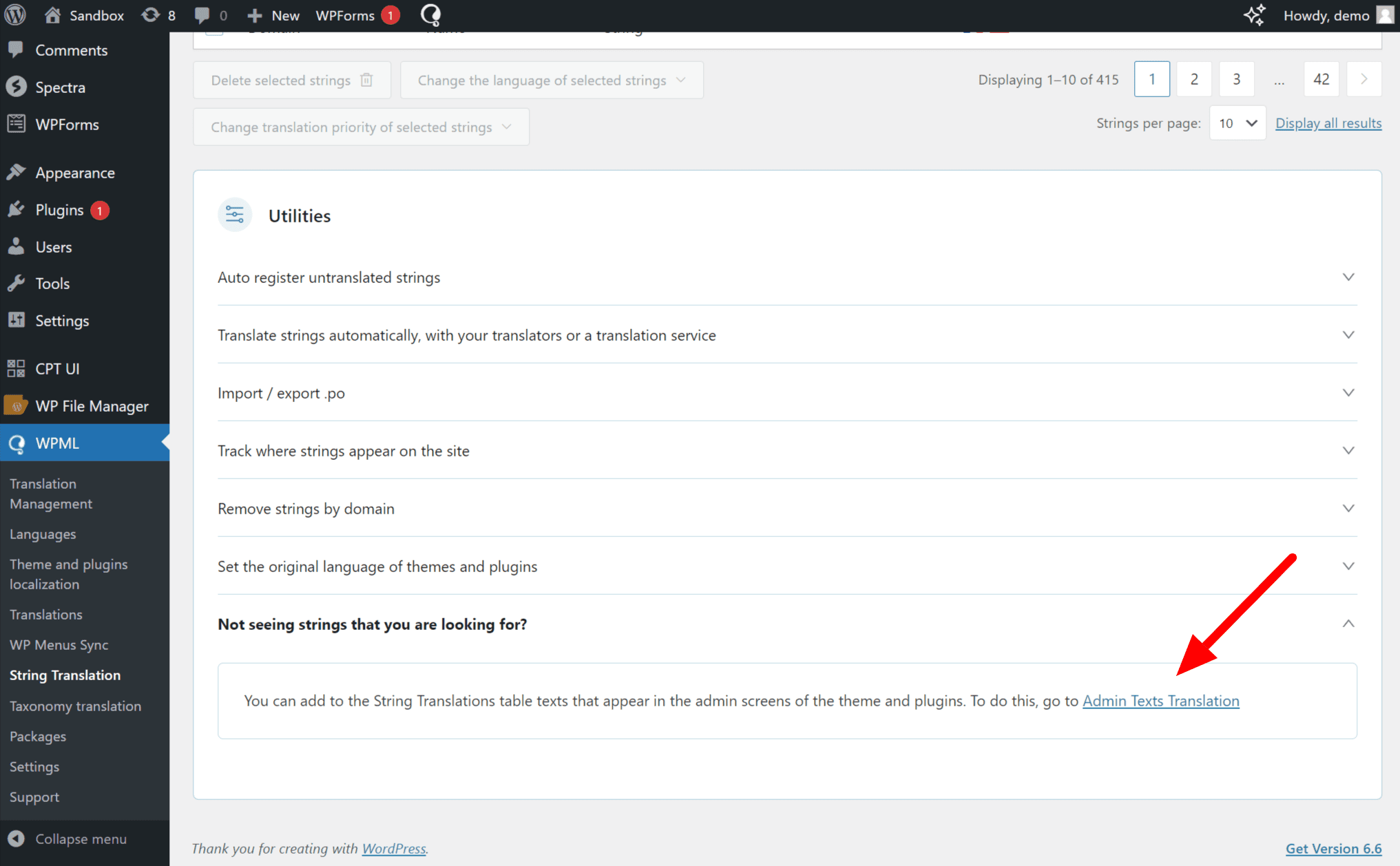
Please go to WPML >> String Translation >> Scroll to Utilities, expand the Not seeing strings you are looking for? section, and click on the Admin Texts Translation link. https://cdn.wpml.org/wp-content/uploads/2024/07/Admin-text-translations-in-string-translation.png
This will take you to a searchable list of admin strings. Find the Words that you want to translate and then select those words and add them to the string Translation then you will go to the WPML >> String Translation >> then find and translate them into other languages.
Best Regards

 .
.