Unable to Translate Mini Cart Bottom Shipping Cost Message with WPML
-
I created custom initial message and success message to show in mini cart, but i scanned everything and unable to translate this into french! Please kindly help me.
Attachments:
You must be
logged in to view attached files.
Hello,
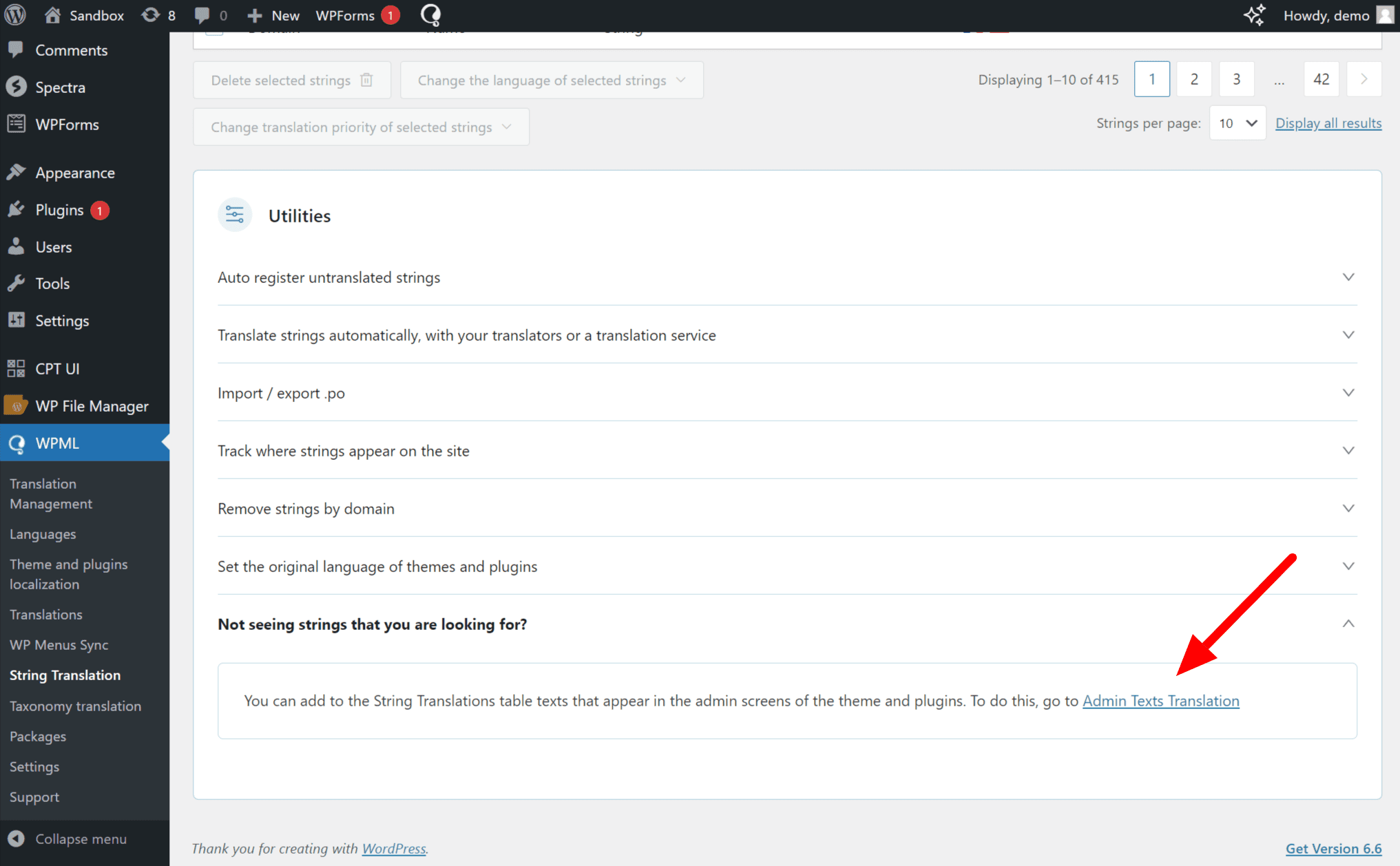
Please go to WPML >> String Translation >> Scroll to Utilities, expand the Not seeing strings you are looking for? section, and click on the Admin Texts Translation link. https://cdn.wpml.org/wp-content/uploads/2024/07/Admin-text-translations-in-string-translation.png
This will take you to a searchable list of admin strings. Find the Words that you want to translate and then select those words and add them to the string Translation then you will go to the WPML >> String Translation >> then find and translate them into other languages.
Best Regards
I tried this before and i could not find it, but i tried it AGAIN now and i found it! Thanks!
Hello,
You’re Most Welcome!
Feel free to write back anytime. If you need further assistance, we are always here to help you.
If you have a minute, we’d truly appreciate your feedback — it helps us improve the product and shape future updates more effectively. We’d love your feedback on our theme: https://tally.so/r/w4l54k
Thanks for contacting us.
Have a great day.
Topic Closed.
Best Regards.
The topic ‘Unable to Translate Mini Cart Bottom Shipping Cost Message with WPML’ is closed to new replies.

 .
.