
Home / Forums / WoodMart support forum / Home page banner design problem
Home › Forums › WoodMart support forum › Home page banner design problem
Home page banner design problem
- This topic has 32 replies, 2 voices, and was last updated 3 months, 2 weeks ago by
 Serg Sokhatskyi.
-
AuthorPosts
-
June 9, 2026 at 8:24 am #720984
yaojunjie0710ParticipantHello, my friend
I have a problem on my Home page banner design problem.Attachments:
You must be logged in to view attached files.June 9, 2026 at 8:59 am #720991Hello,
Thanks for reaching out.
– To fix the banner spacing, add a negative top margin of about -40px to your banner/section so it aligns as intended.
– The reference site you mentioned uses a simple Image element, not a slider. You can replicate it with a single Image element. If you need text over the image, use the Promo Banner element instead.Kind regards,
XTemos StudioJune 9, 2026 at 9:09 am #720992
yaojunjie0710ParticipantHi, Serg
June 9, 2026 at 9:15 am #720994Hello,
1. You can edit the first section on the home page and apply this workaround as described in our documentation https://xtemos.com/docs-topic/top-and-bottom-paddings/
2. Could you please add the promo banner now and send us screenshots of the problems so we can investigate and help you?
Kind Regards
June 9, 2026 at 9:28 am #720995
yaojunjie0710ParticipantHi, Serg
We have used the simple Image element to add the banner photo, and the home page banner work well now,
June 9, 2026 at 9:48 am #720996
yaojunjie0710ParticipantHi, Serg
When we use the simple Image element to add the banner photos, and slect the full size show for the photos,Attachments:
You must be logged in to view attached files.June 9, 2026 at 10:06 am #721004Hello,
To investigate this issue further, please provide your admin credentials in a private content. This will allow us to check your settings and identify the root cause.
Thank you in advance.
Best regards
June 9, 2026 at 10:24 am #721007
yaojunjie0710ParticipantHi, Serg
Please check the following admin panelJune 9, 2026 at 12:36 pm #721035
yaojunjie0710ParticipantHi, Serg
Are you stay here ?June 9, 2026 at 1:37 pm #721045Hello,
I’m trying to edit your home page with Elementor, but the editor never loads https://gyazo.com/95f380fbffb4b20e8c592388f326e582
Could you please check from your end?Kind Regards
June 9, 2026 at 1:50 pm #721047
yaojunjie0710ParticipantHi, Serg
Yes, the home page is slowly, by elementor, since we updated the wordpress 7.0.
It should need some time to wait to edit the home page.Could you please let me know how to edit the home page at your free time ?
June 9, 2026 at 1:53 pm #721049
yaojunjie0710ParticipantHi, Serg
Yes, the home page is fast by elementor now.Could you please let me know how to edit the home page at your free time ?
June 9, 2026 at 5:31 pm #721075Hello,
Even after waiting for a few minutes, it still can’t be loaded at all. Here is a screenshot https://gyazo.com/dafba7ec452460eabecc030fc57c8945
Could you please try to disable all plugins that are not related to our theme temporarily?Kind Regards
June 10, 2026 at 5:13 am #721100
yaojunjie0710ParticipantHello, Serg
We have disable all plugins that are not related to our theme temporarily at the moment!
Can you edit our home page by elementor now ?June 10, 2026 at 5:45 am #721101
yaojunjie0710ParticipantHello, Serg
We have disable all plugins that are not related to our theme temporarily at the moment!
Can you edit our home page by elementor now ?
Because, we have disabled all plugins, so, when you find the problems, then, we will restore our website again from the siteground again. is it ok ?June 10, 2026 at 9:25 am #721107Hello,
Strange, but it still can’t be loaded. Try to edit the home page if it loads well for you and disable the custom header for it. Leave that field empty to load the default header.
Kind Regards
June 10, 2026 at 9:29 am #721108
yaojunjie0710ParticipantHello, Serg
We can edit the home page by Elementor all the time.
Could you please also ask your colleagues to check the problems ?June 10, 2026 at 9:32 am #721109
yaojunjie0710ParticipantHello, Serg
Now, the problem is that,you can not edit our home page by Elementor at all,
And, then, you can not understand how to resolve our issues at all.
Could you please also ask your colleagues to check the problems ?June 10, 2026 at 1:04 pm #721160The problem is that you use the “Canvas” template for the home page, which strips the header and footer. Here is a screenshot https://gyazo.com/1ca24f7d1b7079cfbc1cb02ecf9a76b2
Need to use the “Default” template there.June 11, 2026 at 7:15 am #721225
yaojunjie0710ParticipantHello, Serg
Thanks for your kind help!Attachments:
You must be logged in to view attached files.June 11, 2026 at 10:51 am #721263Hello,
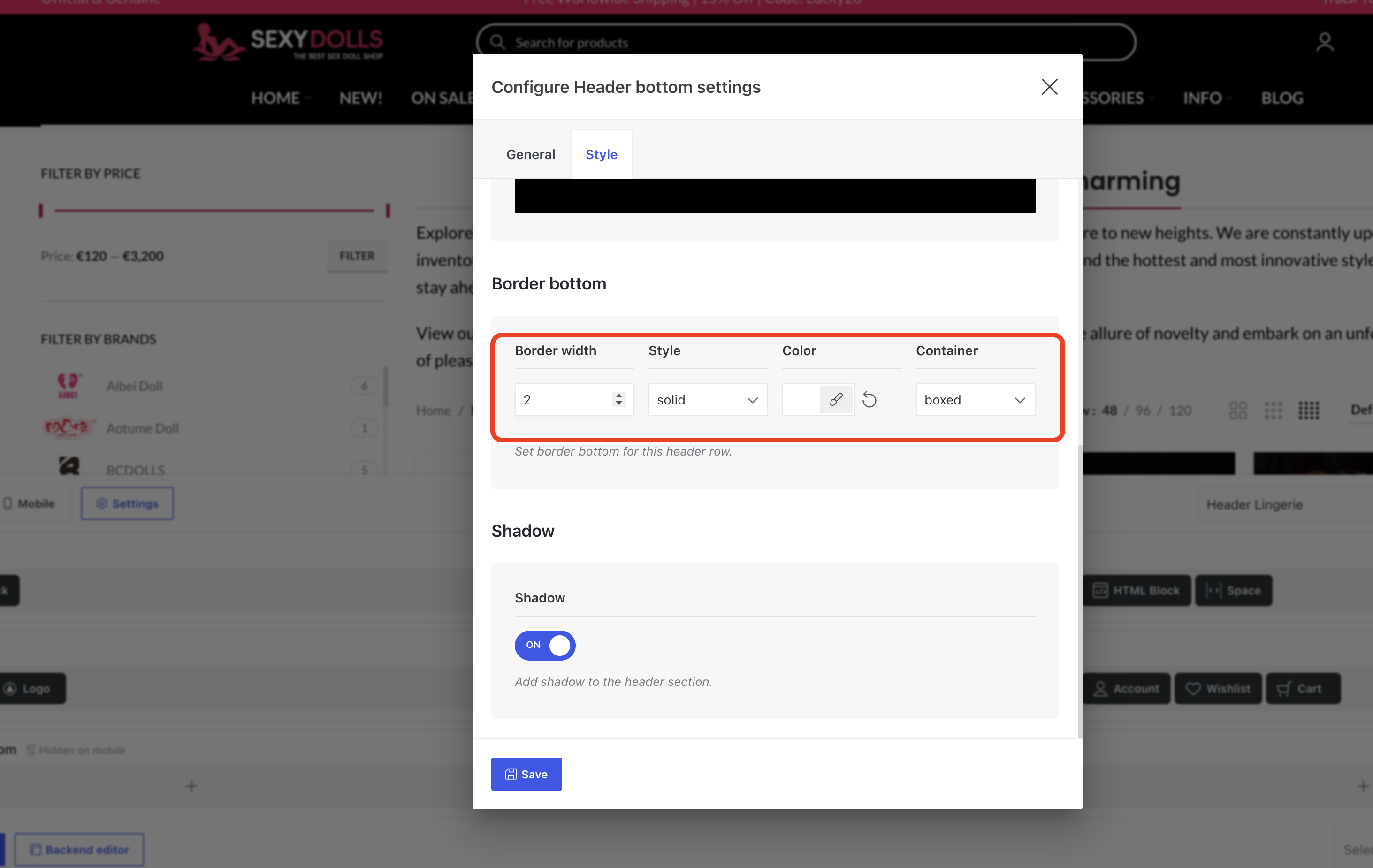
1. This line is a border for the header row so you can remove it in Dashboard -> WoodMart -> Header builder -> edit default header and find it as shown on the screenshot https://xtemos.nyc3.digitaloceanspaces.com/scr/2026/06/11/shot-1781163894-77d689c5c0af8d08.png
2. You need to make the container that contains this image to be full-width. Edit it with Elementor and enable our theme’s extra Stretch row and content option. You will need to set the padding to 0 for that container to compensate the gap from left and right.
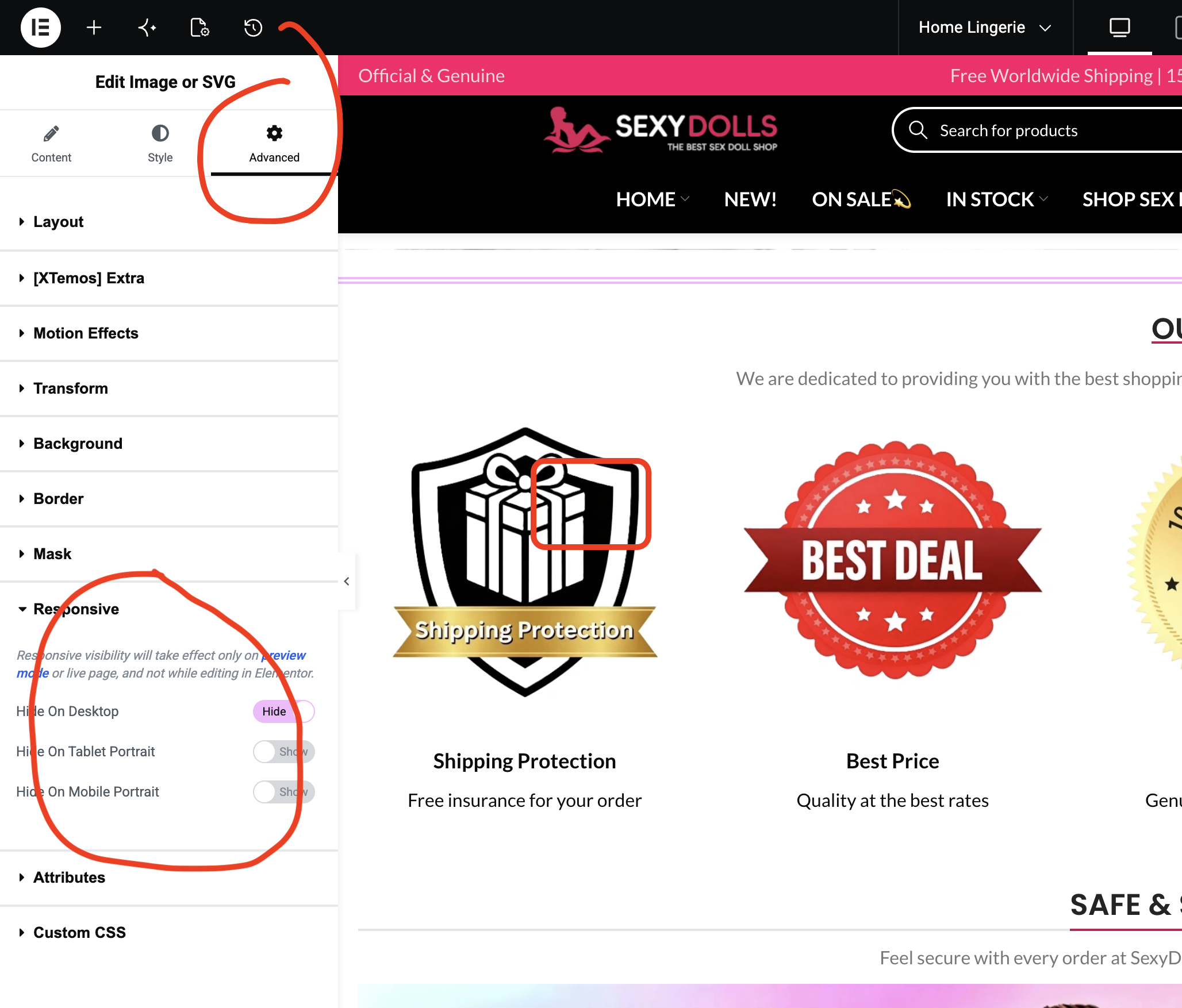
3. The example website you sent has two separate images for mobile and desktop devices. So you can add two banners and hide/show them on appropriate devices using Elementor’s responsive settings https://xtemos.nyc3.digitaloceanspaces.com/scr/2026/06/11/shot-1781164225-f32bafc53f0e5b1a.png
Kind Regards
June 11, 2026 at 12:18 pm #721292
yaojunjie0710ParticipantHello, Serg
Thanks for your kind supportant !Attachments:
You must be logged in to view attached files.June 11, 2026 at 12:31 pm #721298
yaojunjie0710ParticipantHello, Serg
June 12, 2026 at 10:12 am #721397Hello,
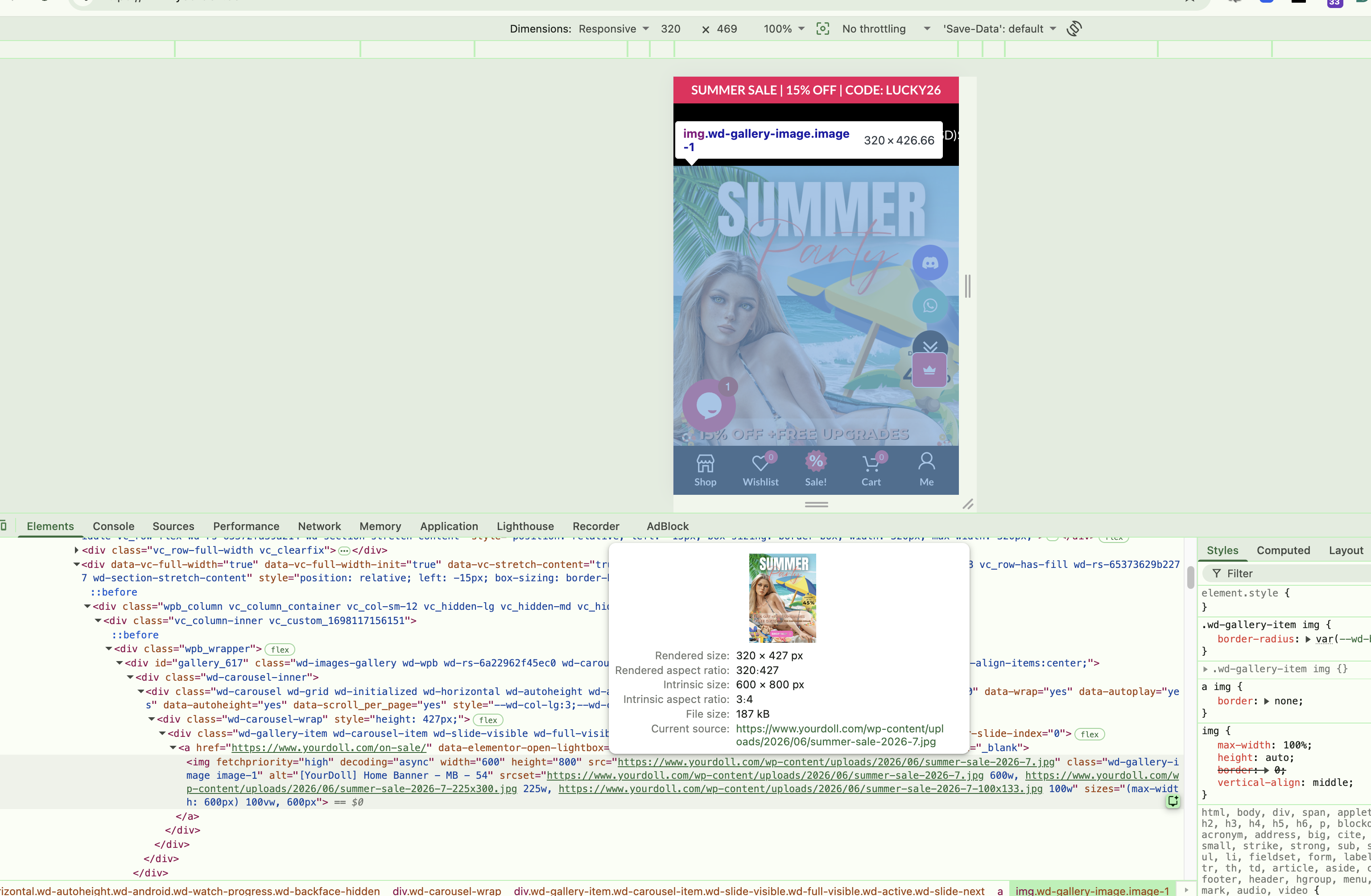
As I can see, you have already fixed the padding and white space on the sides. But for some reason, you set the height of the banner to 1px, and that is why it is not displayed correctly. https://gyazo.com/e97a6f4f74c36718f900bfc9b0898483
As for the mobile banner, you need to add two separate image elements and use responsive settings as shown on the screenshot https://xtemos.nyc3.digitaloceanspaces.com/scr/2026/06/12/shot-1781248244-acc6f78fd942cc6b.png
Kind Regards
June 12, 2026 at 12:19 pm #721417
yaojunjie0710ParticipantHello, Serg
Thanks for your kind help.Attachments:
You must be logged in to view attached files.June 13, 2026 at 2:19 pm #721467
yaojunjie0710ParticipantHello, Serg
Are you still here ?June 15, 2026 at 9:04 am #721519Hello,
I have just checked your website and see that the image now covers the full width of the page https://gyazo.com/8605b57091b1a9bbb68cf88fbbd7cc06
Could you please clarify if you have sorted it out?Kind Regards
June 15, 2026 at 12:24 pm #721551
yaojunjie0710ParticipantHello, Serg
The problem is still have, please check the attached file.Attachments:
You must be logged in to view attached files.June 15, 2026 at 3:34 pm #721584Please try this quick fix:
– Edit your Image element and add this CSS class:wd-add-img-width(Elementor > Advanced > CSS Classes). Reference: https://take.ms/moY9Ha
– Then add the following CSS in Dashboard > WoodMart > Theme Settings > Custom CSS:.wd .wd-add-img-width img { width: 100%; }June 22, 2026 at 2:04 pm #722151
yaojunjie0710Participant -
AuthorPosts


The topic ‘Home page banner design problem’ is closed to new replies.
- You must be logged in to create new topics. Login / Register