
WordPress blog
WoodMart 8.6 preview: block WooCommerce checkout, partial demo import, and faster pages

We like to keep you posted on what the WoodMart team is working on. So today we want to share our plans for the next update, version 8.6. This post covers the four main areas we’re working on right now: better support for WooCommerce block cart and checkout, expanded demo import options, performance work on the theme, and new demo site with new options and elements.
Note: the plans below may change during development and testing. We’re sharing them so you know the direction the theme is heading, and can send us feedback in advance.
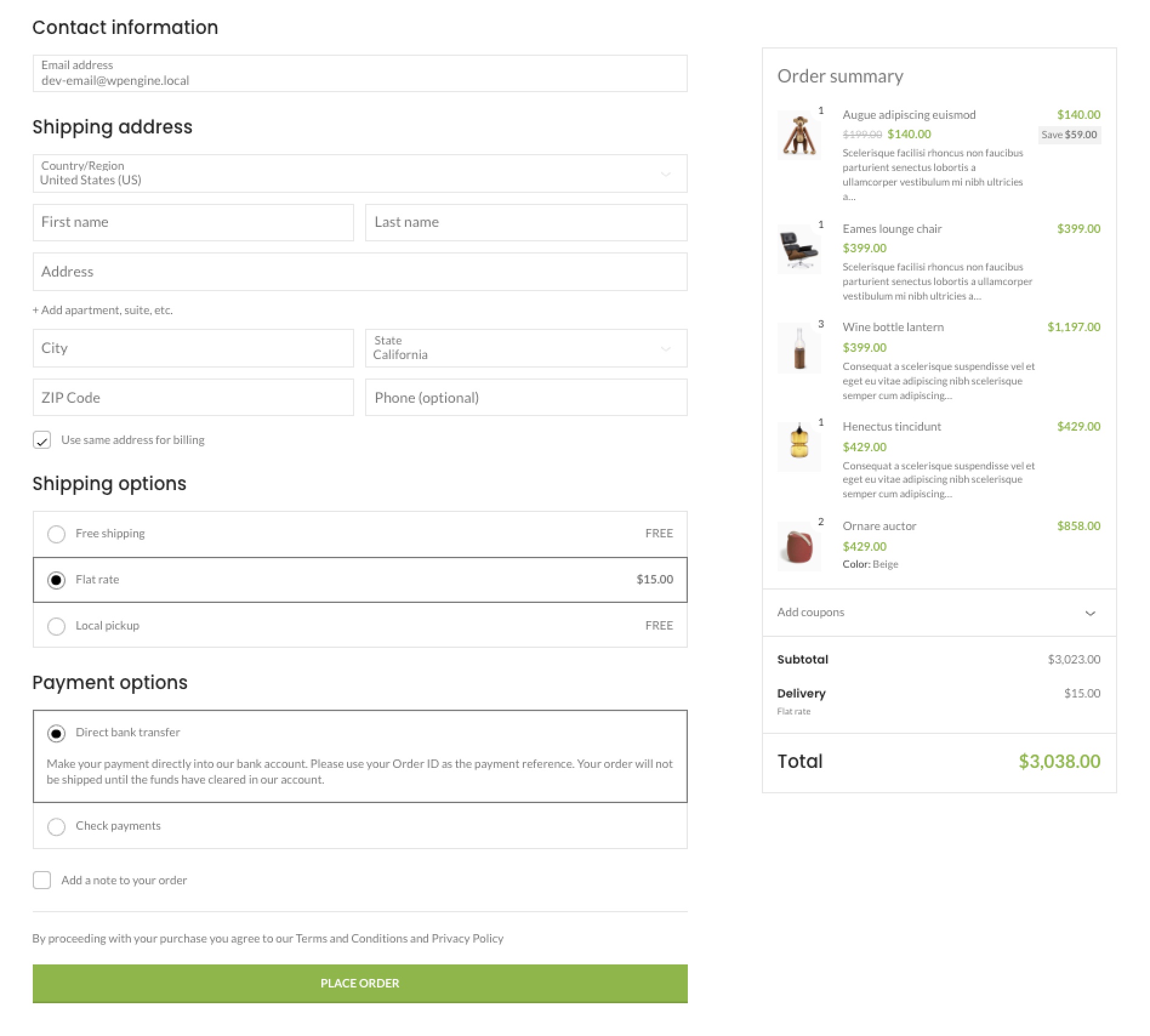
Better support for WooCommerce block cart and checkout
WooCommerce’s block cart and checkout are gaining popularity, and WoodMart already has basic support for them. In 8.6 we go further and make that support deeper and more complete, for both the checkout and the cart.
Here’s what will change:
- Support for the theme’s e-commerce features. The block cart and checkout will support our own features like Estimated Delivery, the Free Shipping Progress Bar, and Free Gifts, which previously worked only with the classic versions of these pages.
- Sync with Theme Settings. Styling options, colors, typography, and other theme settings will apply correctly to the block versions too.
- The theme’s own blocks. You’ll be able to add WoodMart blocks directly inside the block cart and checkout, and arrange them more freely.
- Cleaner styles. We’re reviewing and optimizing the CSS these pages need, removing conflicts and extra load, so the block cart and checkout look like a natural part of your site rather than a separate out-of-the-box WooCommerce element.
One thing worth pointing out: this is most-requested features on our feedback platform. If you voted for it too, or haven’t yet, visit the request page at woodmart.userjot.com, where you can back it and suggest your own ideas for future releases.
Partial demo import
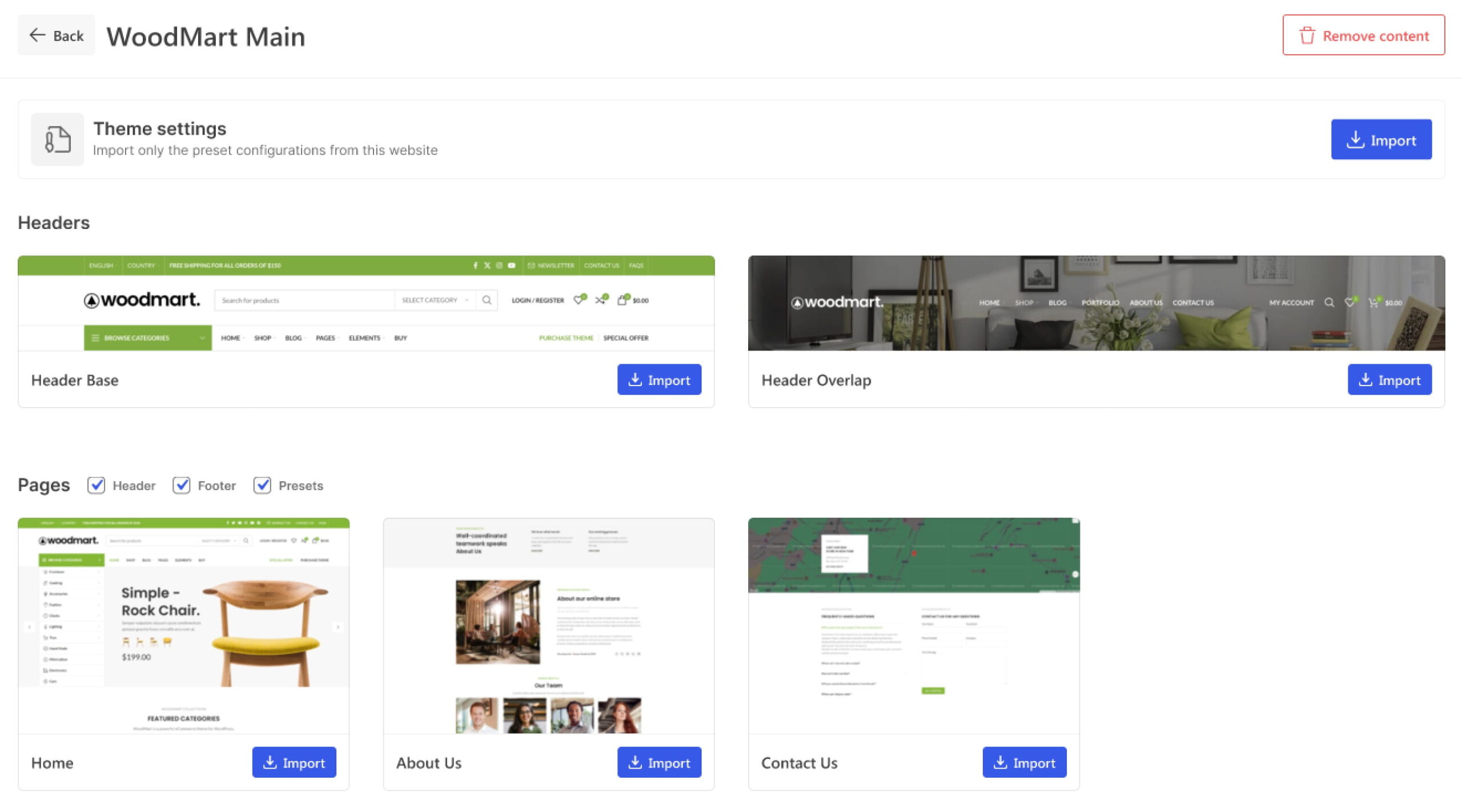
This feature came directly from your requests. We often hear from users who want a few specific pages from different demos at once. For example, one page from one demo, another from a second, and the Theme Settings from a third. Right now that means installing two separate sites and manually moving the content you need between them, which is slow and awkward.
In 8.6 we’re introducing Partial Import: the ability to import only specific pages or elements of demo content, without installing the whole site.
How it works in practice: if you like the homepage design from the Sports Supplements demo, but want your Contact Us page from another demo or already have your own, now you just import the page you need in a few clicks. No risk of overwriting or cluttering the rest of your site with content you don’t want.
Performance improvements
In 8.6 we’re working on the theme’s speed. Here are the concrete changes:
- The fallback image for video backgrounds now uses the
posterattribute instead of a CSSbackground-image, which removes an extra image load through CSS. - Background elements for Gutenberg blocks use an
<img>tag instead of a CSSbackground-image, which lets the browser load and optimize the image more efficiently. - When the side sticky navigation is on for desktop but hidden on mobile, mobile no longer loads its HTML, and now it no longer loads its styles either. This reduces unnecessary load on mobile devices.
Why are we gradually moving from background-image to the <img> tag? It affects site speed and Core Web Vitals directly. The browser finds an <img> tag right away while parsing the HTML and starts loading it. With a background-image, it first has to load and parse the CSS and apply the styles, and only then does the image start loading. If that image is the main element on the first screen, like a large hero image, the difference shows up directly in the LCP (Largest Contentful Paint) metric. An <img> tag also lets us use attributes like loading="lazy" and fetchpriority="high", and serve different image sizes to mobile and desktop through srcset and <picture>, without bulky CSS media queries.
New demo site
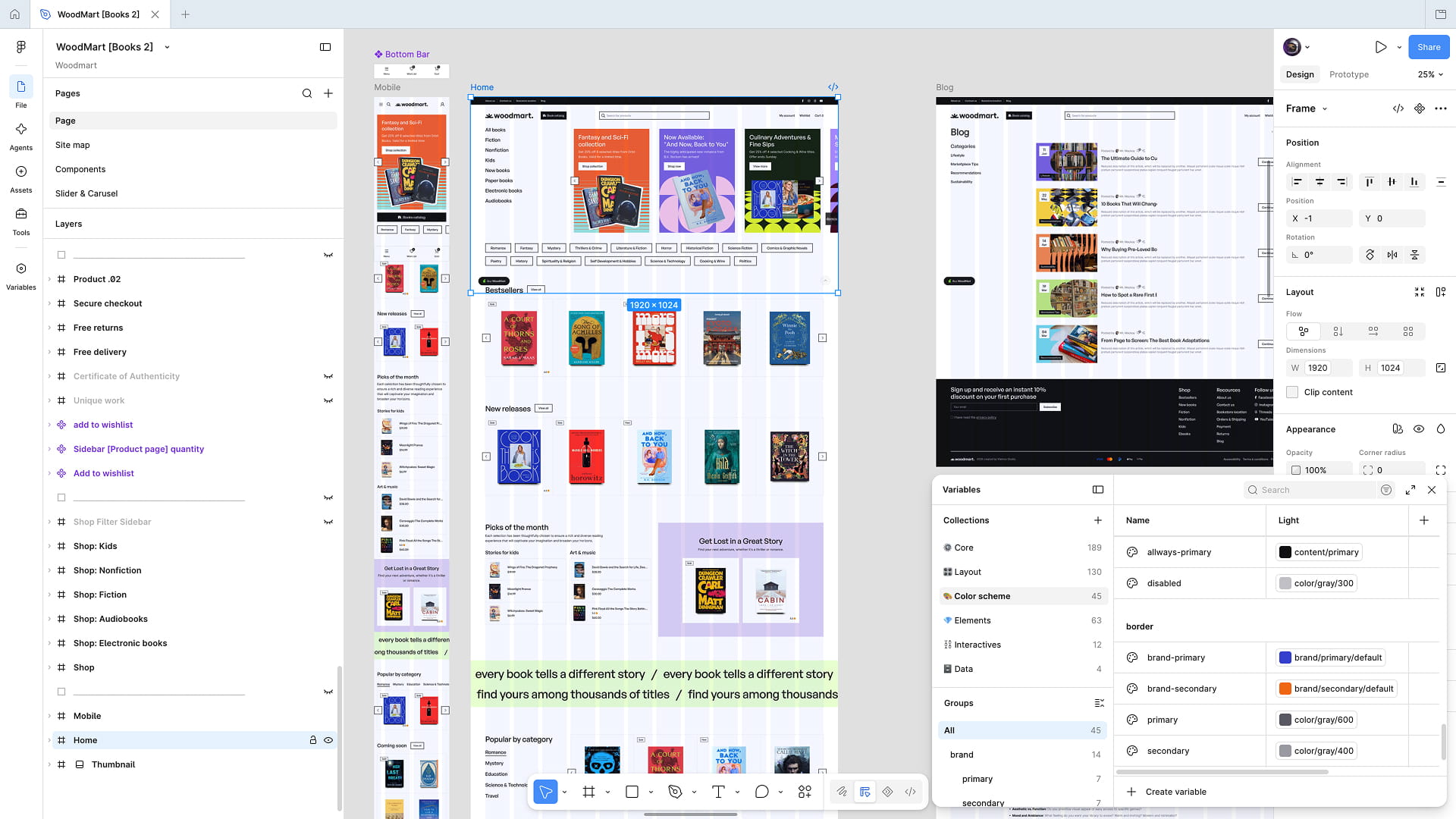
- Books 2. An extended version of the book demo with a larger product showcase on the homepage.
New options and elements that come with the update
- Animated text. Extended functionality for the Highlighted Text element, with words cycling in a loop and transition effects between them, such as a typing effect.
- Tabs on hover. Tabs can now be set to switch on hover, without needing to click.
- Full-width Buy Now button. A new option for the Single Product Layout Builder that lets you create new buy-button designs in narrow containers and on mobile devices.
- Corner radius for header elements. Right now all header elements have rounded corners by default; a new option will let you adjust the radius more flexibly, or remove it entirely.
- New pagination design for the product gallery on the Product Loop, adding another design option for navigating between product images.
What’s next
We’re tentatively planning the 8.6 release for late summer to early fall, and new items may be added to the final list in that time.
If you have ideas or requests for future theme updates, leave them at woodmart.userjot.com. Your feedback is what directly shapes our roadmap. You can also join our Facebook community and tell us which of these features interests you most.

Leave a Reply
You must be logged in to post a comment.
4 thoughts on “WoodMart 8.6 preview: block WooCommerce checkout, partial demo import, and faster pages”
When available this version
We’re planning the 8.6 release for late summer.
That’s a really cool format! Thanks for the info. We can’t wait!
Awesome update! The Partial Demo Import is a absolute game-changer, being able to pull specific pages without cluttering the site or setting up staging environments will save so much time. Really glad to see deeper WooCommerce Block Cart & Checkout support getting prioritized, too. Looking forward to the release! Anything that refines and enables snappier loading is always a bonus!
Would love to see you guys put together a cool template for: Craft Beverages (very on trend these days :o)
With the massive boom in craft ciders, beers, gins, and whiskeys, a dedicated beverage demo would be a fantastic addition. It would be great to see a pre-built layout tailored to this industry instead of the usual fashion or electronics etc.
Thanks Team