
Theme settings backup
WoodMart can store copies of your Theme Settings and Theme Settings presets so you can return to an earlier configuration or transfer the settings to another installation.
A theme settings backup is not a complete website backup. It does not include pages, products, media files, plugins, theme files, menus, widgets, headers, or layouts.
To manage your backups, navigate to Dashboard -> WoodMart -> Theme settings backup.
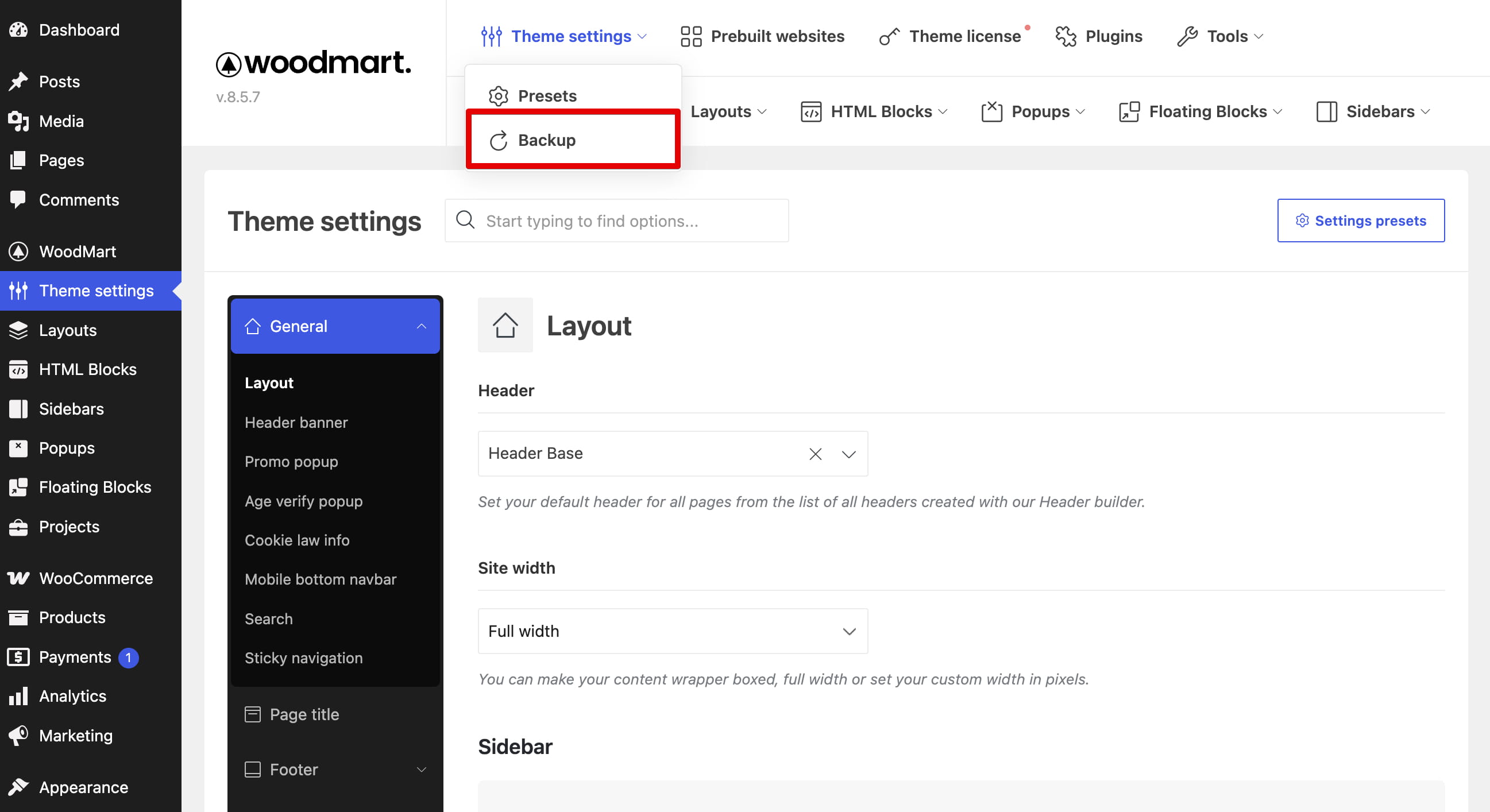
Automatic backups
WoodMart periodically creates an automatic backup when you access its dashboard, no more than once per day. Recent automatic backups are retained, while older ones are removed as new backups are created.
Automatic backups appear in the same list as manual backups and can be applied, exported, or deleted.
Create a manual backup
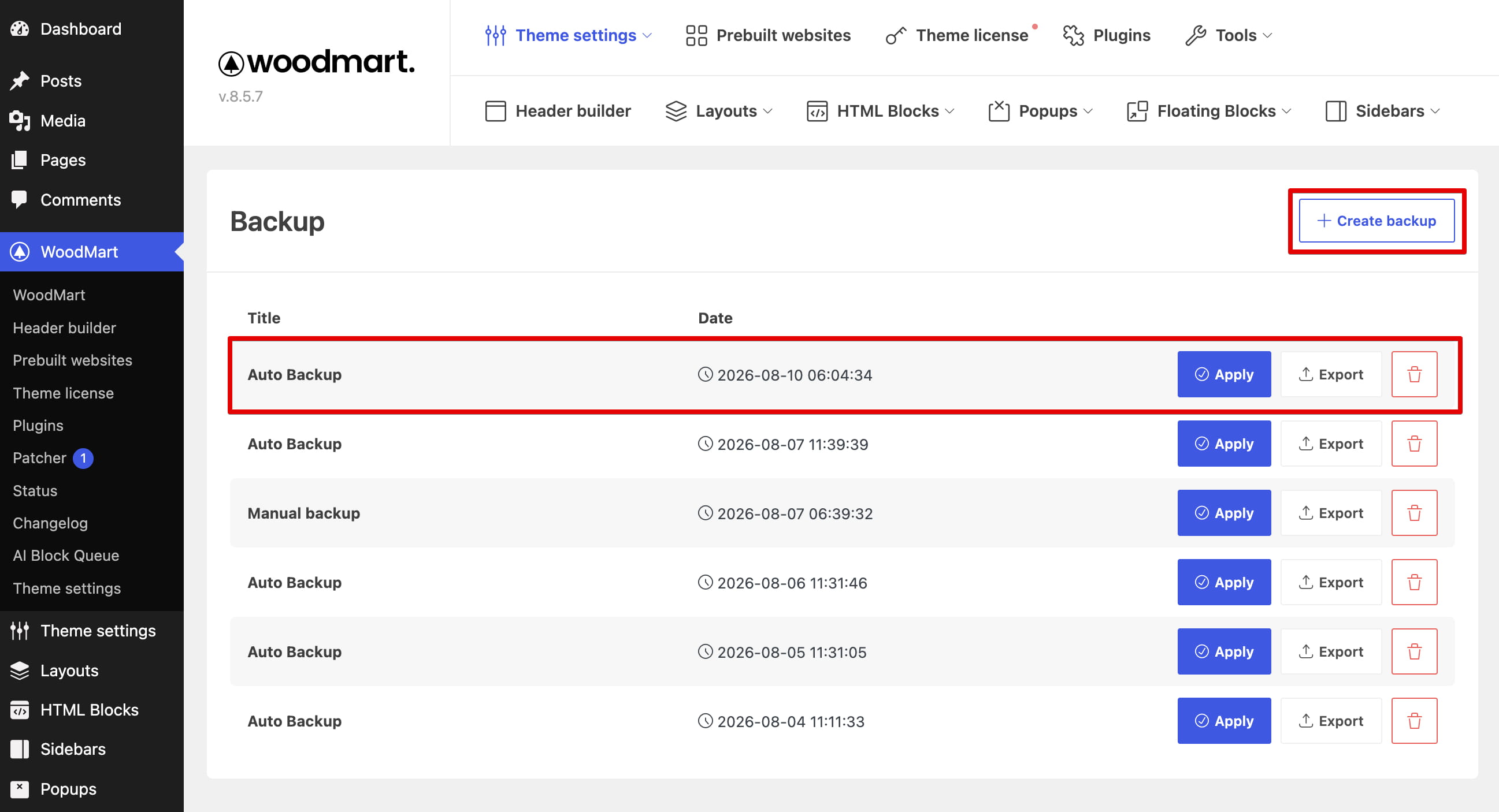
Click Create backup to save the current Theme Settings and Theme Settings presets. A manual backup remains in the website database until you delete it.
Create a manual backup before making extensive changes. If you also want to keep a copy outside the website, export it as a JSON file.
Manage backups
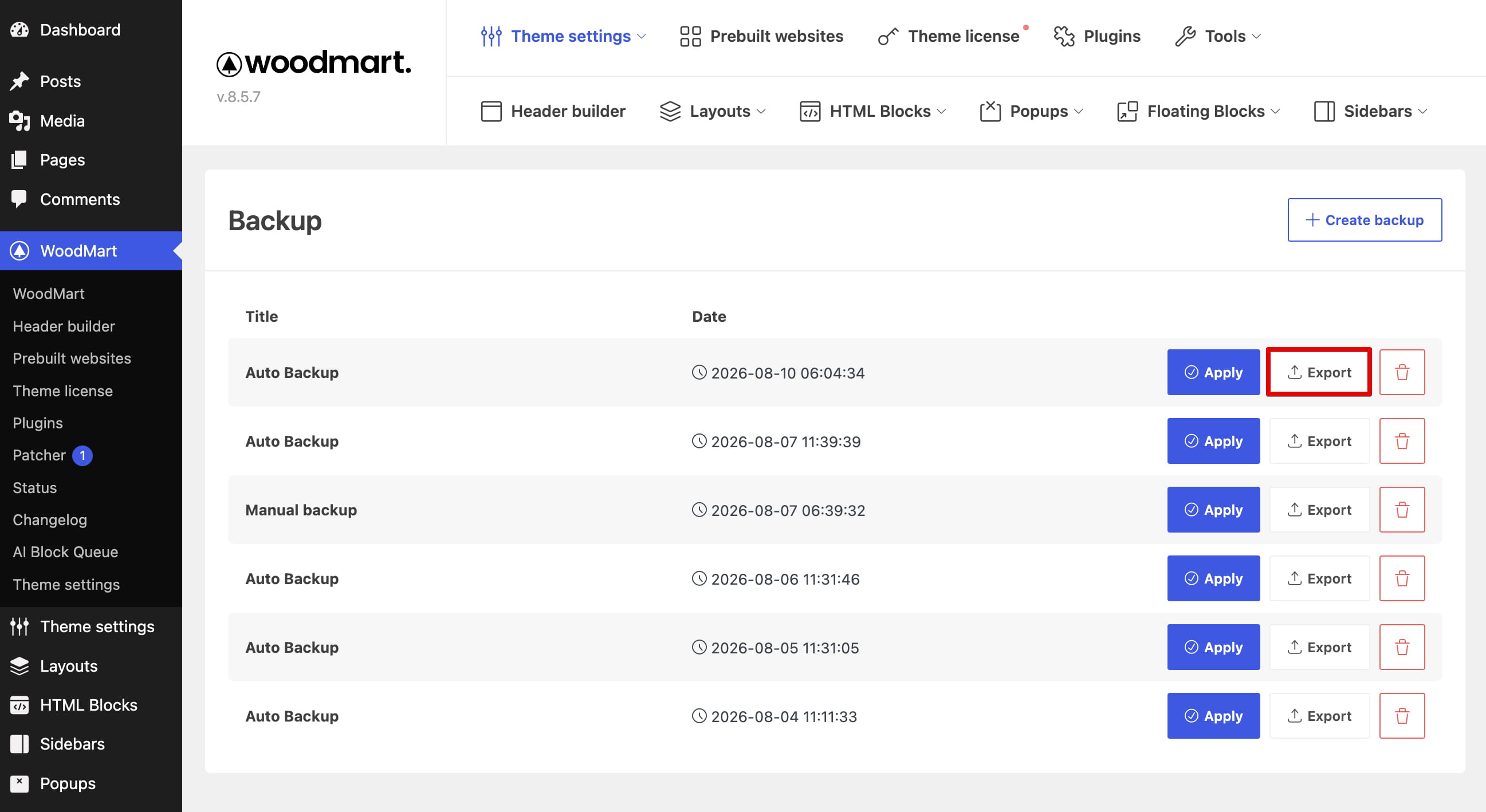
- Apply — restores the Theme Settings and Theme Settings presets stored in the selected backup.
- Export — downloads the selected backup as a JSON file.
- Delete — permanently removes the selected backup from the website database.
Import an exported backup
To import a previously exported JSON backup:
- Open the exported JSON file and copy its contents.
- Navigate to Dashboard -> Theme Settings -> Import / Export / Reset.
- Paste the copied data into the Import / Export field.
- Click Import.
Don’t miss WoodMart updates
Receive feature updates, tutorials, and WoodMart news via email.
 Last updated: August 10, 2026