
Control the header logo size
The displayed header logo size is determined by the Logo element width, the height of its row, and the proportions of the selected image.
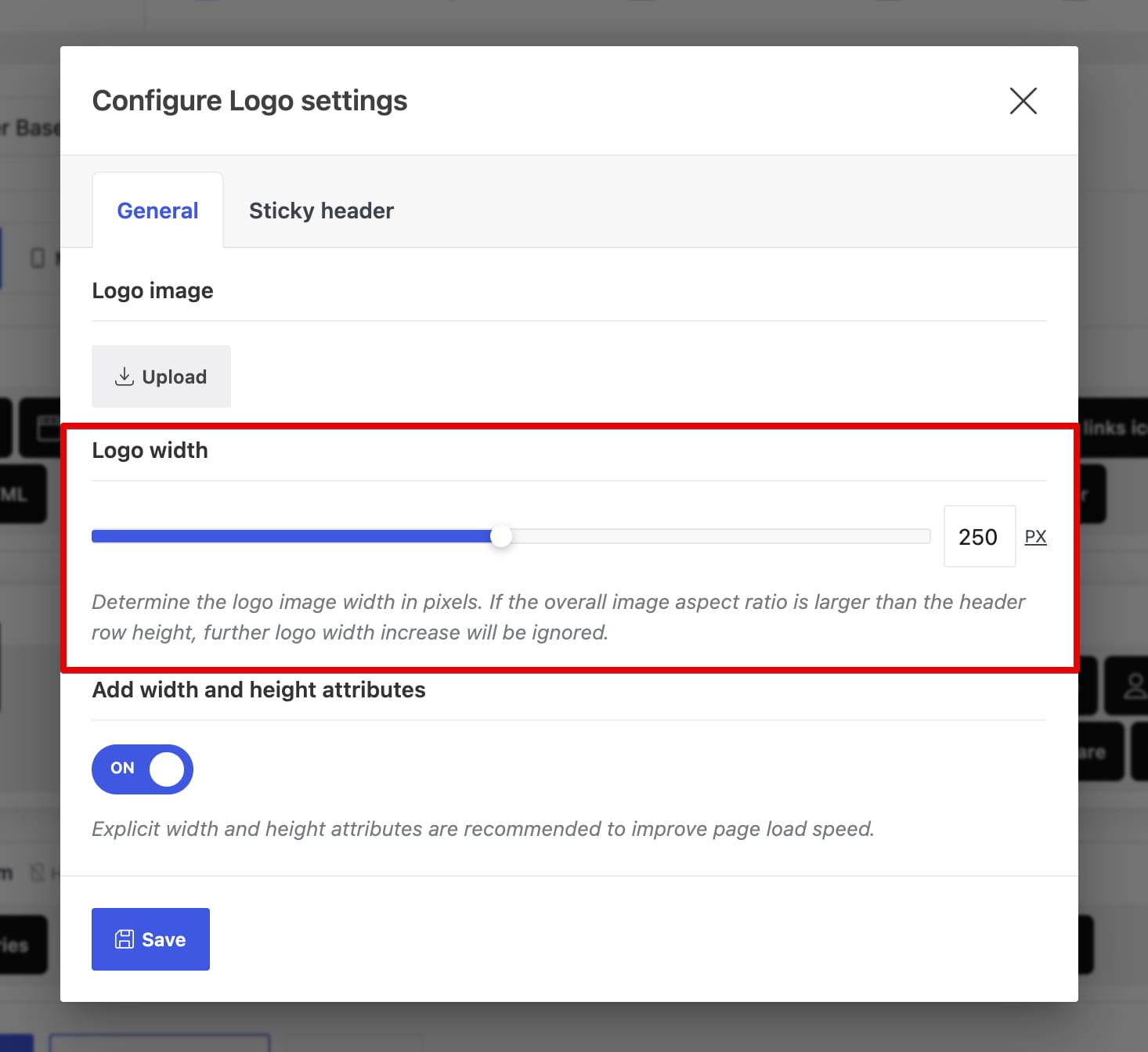
Logo width
Logo width sets the maximum width of the regular logo in pixels. The sticky logo has a separate Sticky header logo width setting.
Header row height
The logo cannot be taller than the row that contains it. When the selected width would make the logo too tall, the browser scales it down while preserving its aspect ratio. Regular, mobile, and sticky row heights can therefore produce different displayed sizes.
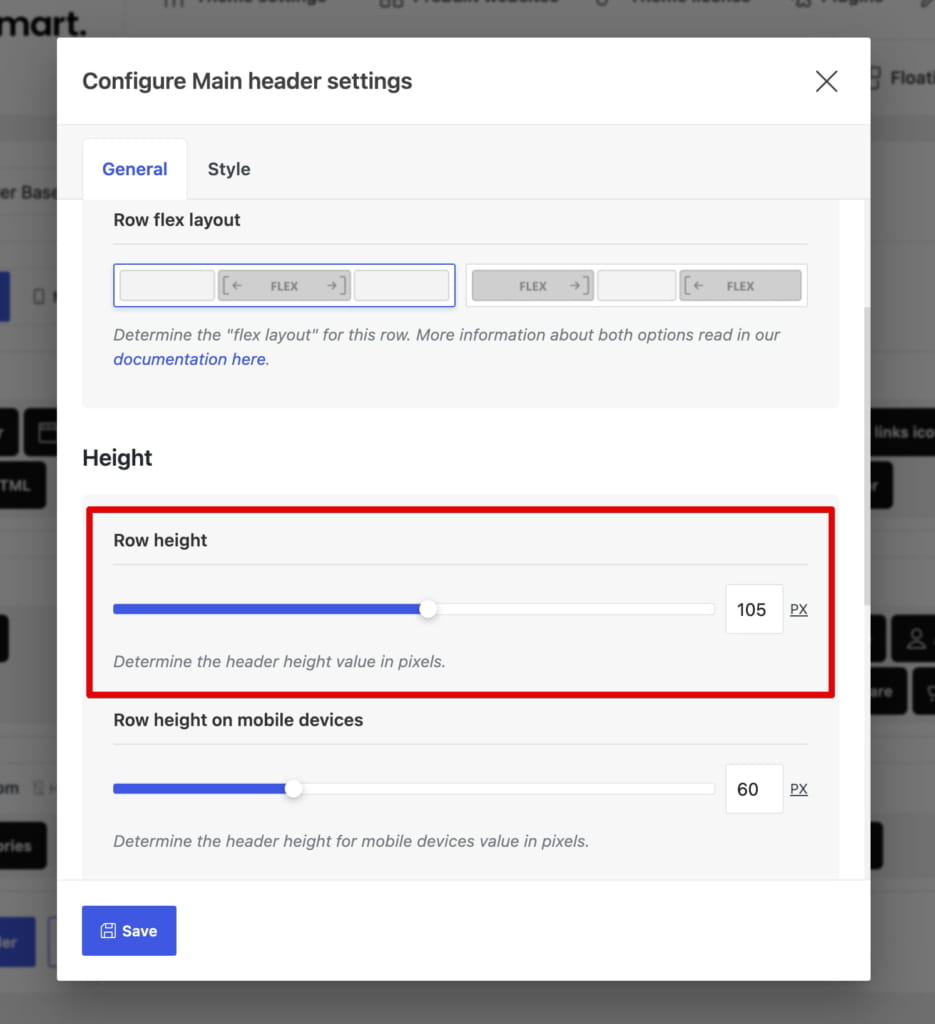
Image dimensions and aspect ratio
The logo always keeps the aspect ratio of the source image. A wide image becomes shorter at the same width, while a taller image reaches the row-height limit sooner.

For raster formats such as PNG and JPEG, the source image dimensions also determine how far the image can be enlarged without upscaling. SVG logos can scale without the same pixel-dimension limit.

Desktop, mobile, and sticky logos
Desktop and mobile layouts use separate Logo elements, so configure their widths independently. The optional sticky logo image and width are located in the Sticky header tab of each Logo element.
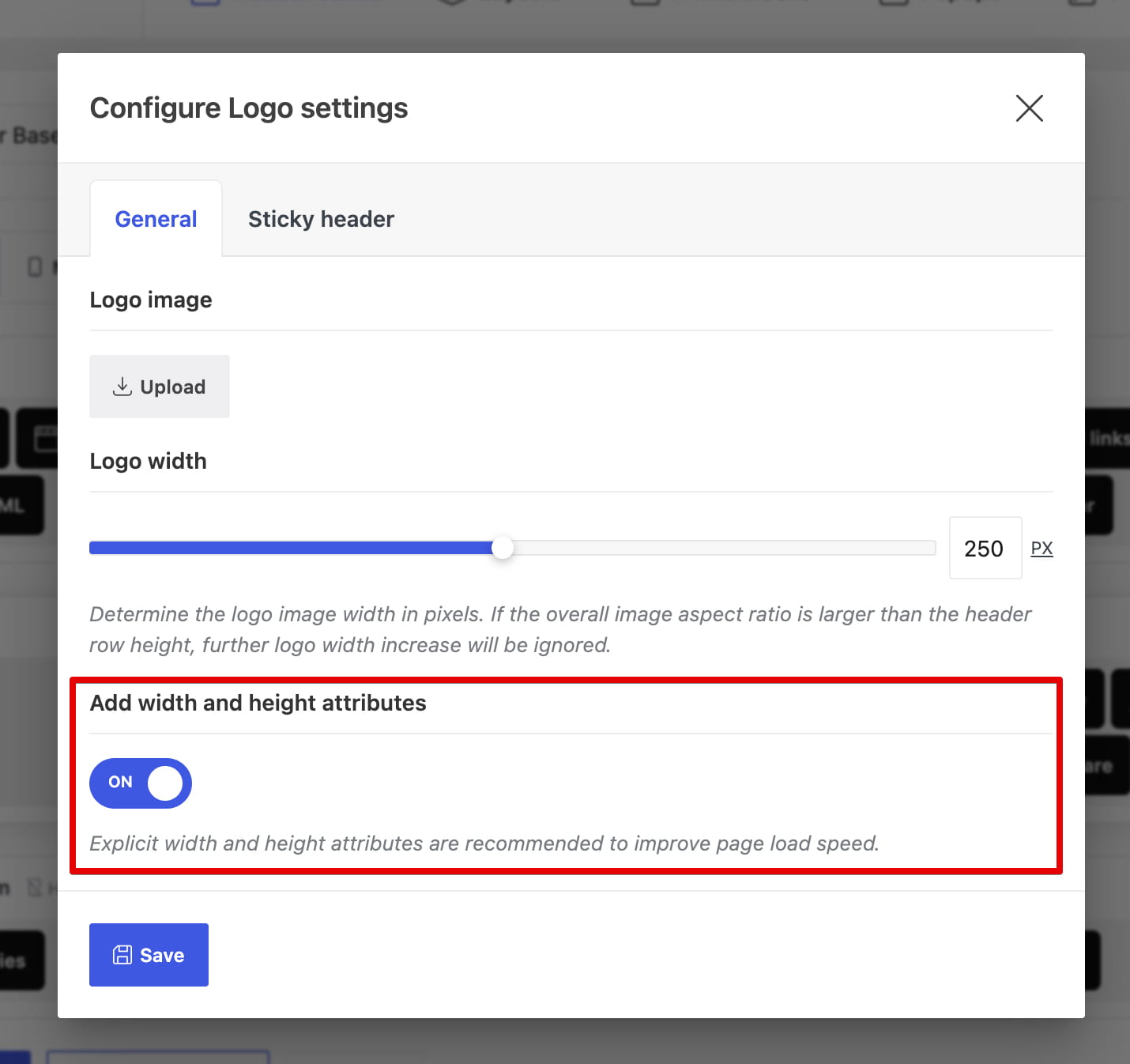
Width and height attributes
Keep Add width and height attributes enabled. Explicit image dimensions reserve the correct space before the logo loads and help reduce layout shifts.
Don’t miss WoodMart updates
Receive feature updates, tutorials, and WoodMart news via email.
 Last updated: August 11, 2026