
Contact forms
WoodMart integrates with Contact Form 7 and provides dedicated elements for displaying its forms with Gutenberg, Elementor, and WPBakery. Create or select a form in Contact Form 7, then place it anywhere on your website with the corresponding WoodMart element.
Install Contact Form 7
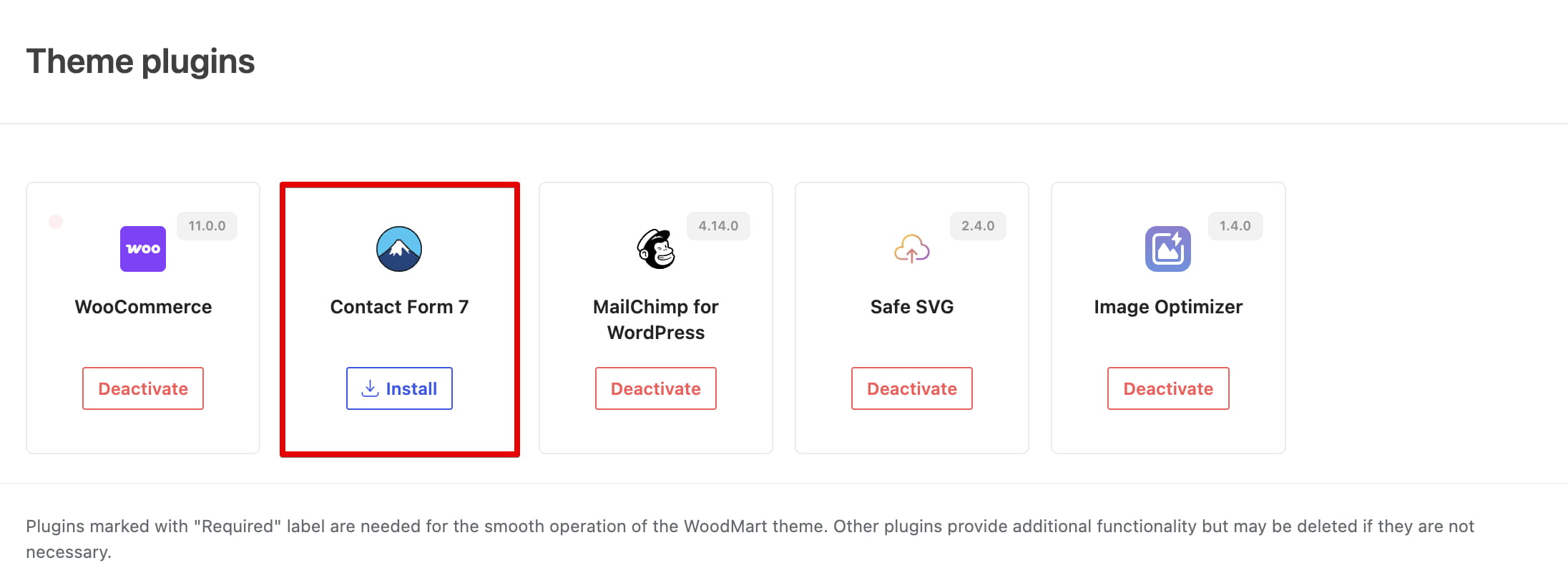
Contact Form 7 is an optional plugin recommended by WoodMart. It can be installed directly from the theme dashboard.
- Navigate to Dashboard -> WoodMart -> Plugins.
- Find Contact Form 7.
- Click Install.
- After the installation is complete, click Activate.
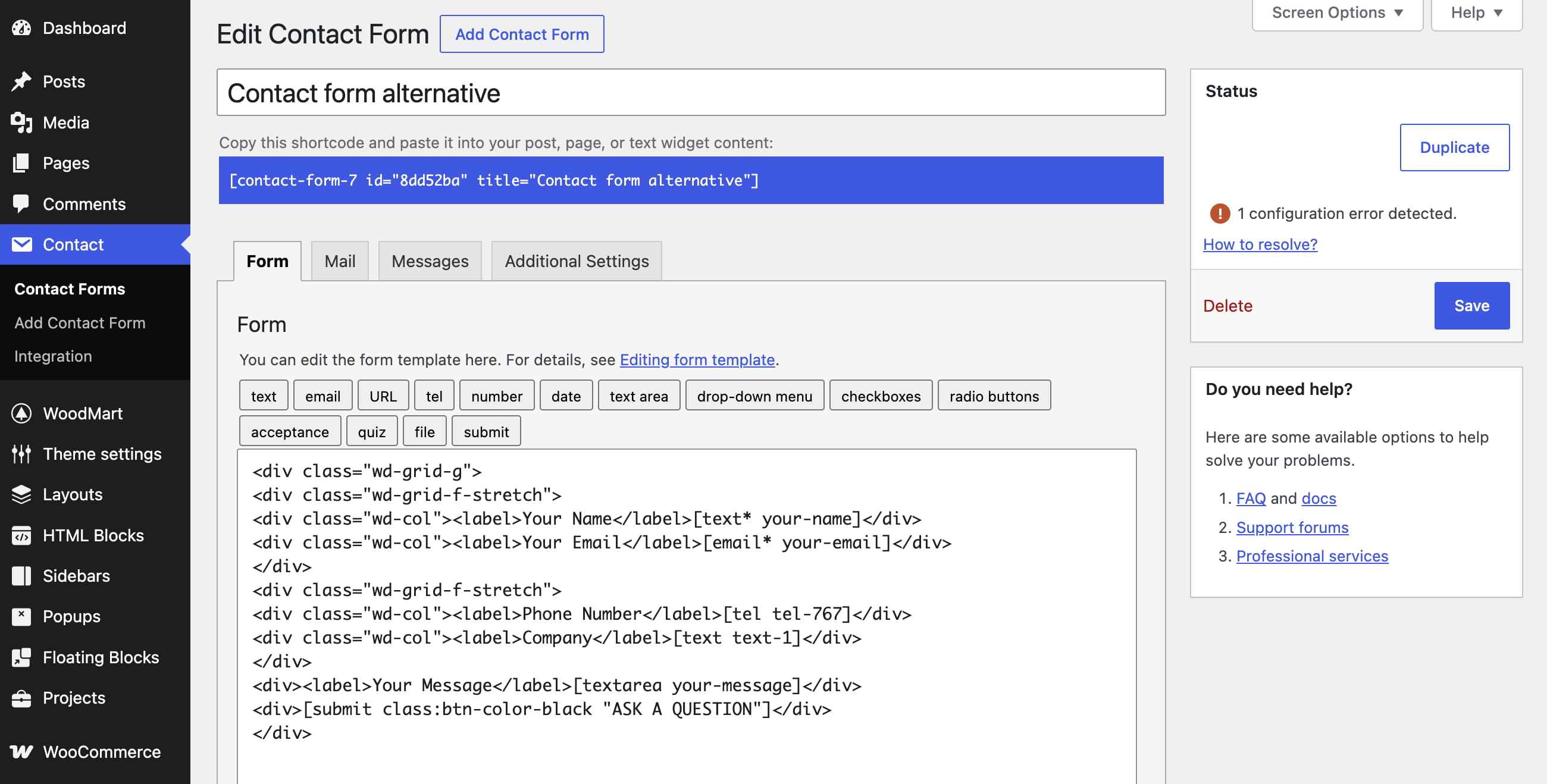
Create or select a contact form
After activation, Contact Form 7 creates a default form named Contact form 1. You can use this form or create another one in Dashboard -> Contact -> Add New.
Form fields and plugin-specific configuration are managed in Contact Form 7. For instructions on editing forms, see the official Contact Form 7 getting started guide.
Add a form with a WoodMart element
WoodMart provides a dedicated element named Contact form 7 for each supported page builder. The element lets you select any published Contact Form 7 form without copying its shortcode.
Gutenberg
- Edit the page or HTML Block where you want to display the form.
- Open the block inserter and add the WoodMart Contact form 7 block.
- Choose the required form in Select contact form.
- Configure the block styles and update the page.
Elementor
- Edit the page or HTML Block with Elementor.
- Find the WoodMart Contact form 7 widget and drag it into the layout.
- Choose the required form in Select contact form.
- Use the Style tab to customize the form and update the page.
WPBakery
- Edit the page or HTML Block with WPBakery.
- Add the WoodMart Contact form 7 element.
- Choose the required form in Select contact form.
- Configure the available options and save the element.
You can also insert the standard Contact Form 7 shortcode into a text or shortcode element. However, the dedicated WoodMart element provides convenient form selection and additional styling controls.
Style the form
The WoodMart Contact form 7 element includes controls for the form appearance and submit button. Depending on the selected page builder, you can configure:
- Default or With background color preset.
- Text and placeholder colors.
- Input border, focus, and background colors.
- Submit button text and background colors.
- Submit button hover colors.
Useful links
Don’t miss WoodMart updates
Receive feature updates, tutorials, and WoodMart news via email.
 Last updated: August 10, 2026