
Theme Settings panel
Theme Settings is the central panel for configuring WoodMart’s global appearance and functionality. Use it to control typography, colors, page titles, footer settings, WooCommerce features, performance options, integrations, and other theme-wide behavior.
Open Theme Settings
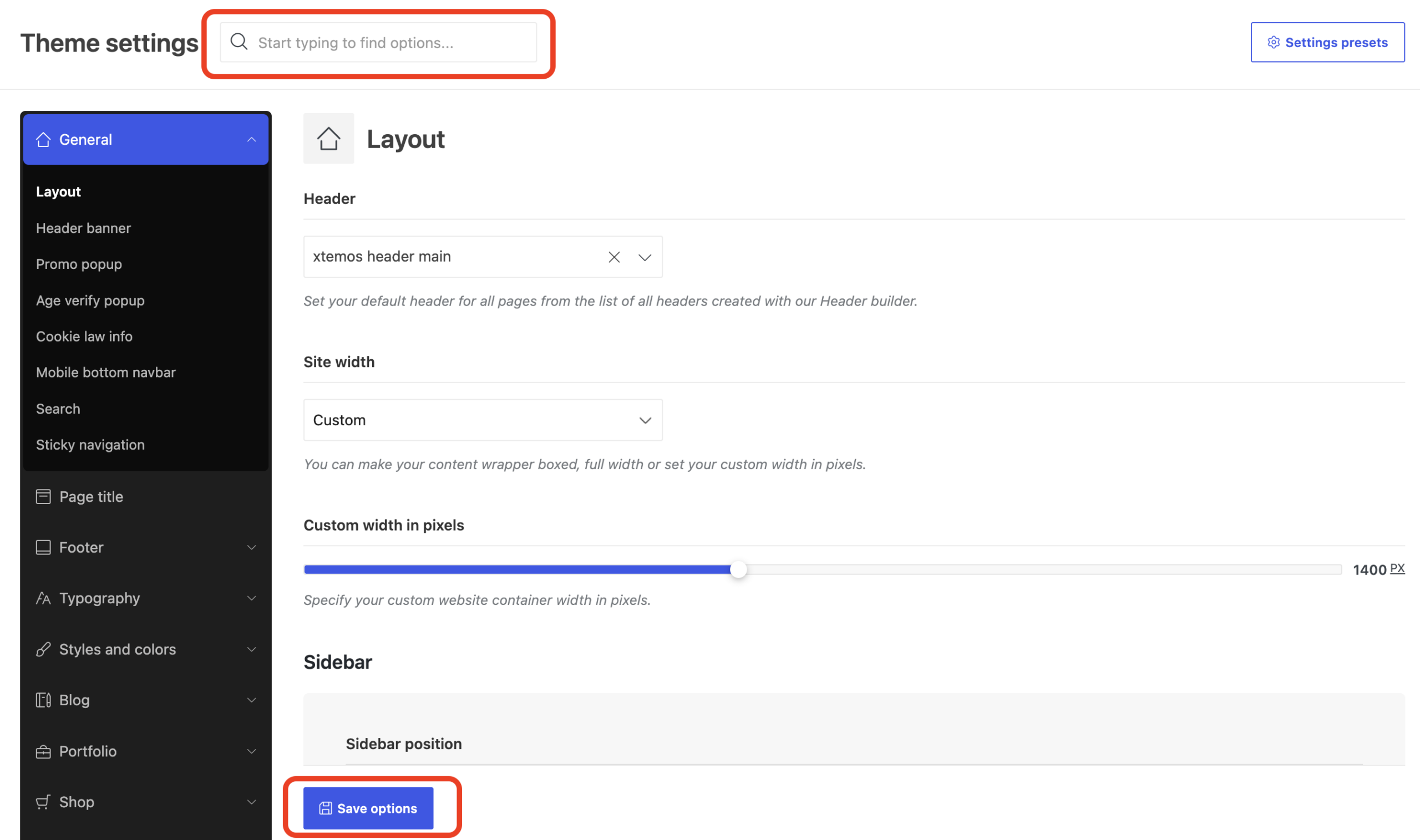
In the WordPress Dashboard, navigate to WoodMart -> Theme settings. The navigation panel on the left contains the main settings sections and their subsections. Select a section to display its options in the main area.
Theme Settings control global defaults. Individual pages, products, layouts, or presets may override some of these values in specific locations.
Find and save options
- Browse sections: expand a main section in the left navigation to view its subsections.
- Search: use the search field at the top of the panel to find an option by name.
- Save: click Save options after making changes.
If you use a caching plugin, clear its cache after changing settings that affect the website design or loaded assets.
Main settings sections
General appearance and content
- General: configure the website layout, header banner, promotional and age verification popups, cookie notice, mobile bottom navbar, and search.
- Page title: control the global page title area, breadcrumbs, background, spacing, and typography.
- Footer: configure the footer layout, widget columns, copyrights, and prefooter area.
- Typography: configure basic and advanced typography, custom fonts, icon fonts, and Adobe Fonts.
- Styles and colors: control global styles, colors, page backgrounds, buttons, forms, notices, carousels, and links.
- Blog: configure blog archives and single post pages.
- Portfolio: configure the portfolio, project archives, and single project pages.
WooCommerce
- Shop: manage store features such as variable products, labels, brands, quick view, compare, wishlist, waitlist, cart, checkout, free gifts, delivery estimates, abandoned carts, and price tracking.
- Product archive: configure the product grid, product loop, category styles, filters, widgets, page title, and sidebar.
- Single product: configure the product gallery, add-to-cart area, product elements, tabs, related products, and upsells.
- My account: configure login, registration, and the customer account dashboard.
Integrations and performance
- Social profiles: add links to social profiles and configure share buttons.
- API integrations: configure Instagram, Google Maps, and social authentication services.
- Performance: manage CSS and JavaScript loading, fonts and icons, lazy loading, plugin assets, the preloader, LCP options, and other performance features.
Advanced settings
- Maintenance: enable maintenance mode and configure the page shown to visitors.
- White label: replace selected WoodMart and XTemos branding in the WordPress Dashboard.
- Custom CSS: add global or device-specific CSS.
- Custom JS: add custom JavaScript to the website.
- Other: configure additional theme behavior that does not belong to the main sections.
- Import / Export / Reset: export settings, import them into another WoodMart website, or reset them.
Apply settings conditionally
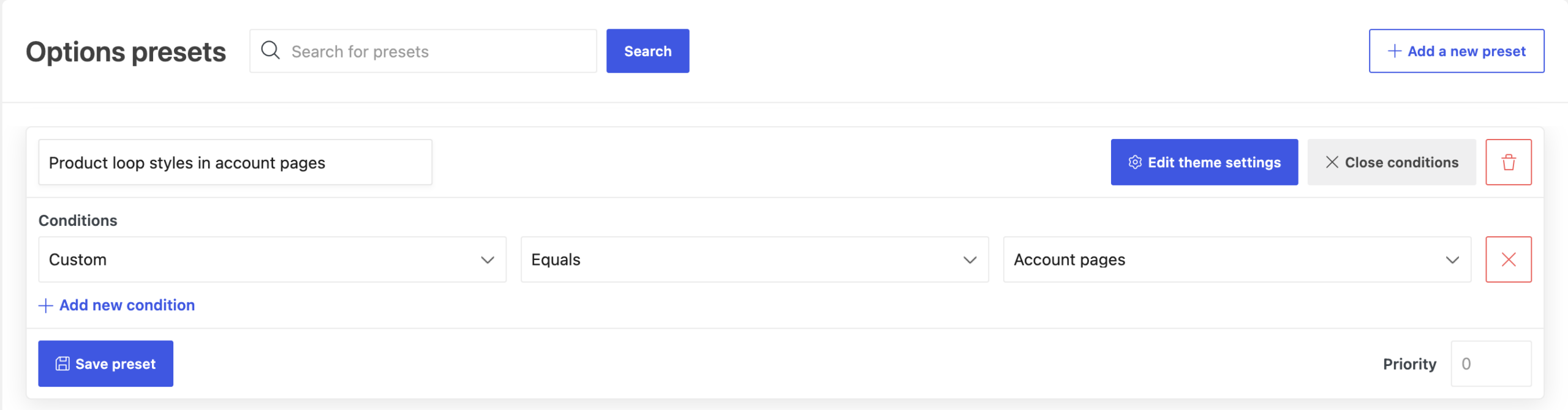
Global Theme Settings apply across the website by default. To override selected options for particular pages, products, categories, post types, user roles, or mobile devices, create a Theme Settings preset.
Each preset inherits the global configuration until you disable Inherit for a specific option. Preset conditions determine where the overridden values are applied.
Back up or transfer settings
Create a manual Theme Settings backup before making major configuration changes. A backup lets you restore a previous configuration if the new settings do not produce the expected result.
Use Theme Settings -> Import / Export / Reset to transfer a configuration between websites running WoodMart. Export the settings from the source website, then import the file into the destination website.
Don’t miss WoodMart updates
Receive feature updates, tutorials, and WoodMart news via email.
 Last updated: July 29, 2026