
Align product images and content in grids
Uneven product cards are usually caused by inconsistent image proportions, different title lengths, or product cards containing different elements. Configure each of these areas separately to keep product grids aligned.
Use consistent image proportions
For the most consistent result, use product images with the same aspect ratio. Their exact pixel dimensions do not need to match, but every source image should be large enough for the largest size at which it is displayed.
If images have different aspect ratios, configure WooCommerce to crop their catalog thumbnails to a consistent shape.
Configure WooCommerce thumbnail cropping
Navigate to Dashboard -> Appearance -> Customize -> WooCommerce -> Product Images.
- Main image width — controls the generated image width used on single product pages. Main product images remain uncropped.
- Thumbnail width — controls the generated image width used for products in catalogs and grids.
- Thumbnail cropping: 1:1 — crops catalog thumbnails into squares.
- Thumbnail cropping: Custom — crops thumbnails to the aspect ratio you specify, such as 4:3 or 2:3.
- Thumbnail cropping: Uncropped — preserves the original aspect ratio. Images with different proportions may therefore have different heights in the grid.
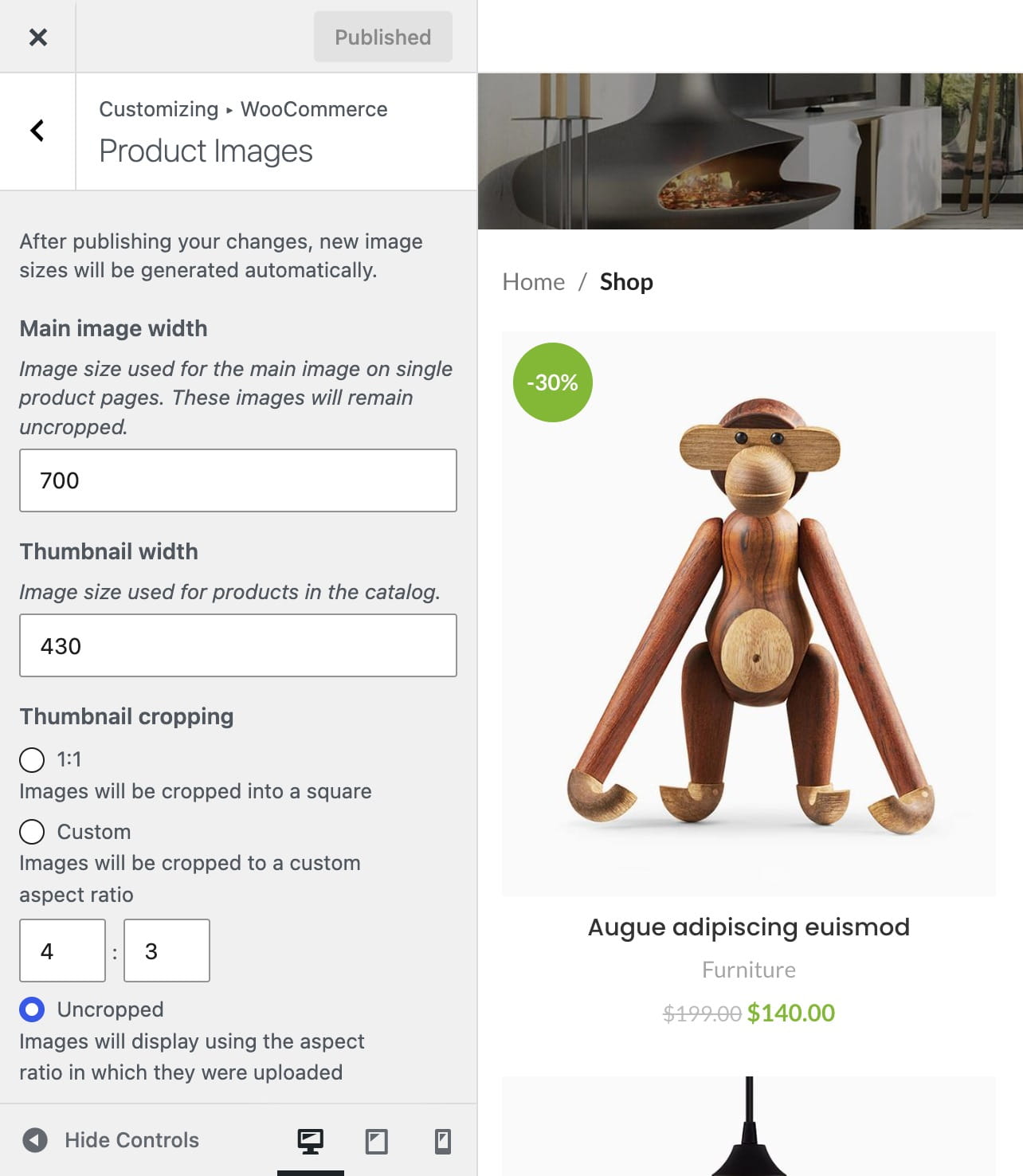
Publish the Customizer changes when finished. WooCommerce generates responsive image sizes, so the thumbnail width does not need to match the product card’s CSS width exactly.
Limit product title length
Longer product titles can move prices, ratings, and buttons to different vertical positions. Navigate to Dashboard -> Theme Settings -> Product archive -> Products loop and configure Product title lines limit. Use a consistent one-line or two-line limit when the content below each title should begin at the same level.
Enable an even product grid
Navigate to Dashboard -> Theme Settings -> Product archive -> Products grid and enable Even product grid for the required desktop, tablet, and mobile views. This gives supported product cards an equal row height and aligns their action content at the bottom.
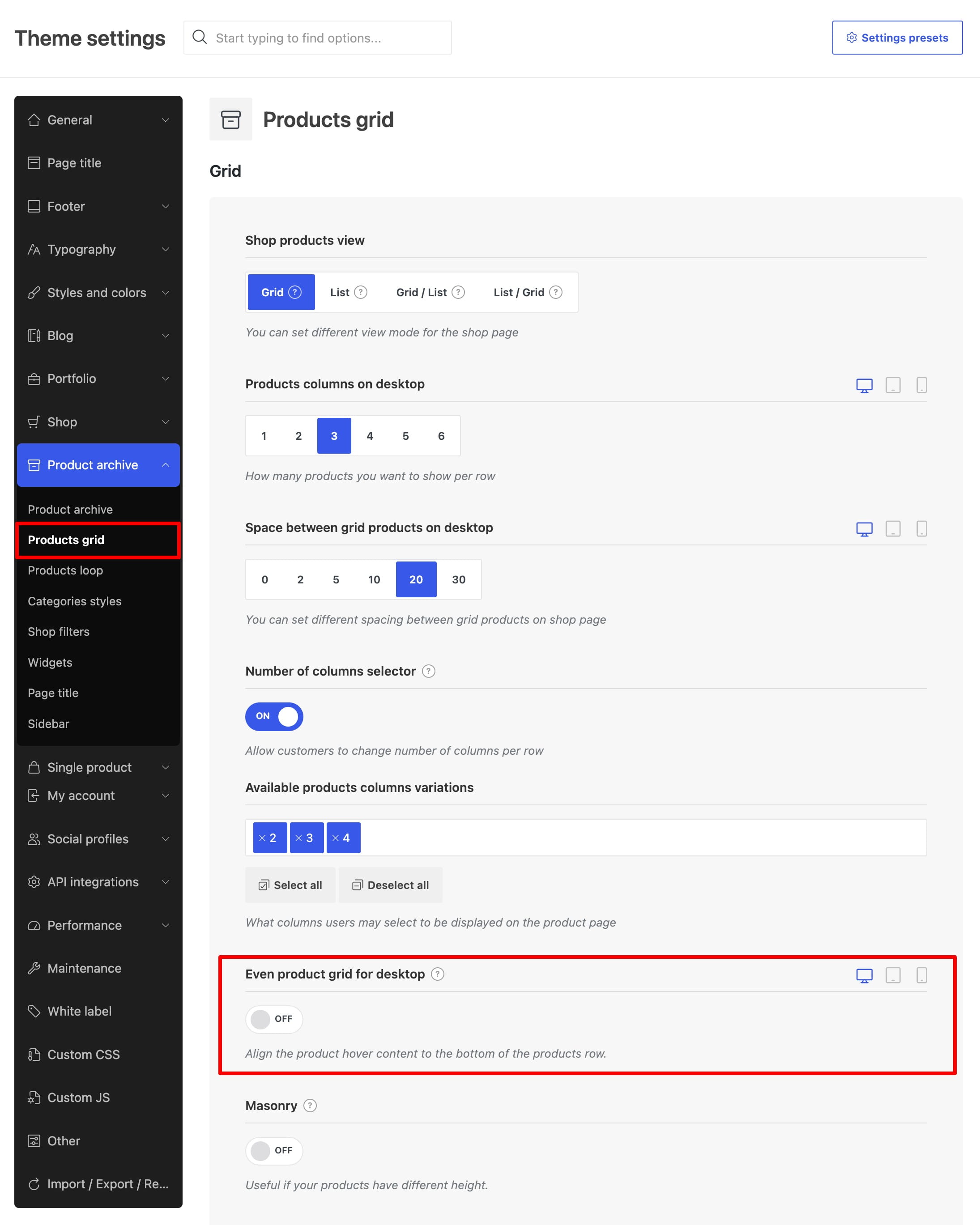
The Even product grid option is also available in Gutenberg, Elementor, and WPBakery Products elements. Element-level settings let you configure a particular grid independently from the product archive.
Even product grid is available for supported predefined product designs. It does not apply to list view or custom product loop item layouts. When using a custom layout, configure equal heights and content alignment in the layout itself.
Don’t miss WoodMart updates
Receive feature updates, tutorials, and WoodMart news via email.
 Last updated: August 12, 2026