
WooCommerce hooks and plugin compatibility
Custom layouts replace the standard WooCommerce template structure. As a result, PHP hooks used by WooCommerce extensions or custom code may no longer be present automatically. Add the WooCommerce Hook element or block wherever hooked content should appear. For background information, see the WooCommerce hooks, actions, and filters guide.
Restore content added by a plugin
1. Identify the WooCommerce action used by the plugin. Check the plugin documentation or ask its support team for the hook name and expected location.
2. Edit the custom layout and add the WooCommerce Hook element or block where the plugin content should appear.
3. Select the required hook and configure Clean actions.
4. Update the layout and test the relevant page with the plugin functionality enabled.
Example
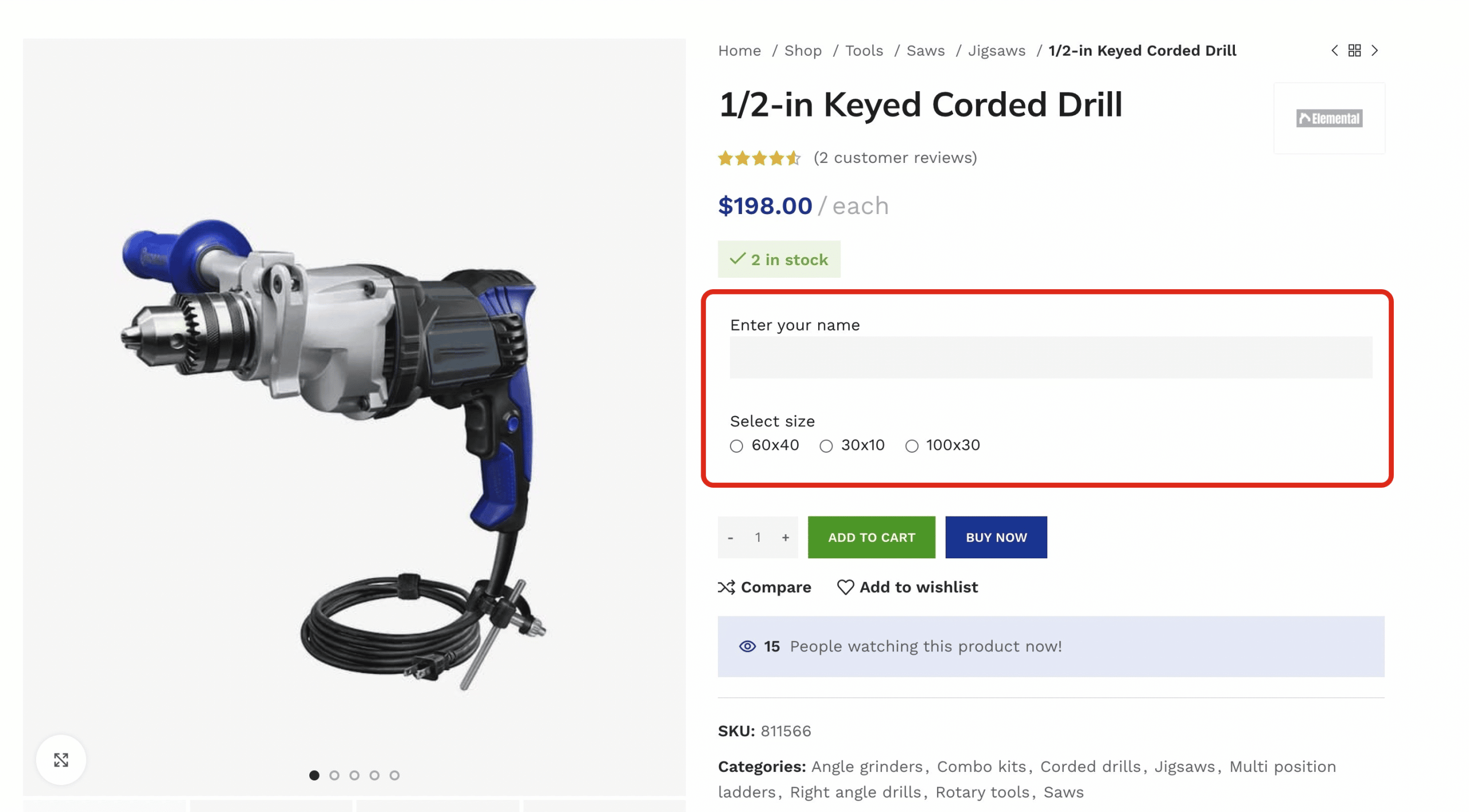
The following example shows additional product fields displayed by a WooCommerce extension on the standard product page.
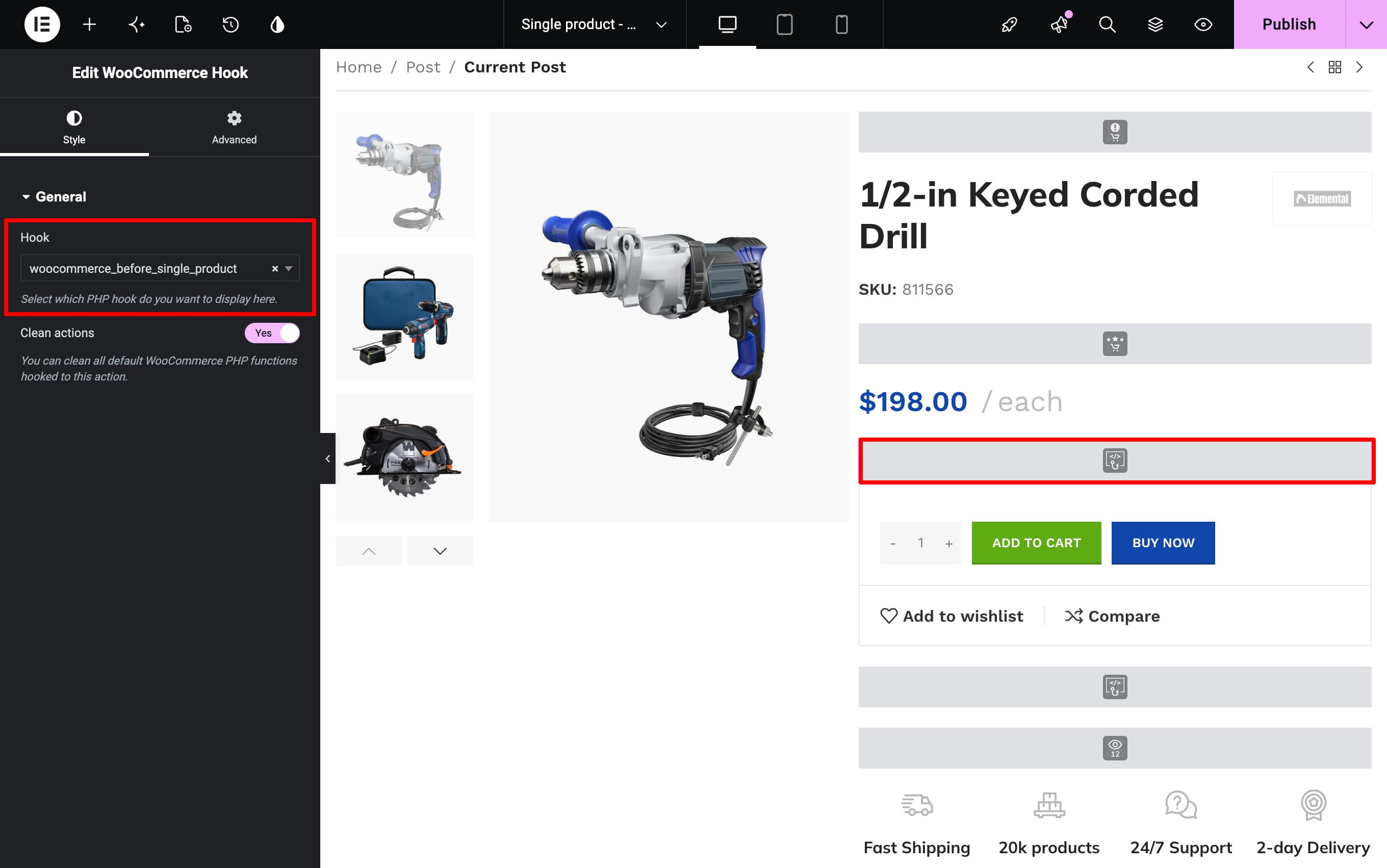
In this example, the extension attaches its fields to woocommerce_before_single_product. Adding that hook to the custom Single product layout restores the plugin output.
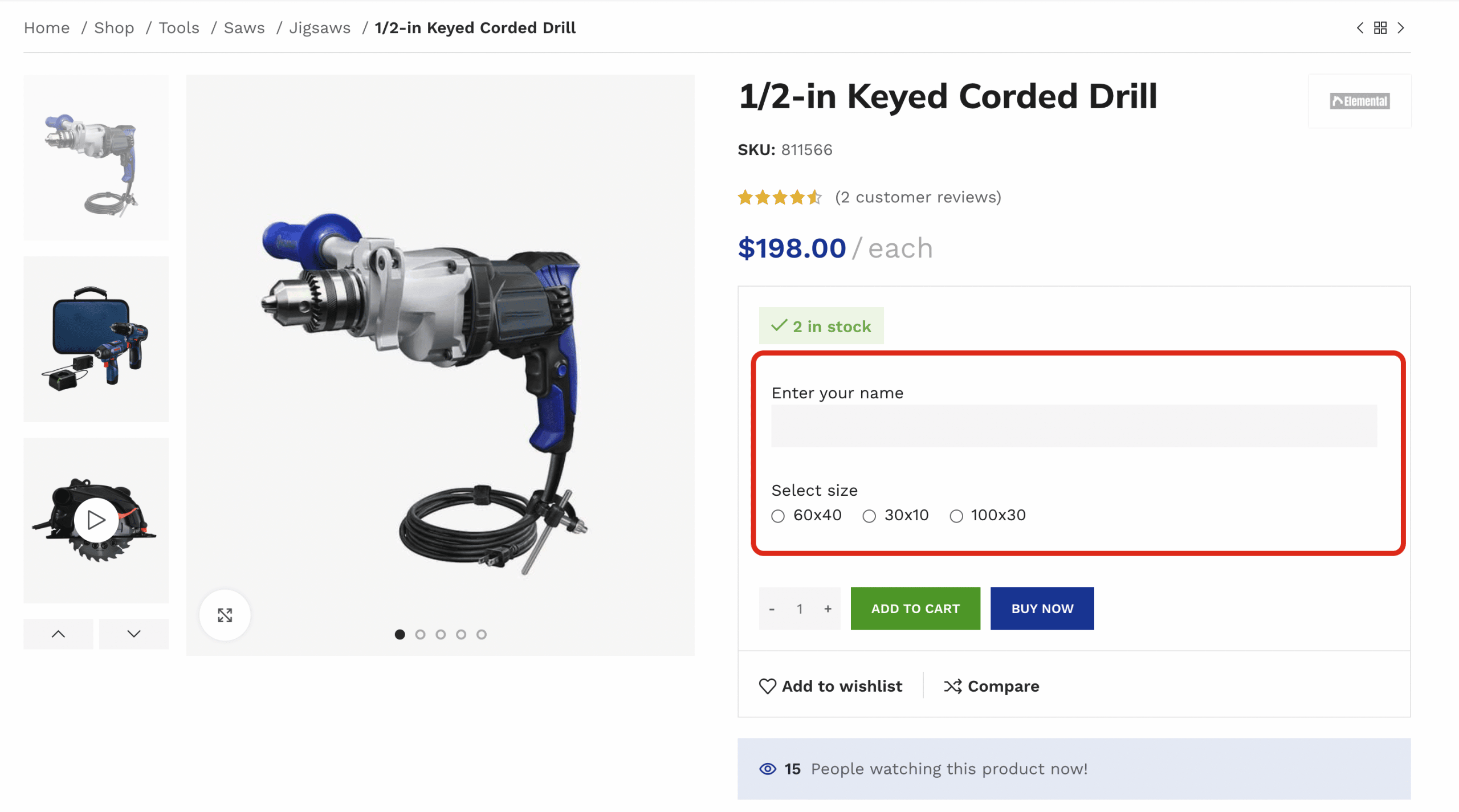
The extension fields are then displayed within the custom product-page structure.
The exact hook depends on the extension. Do not assume that every product-options plugin uses the hook shown in this example.
Clean actions
Clean actions removes standard WooCommerce and WoodMart callbacks attached to the selected hook before rendering it. This helps prevent native product, cart, or checkout content from being duplicated when equivalent elements already exist in the custom layout.
- Keep it enabled when the hook is needed primarily for third-party or custom callbacks and the standard content is already built with layout elements.
- Disable it when the complete default output attached to that hook must remain visible.
Clean actions is enabled by default. After changing it, test the page to make sure required plugin content remains present and native content is not duplicated.
Supported layout areas
WooCommerce Hook is available in Gutenberg, Elementor, and WPBakery. The current hook list covers Single product, Cart, Checkout, Thank you page, My account, Login/Register, Lost password, and Product loop item layouts.
Custom code
When adding your own PHP callbacks, place the code in a child theme or a custom plugin. Then insert the same WooCommerce hook into the layout where the callback should run.
Don’t miss WoodMart updates
Receive feature updates, tutorials, and WoodMart news via email.
 Last updated: August 31, 2026