
Image lazy loading
Image lazy loading can improve initial page loading by delaying supported images and video posters until they approach the viewport. WoodMart also provides a separate option for lazy loading background images in Gutenberg blocks.
Configure image lazy loading
Navigate to Dashboard -> Theme Settings -> Performance -> Lazy loading.
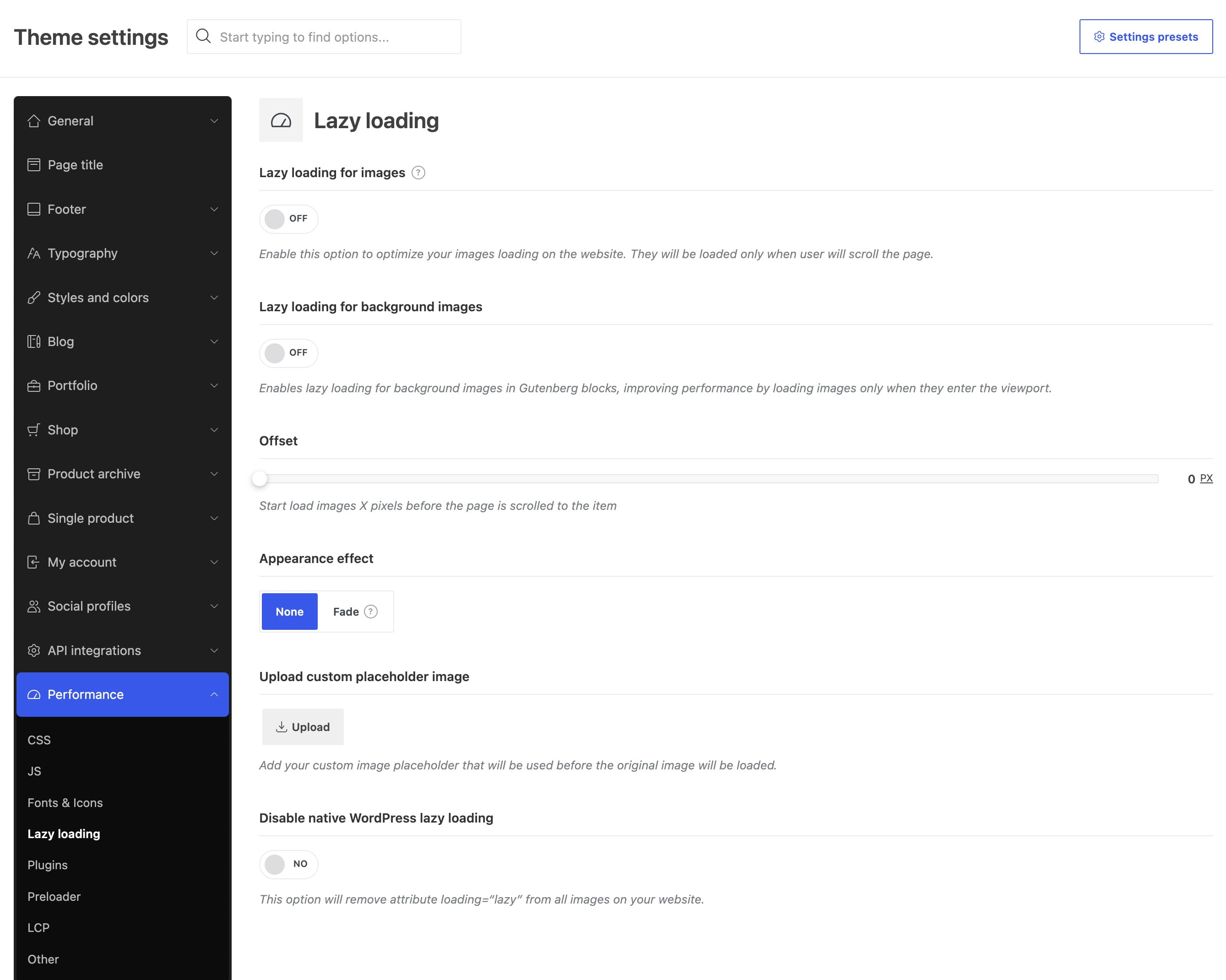
Available options
Lazy loading for images
Enables WoodMart lazy loading for supported WordPress, WooCommerce, theme, and page-builder images. The original image is loaded when it approaches the viewport.
Lazy loading for background images
Delays background and overlay images used in Gutenberg blocks until the block approaches the viewport. This option can be enabled independently of lazy loading for regular images.
Offset
Determines how early an image starts loading before it enters the viewport. The available range is 0–1000 px:
- 0 px — loading starts when the item reaches the viewport.
- A higher value — loading starts earlier, which can make images appear more smoothly during scrolling but may download more images before they are needed.
Appearance effect
Controls how lazy-loaded images appear after loading. Select None to display them immediately or Fade to apply a fade-in transition.
Upload custom placeholder image
Replaces WoodMart’s default placeholder with a custom image displayed before the original image loads. Use a lightweight image that works with the visual style of your website.
Disable native WordPress lazy loading
Removes the native loading="lazy" attribute added by WordPress. This is an advanced compatibility option. Leave it disabled unless your optimization setup specifically requires native WordPress lazy loading to be turned off.
Best practices
- Use only one primary lazy-loading system. If an optimization plugin or CDN already handles lazy loading, keep the corresponding WoodMart options disabled.
- Do not lazy load the main above-the-fold image or another image identified as the Largest Contentful Paint (LCP) element. See the Preload LCP Image option guide for details.
Don’t miss WoodMart updates
Receive feature updates, tutorials, and WoodMart news via email.
 Last updated: August 7, 2026