
Configure white label branding
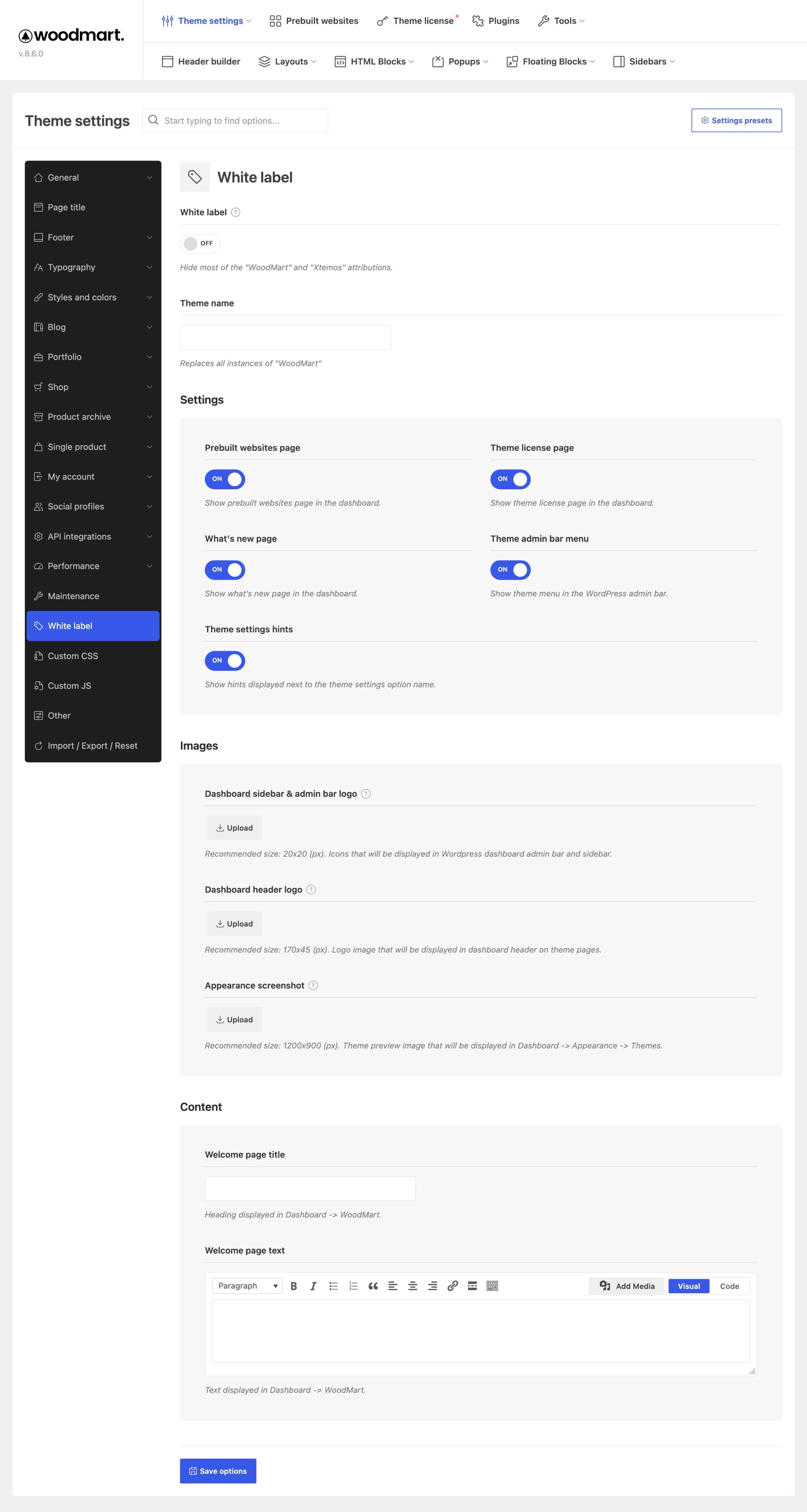
White label settings let you replace WoodMart branding in supported WordPress admin areas without editing theme files. You can change the displayed theme name, upload brand images, customize the welcome page, and hide selected theme pages from clients.
Enable white label branding
1. Navigate to Dashboard -> Theme Settings -> White label.
2. Enable White label to hide most WoodMart and XTemos attributions.
3. Enter the replacement name in Theme name.
4. Configure the visibility, images, and welcome page content described below.
5. Save the Theme Settings and refresh the WordPress dashboard.
Control dashboard visibility
Use the switches in the Settings group to show or hide the following interface items:
- Prebuilt websites page — controls whether the Prebuilt websites page is available in the theme dashboard.
- Theme license page — controls whether the Theme license page is displayed.
- What’s new page — controls whether the What’s New page is displayed in the theme dashboard.
- Theme admin bar menu — controls the theme menu in the WordPress admin bar.
- Theme settings hints — controls the hints displayed next to option names in Theme Settings.
Upload brand images
- Dashboard sidebar & admin bar logo — displayed beside the theme menu in the WordPress dashboard sidebar and admin bar. Recommended size:
20 × 20 px. - Dashboard header logo — displayed in the header of the theme dashboard pages. Recommended size:
170 × 45 px. - Appearance screenshot — replaces the theme preview image under Dashboard -> Appearance -> Themes. Recommended size:
1200 × 900 px.
Customize the welcome page
- Welcome page title — sets the heading displayed on the main theme dashboard page.
- Welcome page text — replaces the introductory content displayed below the heading.
White label scope
White label settings change branding only in supported WordPress admin areas. They do not rename the theme directory, source files, text domain, or update package. Hiding the Theme license page also does not deactivate the license or remove the license requirement for theme updates and related services.
Don’t miss WoodMart updates
Receive feature updates, tutorials, and WoodMart news via email.
 Last updated: September 21, 2026