
Images optimizer
The WoodMart Images Optimizer plugin compresses JPEG and PNG images and can generate WebP versions for browsers that support this format. It integrates with the WordPress Media Library and is available for websites with an active WoodMart theme license.
You can preview the compression service on the Image Optimizer demo.
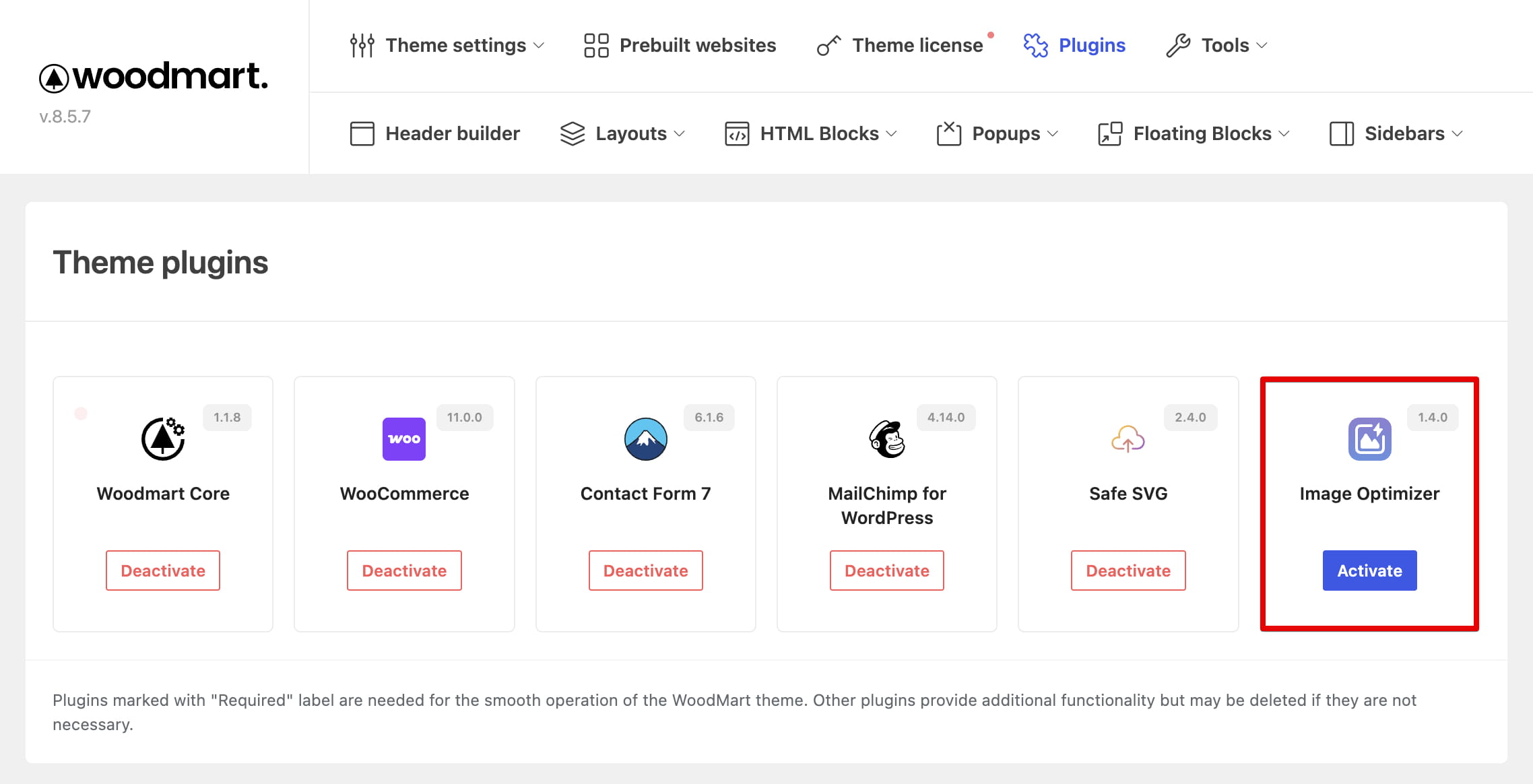
Install the plugin
Install and activate the plugin from Dashboard -> WoodMart -> Plugins. After activation, the optimization controls become available in the Media Library and Theme Settings.
Configure image optimization
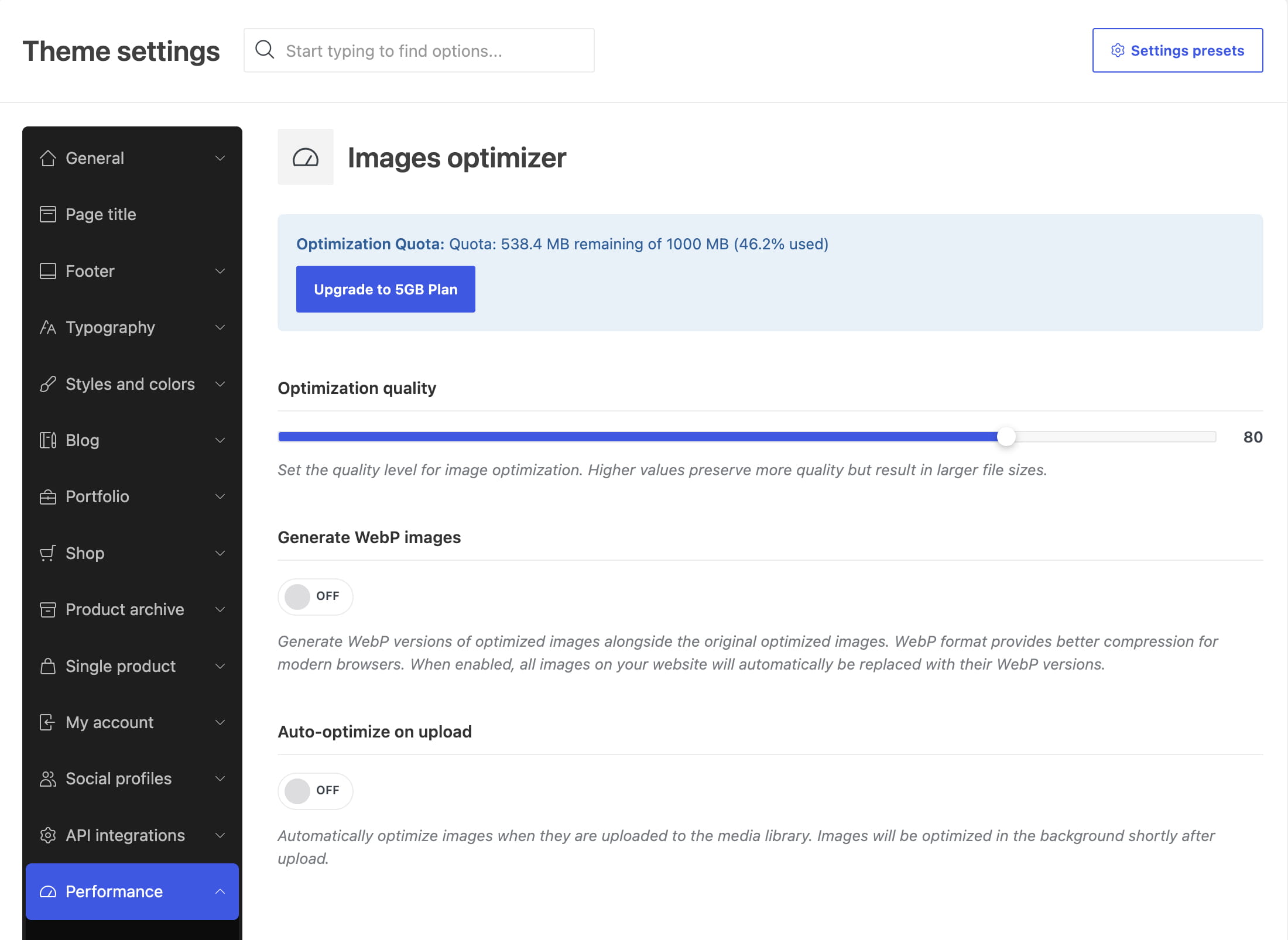
Navigate to Dashboard -> Theme Settings -> Performance -> Images optimizer. The following options control how images are processed:
- Optimization quality — sets the balance between image quality and file size. Higher values preserve more detail but produce larger files.
- Generate WebP images — creates WebP versions alongside the optimized JPEG or PNG files and serves them where supported.
- Auto-optimize on upload — automatically optimizes supported images shortly after they are added to the Media Library.
The same section displays the remaining optimization quota for the connected license.
Optimize existing images
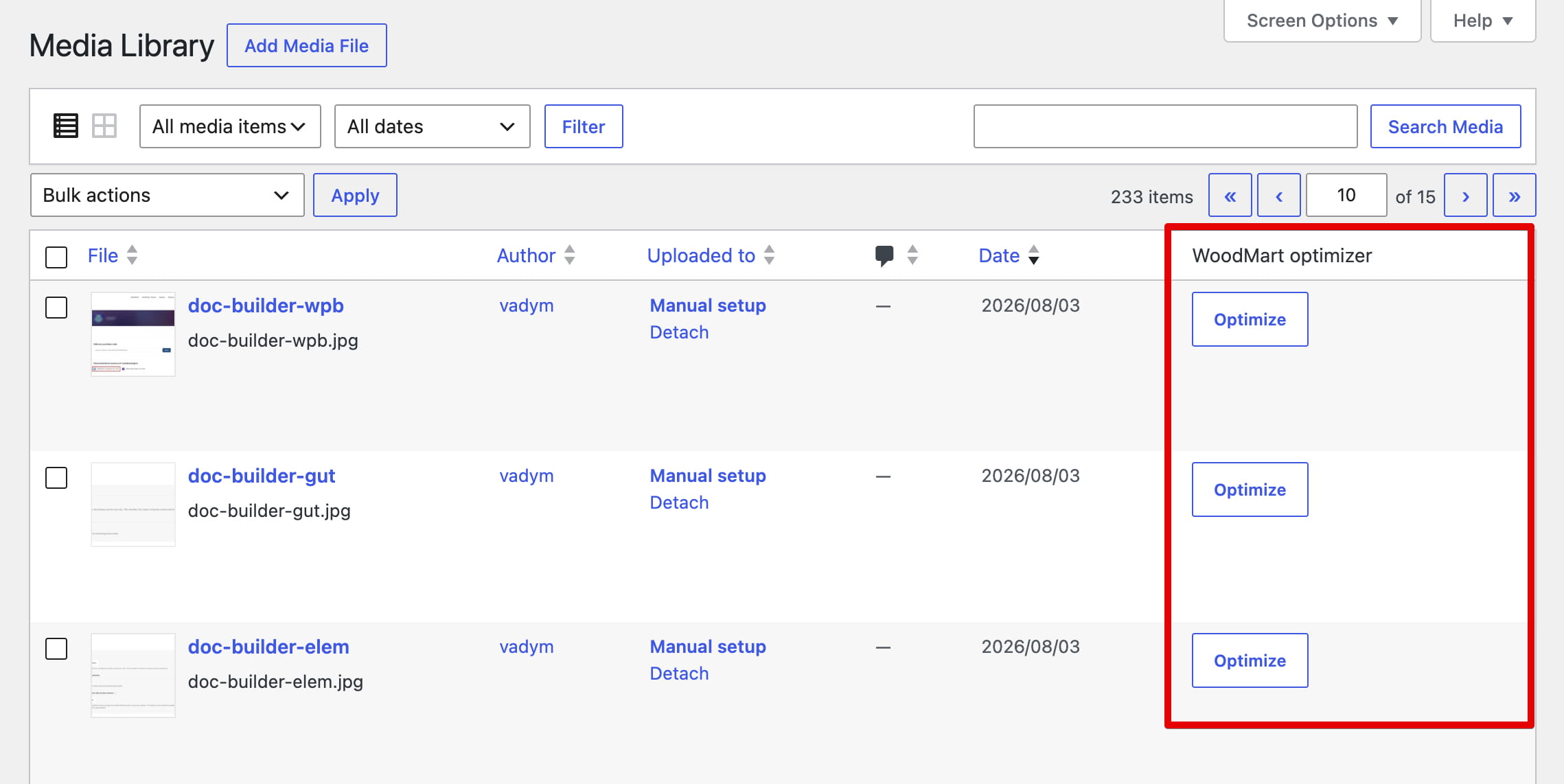
Navigate to Dashboard -> Media -> Library and switch to the List view. You can then optimize images in either of the following ways:
- Click Optimize next to an individual image.
- Select multiple images, choose Optimize with WoodMart from the Bulk actions menu, and click Apply.
When an image is optimized, the plugin replaces its current file with the compressed version, keeps a backup of the original, and regenerates the WordPress image sizes. A WebP version is created only when Generate WebP images is enabled.
Restore original images
To restore one image, click Restore backup next to it in the Media Library. To restore several images, select them, choose Restore from optimizer backup from the Bulk actions menu, and click Apply.
Pricing and quota
All WoodMart customers with an active theme license receive 500 MB of free image optimization quota. After reaching this limit, you can continue using the service by subscribing to the paid plan. The current pricing is $3.99 per month for 5 GB of optimized images, with a single plan available at this time.
JOIN NOW AND GET 5GBDon’t miss WoodMart updates
Receive feature updates, tutorials, and WoodMart news via email.
 Last updated: August 7, 2026