
Enable customer registration
WooCommerce controls whether guests see only the login form or both the login and registration forms on the My account page. WoodMart applies the theme styling to these forms.
Enable registration on the My account page
1. Navigate to Dashboard -> WooCommerce -> Settings -> Accounts & Privacy.
2. In the Account creation section, enable On “My account” page.
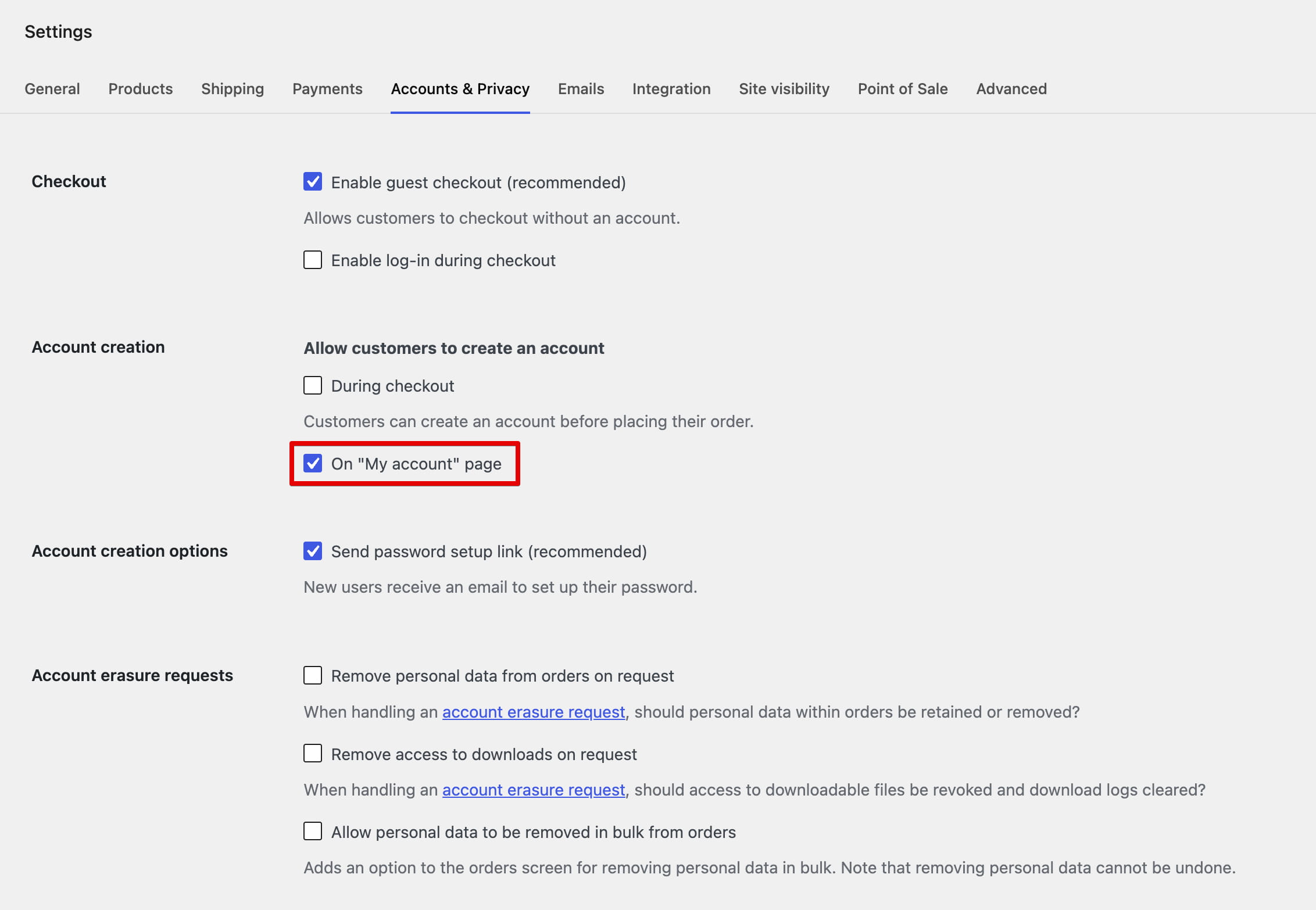
3. Click Save changes.
4. Open the My account page while logged out to verify that the registration form is displayed next to the login form.
Don’t miss WoodMart updates
Receive feature updates, tutorials, and WoodMart news via email.
 Last updated: September 14, 2026