
Automatic patcher
The WoodMart Patcher lets you apply targeted fixes between regular theme releases. A patch contains only the parent-theme files required to resolve a specific issue, so you can install the fix without replacing the complete theme package.
Available patches are matched to your installed WoodMart version. Fixes delivered through the Patcher are also included in a later full theme update.
Before applying a patch
Review the patch description before applying it. Not every patch affects every website because the related issue may depend on a specific feature, configuration, or plugin combination. For a production store, we recommend testing the patch on a staging website first.
Patcher interface
Navigate to Dashboard -> WoodMart -> Patcher. The page displays patches available for your installed theme version. Each patch includes an ID, description, release date, and action button.
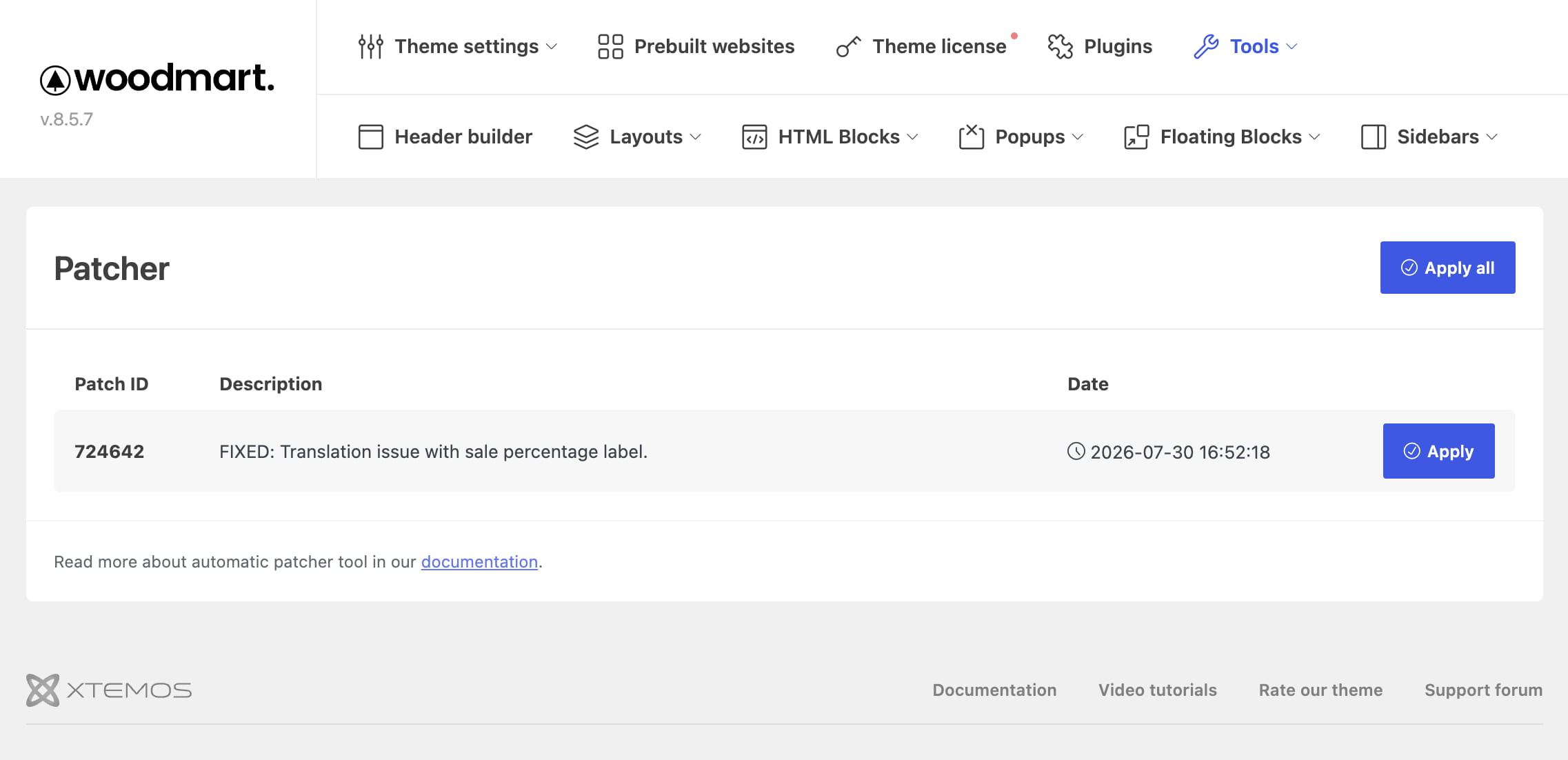
How to apply a patch
- Create a backup of your website files or test the patch on a staging website.
- Go to Dashboard -> WoodMart -> Patcher.
- Read the patch description and confirm that it is relevant to your website.
- Click Apply. The confirmation dialog lists the theme files that will be replaced.
- Review the file list and confirm the action. When the process is complete, the patch status changes to Applied.
- Check the affected feature on your website. If the change is not immediately visible, clear any WordPress, server, and CDN caches.
To install every available patch, click Apply all. Review the available patches and create a backup before using this option.
When direct file access is unavailable
If WordPress cannot write directly to the theme files on your server, the Patcher displays a Download button instead of Apply. Download the patch files and replace them manually while preserving their original directory structure. If necessary, ask your hosting provider to check the filesystem permissions.
Patches vs. theme updates
We use patches to release fixes more frequently without requiring every WoodMart user to install a full theme update. Some bugs affect only a specific option, feature, or configuration that is used on a limited number of websites. In these cases, the affected users can apply the relevant patch immediately, while websites that do not use that functionality do not need to update.
If an issue is critical or affects a large number of websites, we release a full theme update instead. Every patch is also included in the next regular WoodMart update, so the fix becomes part of the complete theme package.
See the Update the theme guide for complete update instructions.
What happens after a theme update?
When you update WoodMart to a version that includes an applied patch, you do not need to apply that patch again. The Patcher then checks for patches created specifically for the newly installed theme version.
Don’t miss WoodMart updates
Receive feature updates, tutorials, and WoodMart news via email.
 Last updated: August 4, 2026