
Email marketing consent
Email marketing consent adds opt-in controls to WooCommerce registration, guest checkout, and the customer account page. WoodMart uses the saved consent when sending supported marketing email notifications.
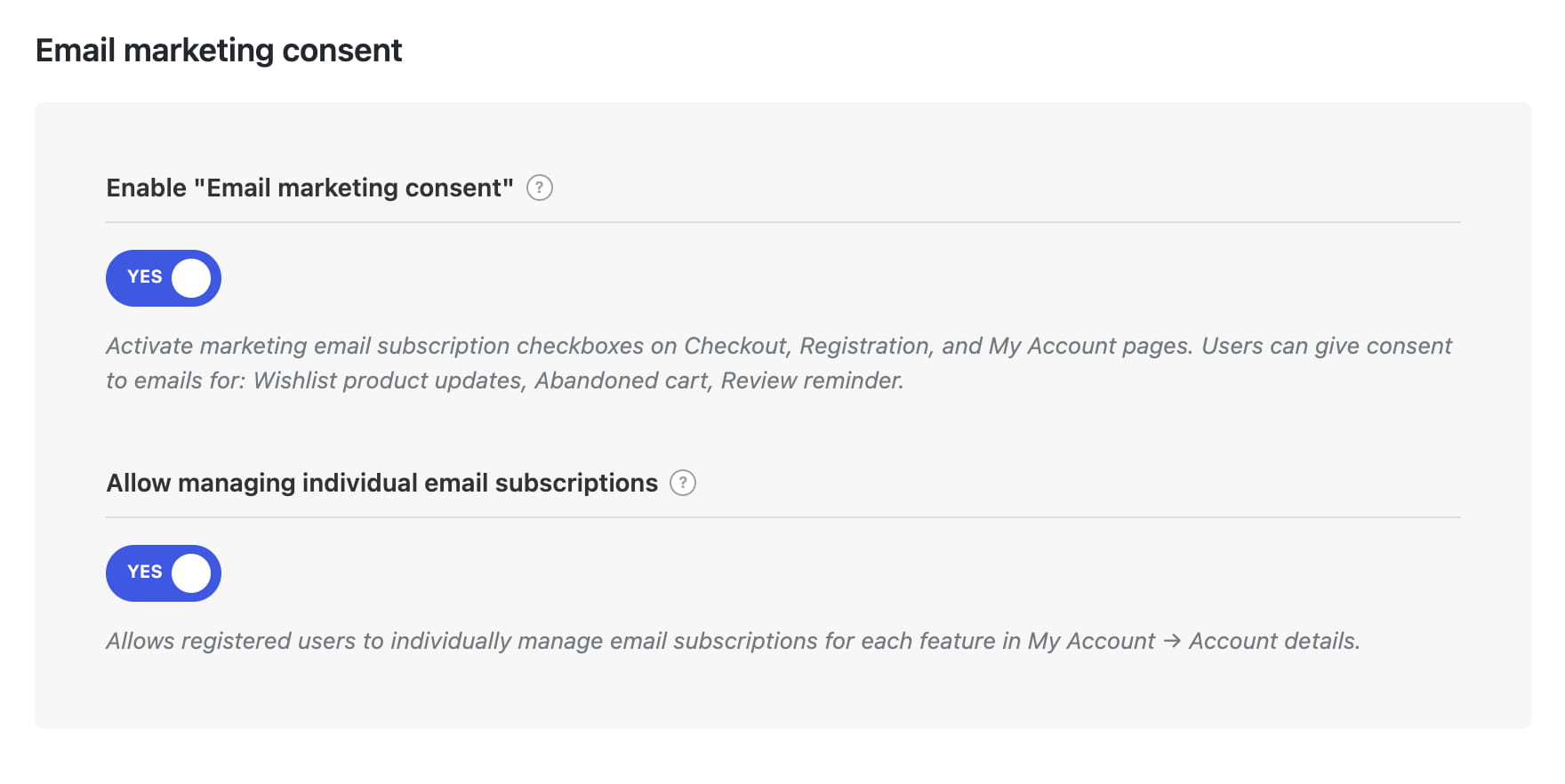
Enable email marketing consent
- Navigate to Dashboard -> Theme Settings -> Shop -> Email marketing consent.
- Enable Enable “Email marketing consent”.
- To let registered customers control each supported email type separately, enable Allow managing individual email subscriptions.
- Save the Theme Settings.
Where the consent checkbox appears
- Registration form — customers can opt in while creating a WooCommerce account.
- Guest checkout — customers can opt in before placing an order without signing in.
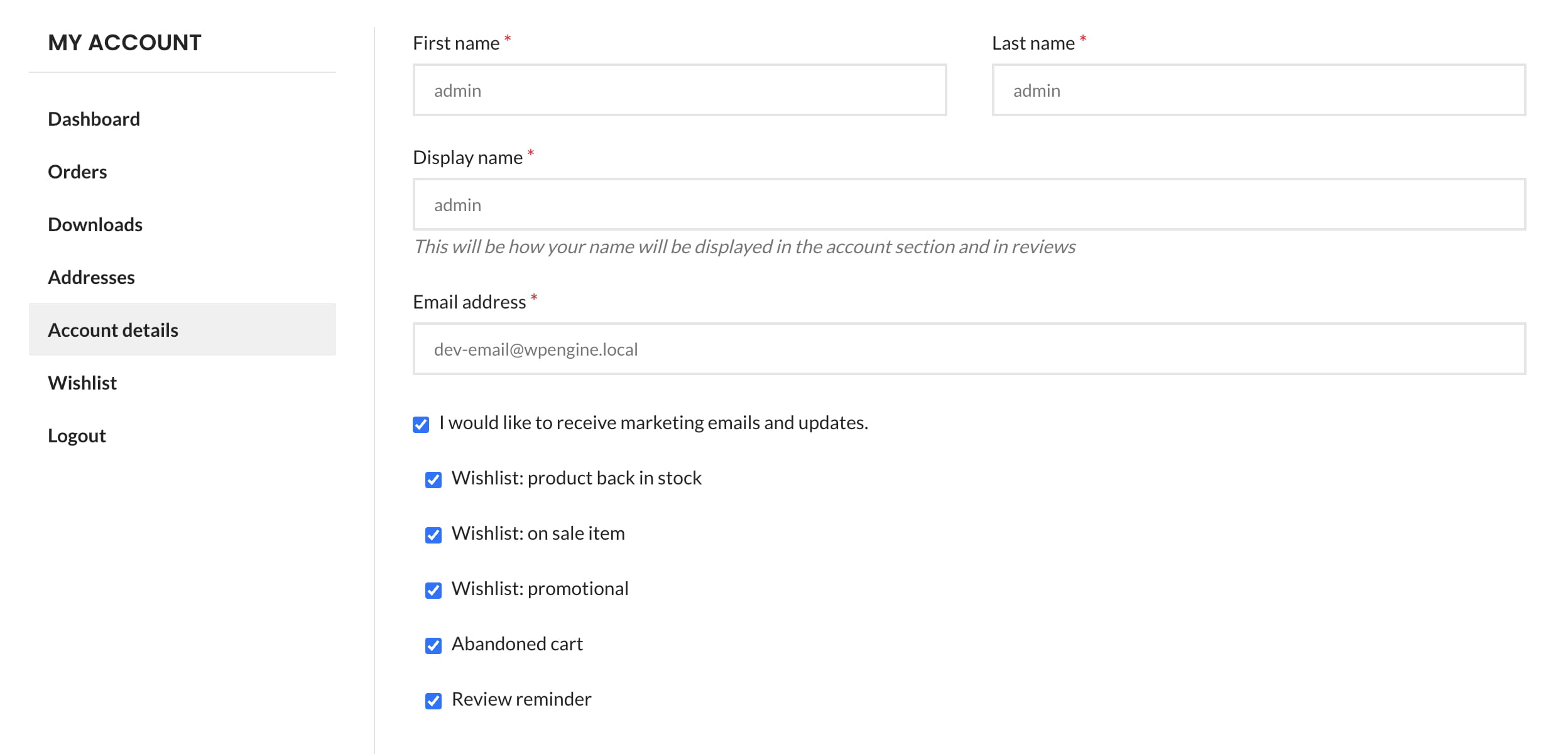
- My Account -> Account details — registered customers can update their general consent at any time.
The checkout checkbox is not displayed to customers who are already signed in. They can manage their consent from My Account -> Account details.
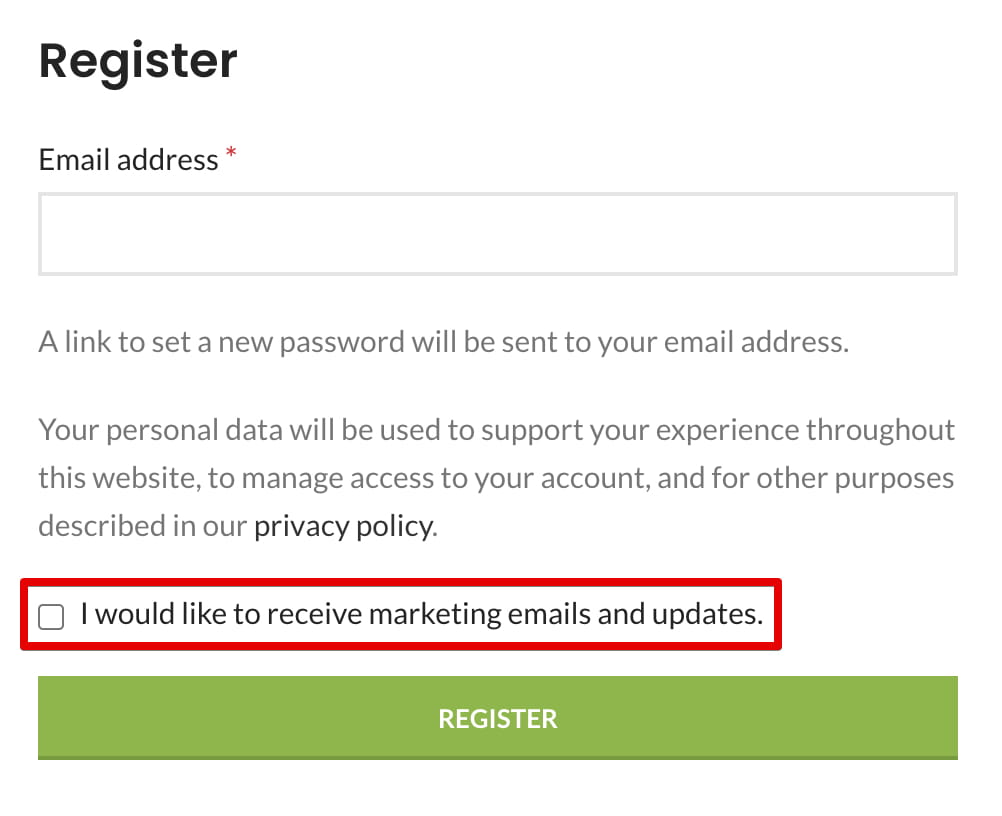
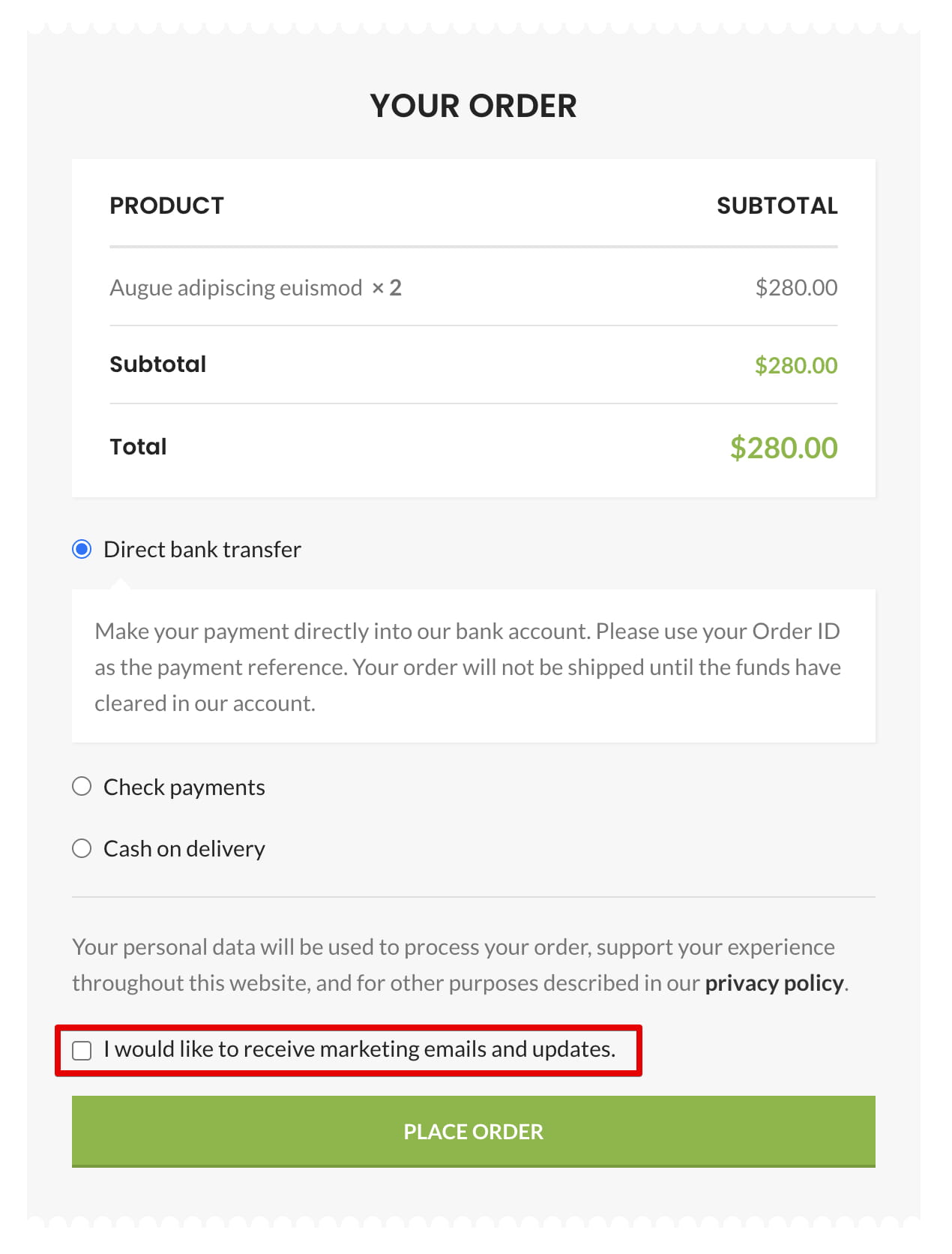
Manage individual email subscriptions
When individual subscription management is enabled, registered customers can select specific email types under My Account -> Account details. These controls remain unavailable until the customer enables the general marketing consent checkbox.
Only supported email notifications that are currently enabled appear in the list. Their availability also depends on the related WoodMart feature. Email notifications can be managed in Dashboard -> WooCommerce -> Settings -> Emails.
- Wishlist: product back in stock
- Wishlist: on sale item
- Wishlist: promotional
- Abandoned cart
- Review reminder
Don’t miss WoodMart updates
Receive feature updates, tutorials, and WoodMart news via email.
 Last updated: August 11, 2026