
Add a filters area to a custom shop layout
The Filters area displays product filters in a collapsible horizontal section above the product archive. In a custom Products archive layout, add the Filters area and its button directly where they should appear.
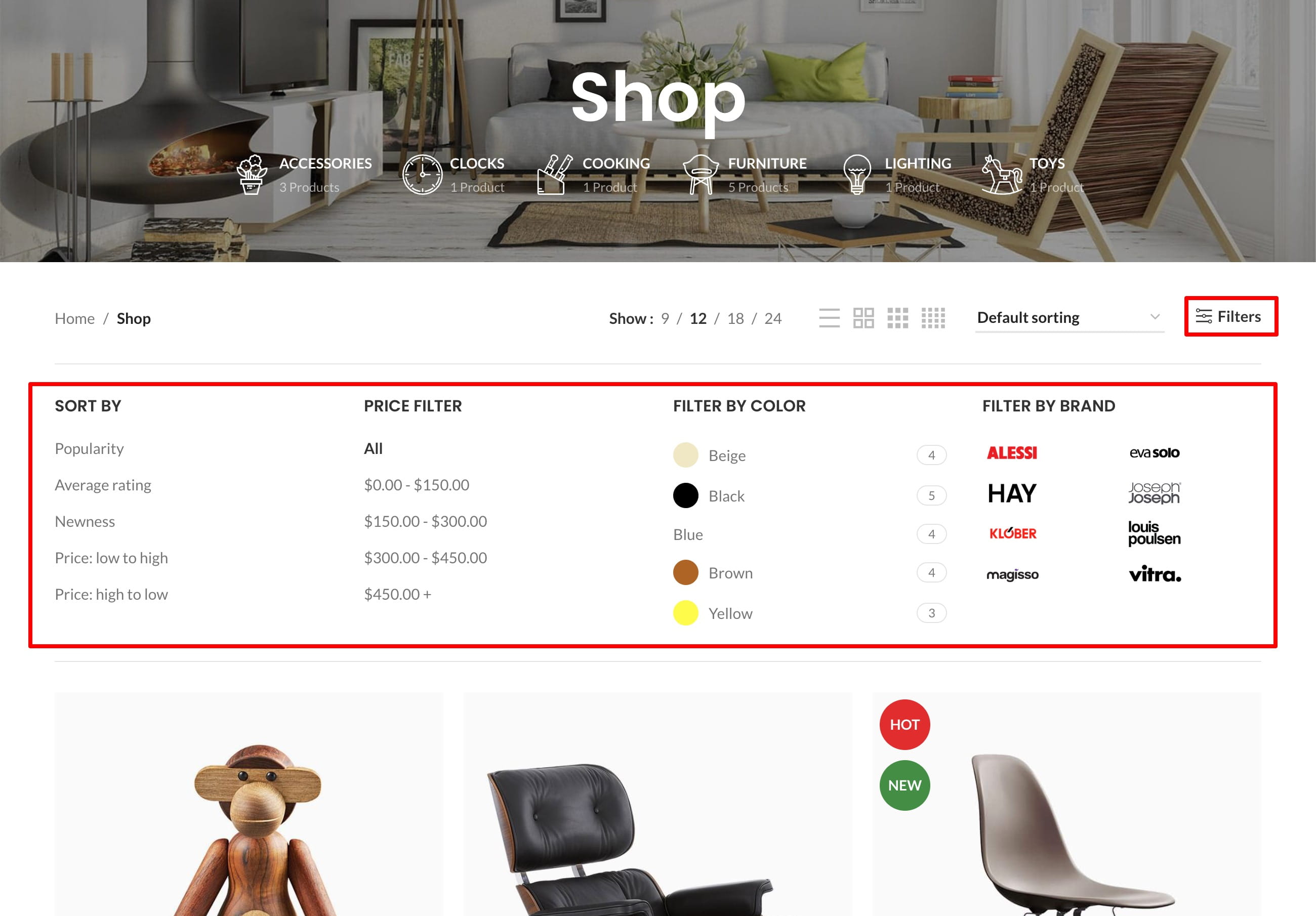
Choose the filters content
The Filters area can display either the Shop filters widget area or an HTML Block containing the Product filters element.
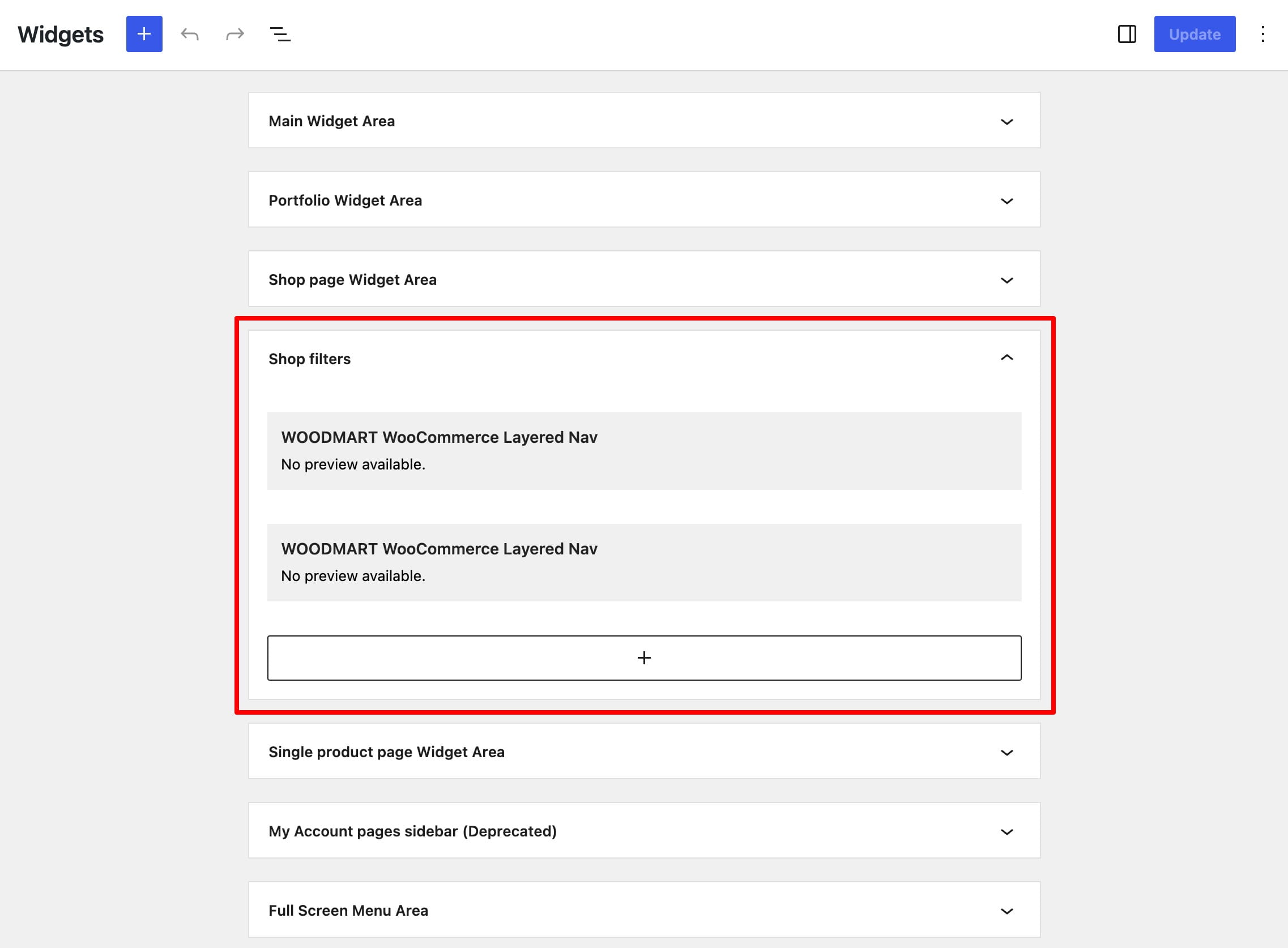
Widgets
1. Navigate to Dashboard -> Appearance -> Widgets.
2. Add the required product filter widgets to the Shop filters widget area.
HTML Block
1. Create an HTML Block under Dashboard -> HTML Blocks and add the Product filters element or block.
2. Navigate to Dashboard -> Theme Settings -> Product archive -> Shop filters.
3. Set Shop filters content type to HTML Block and select it under Shop filters HTML Block.
Add the filters area to the layout
1. Edit the relevant Products archive layout.
2. Add Filters area button where customers should open or close the filters.
3. Add Filters area where the filter controls should be displayed.
4. Publish or update the layout and test it on the archive pages selected by its conditions.
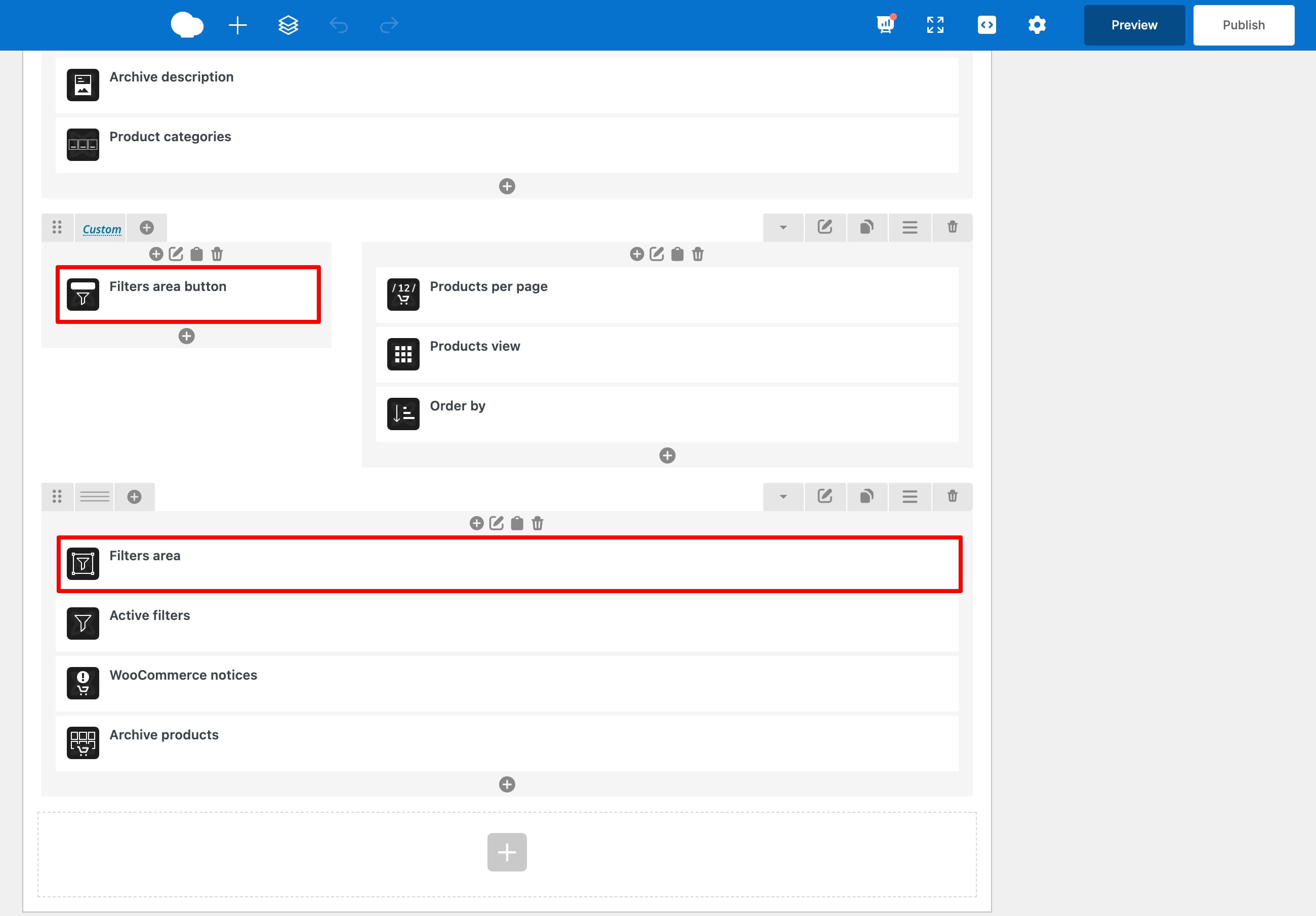
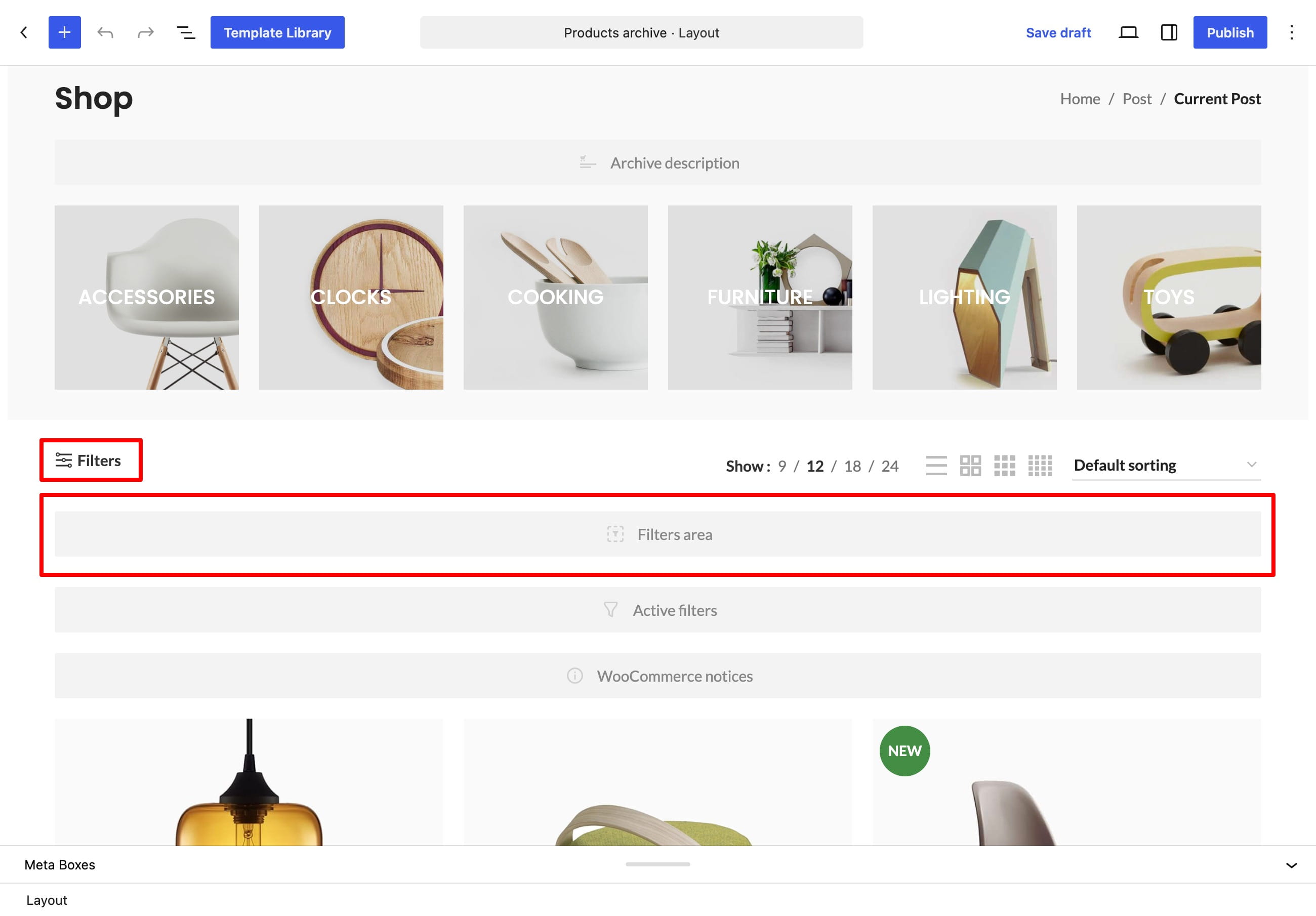
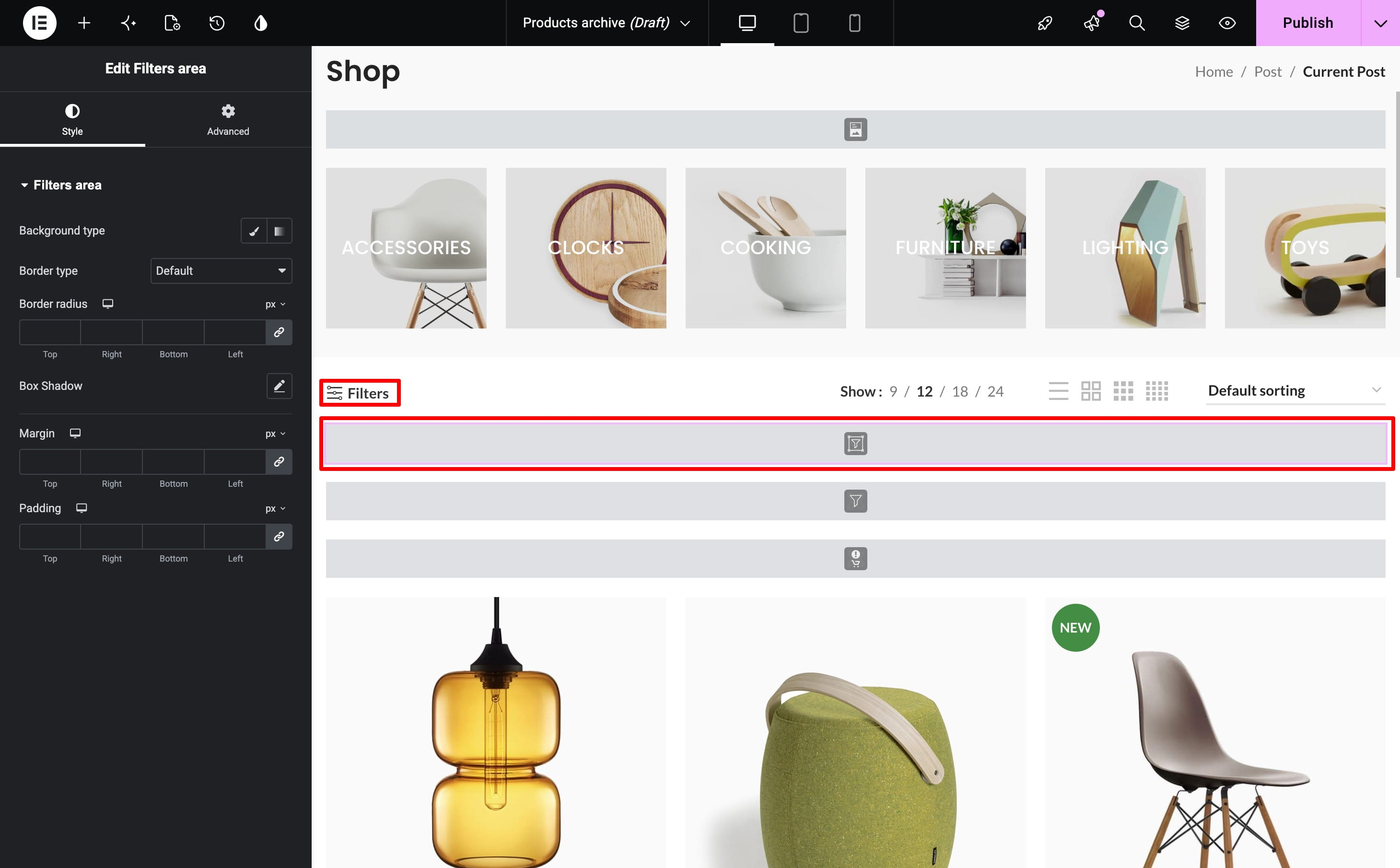
Filters area and Filters area button are available in Gutenberg, Elementor, and WPBakery.
Related documentation
Don’t miss WoodMart updates
Receive feature updates, tutorials, and WoodMart news via email.
 Last updated: August 31, 2026